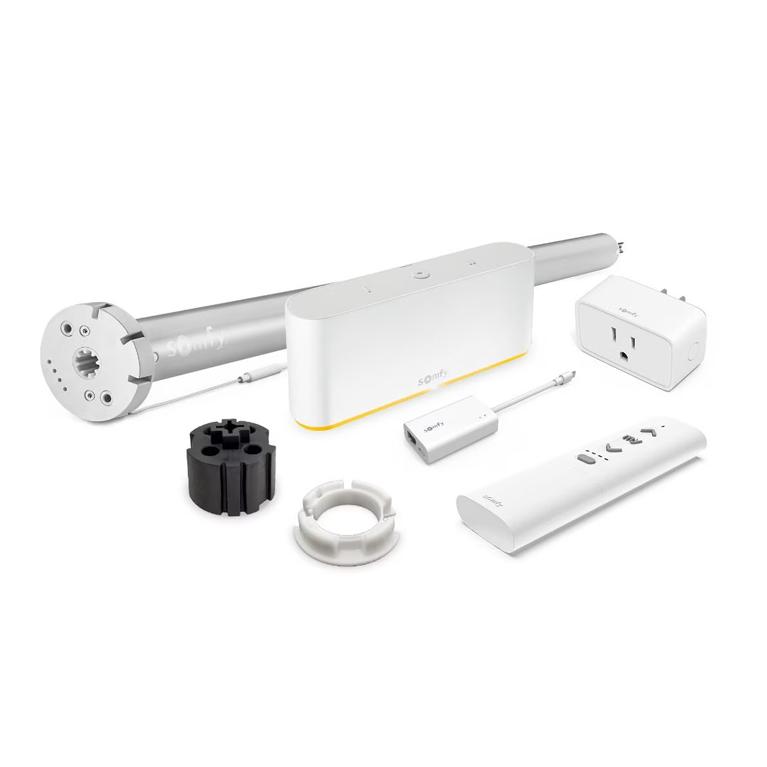
Short answer: Re-commission a whole Somfy SDN system with Set pro by Somfy on a Windows laptop, connected through the Somfy USB to RS485 Adapter for SDN (9015260). Fix one motor at the window with the handheld RS485 Setting Tool 9017142. Any replaced motor brings a new factory NodeID, so every group and control-system entry needs the new address.
An SDN callback costs you twice. The truck roll is unbillable, and the owner remembers the shade that ignored the AV system on the day of the board meeting. Most of these calls end in a settings problem: a limit, a group or an address. Carry the right Somfy tool and the visit ends in an hour. This guide maps each callback to the tool and the order of work.
Free spec package
Somfy SDN commissioning spec package

- System limits schedule with a source for every number
- RS485 Setting Tool elevation from published dimensions
- Commissioning riser, RJ45 pinouts and a NodeID record sheet
- Editable 3-part guide spec, BOM and re-commission checklist
Two Somfy tools, two jobs
Somfy splits SDN commissioning between a laptop kit and a handheld. The laptop kit is Set pro by Somfy plus the 9015260 adapter. Somfy describes the adapter as the link between a Windows laptop running Set pro and the SDN bus, for configuring motors, keypads and devices. You run setup, updates and diagnostics from one place. The adapter plugs into USB on the laptop and into SDN through RJ45 on a standard Cat5/6 cable. It draws power from USB, carries an IP 20 rating and a 5-year Somfy warranty.
The handheld is the Somfy RS485 Setting Tool (9017142). Somfy calls it the tool required to set limits with RS485 motors. Its instructions describe it as point to point only. It talks to one motor at a time, and Somfy states in plain words that it is not a network tool.
Somfy launched Set pro alongside SDN Connect in September 2024. Somfy built it so a dealer can create and plan the project remotely, before the site visit. Use that on a re-commission too: build the expected motor list and groups in the office, then compare it with what the bus reports.
Know what Somfy expects before integration
Somfy's SDN Integration Guide sets the order. Each device should already have its Up, Down and Tilt limits, rotation direction and application mode set before a control system takes over. The guide leaves limit setting out of its scope. That work belongs to Set pro or the handheld.
Three facts from the same guide shape every service visit. Each device carries a 3-byte NodeID programmed at the factory. It cannot be changed, and Somfy prints it on the device label in plain text and as a barcode. Each device can belong to up to 16 groups. Each motor holds up to 16 intermediate positions.
SDN commissioning numbers
- NodeID: 3 bytes, set at the factory, not changeable. Printed on the label in text and barcode.
- Groups: up to 16 group addresses per device (GroupIndex 0 to 15).
- Intermediate positions: index 1 to 16 per motor.
- Serial link: 4800 baud, 8 data bits, odd parity, 1 stop bit.
- RS485 Setting Tool: 9V DC from one 6LR61 battery, rated for about 1000 motor settings.
- Setting Tool lead: 10 m (33 ft) maximum, one motor at a time.
- Bus terminator: 120 ohm, 0.3 W resistor.
One motor: the RS485 Setting Tool at the window
The handheld covers the single-shade callbacks. Somfy's instructions list its node discovery menu: NodeID display, rotation direction, Up and Down limit setting, preset positions 1 to 16 with set, test and erase, calibration and factory default motor reset. A second menu shows battery level, the tool's own NodeID and its software version.
The tool runs on a 9V 6LR61 battery rated for about 1000 motor settings. The housing measures 117 x 79 x 24 mm, weighs 225 g and carries IP30. It operates from -10 to +60 C. Somfy's 9017142 page lists it for the Sonesse 30 RS485 24V DC (1241144), the Roll Up 30 Short RS485 and the Sonesse 50 and ULTRA RS485 motors.
Watch the lead. Somfy's datasheet puts ground on RJ45 pins 1 and 2, RS485 (-) on pin 7 and RS485 (+) on pin 8. The SDN keypad port in Somfy's reference book puts SDN (+) and (-) on pins 1 and 2 and 24V power on pins 4 and 5. Our rule: never link the handheld to a keypad port with a straight patch cord. Build the lead to Somfy's wire detail for the motor: ST30V2-WIRING-03 for the Sonesse 30, ST50DC-WIRING-02 for the Sonesse 50 DC. Both details show the motor on its Weidmüller connector, a 24V DC power supply and the setting tool.
The whole bus: Set pro and the 9015260
Set pro handles the system calls. Somfy's integration guide credits it with bus discovery, and it ships with the SDN Frame Builder for encoding and decoding messages. Discovery returns the NodeID of every device that answers. Compare that list with the as-built. A motor missing from the list points you to a cable, a connector or a dead motor, and it tells you which opening to visit first.
Somfy publishes the Set pro by Somfy User Guide V2.0 and SDN Motor Configuration Software 5.1 as downloads on the 9015260 page. The same Set pro guide sits on the Sonesse 30 RS485 page and on the Sonesse 40 RS485 406A2 (1240563) page, the 120V SDN Connect motor. Download the current release before you leave the shop.
On a low-voltage job the Somfy SDN PowerConnect Surface-Mount Panel (1871026) is a natural place to start. Its sequence button runs the motors from the panel, and its bus power, bus activity and end-of-line LEDs tell you the bus state before the laptop opens. Our rule: run the sequence test first. A motor that will not move from its own panel has a power or wiring fault, and no software will fix it.
Replacing one motor on a live SDN job
This is the retrofit that catches people. The new motor fits the tube, the limits get set, and the shade still ignores the keypad and the Crestron panel. The cause sits on the label. The NodeID is set at the factory and cannot be changed, so the replacement answers to a new address. Every group and every driver entry still points at the old one.
- Read the old NodeID from the as-built or from Set pro before you pull the motor.
- Read the new NodeID from the replacement label before the tube goes into the brackets.
- Set direction and limits with Set pro or the 9017142.
- Add the new NodeID to every group the old motor held. Somfy allows 16 per device.
- Send the AV or BMS programmer both NodeIDs. SDN point-to-point commands address a motor by its NodeID.
- Run each group and each preset from the control system before you sign off.
Our rule: photograph every motor label during the original install. It costs a minute per opening and saves an hour per callback.
Hand over a record the next tech can use
The owner pays for the commissioning once. Give them proof. Sheet SMD-03 in the spec package carries a NodeID and settings record: opening, motor reference, NodeID, groups, who set the limits, presets and the date. Save the Set pro project file with it. The next visit starts from a known state, and your control-system programmer gets the addresses in one document.
For integrators handing NodeIDs to a third-party controller, the same Somfy guide sets the serial link at 4800 baud, 8 data bits, odd parity and 1 stop bit. Put those on the record too. They end the most common driver setup question.
Take the spec package to your submittal
Somfy SDN commissioning spec package
- Guide spec Part 3 language for limits, groups and NodeID records
- BOM: 9015260, 9017142 and spare 6LR61 batteries
- Re-commission checklist for a motor swap
FAQ
Can the RS485 Setting Tool commission a whole SDN bus?
No. Somfy's instructions describe the 9017142 as point to point only and state that it is not a network tool. Use Set pro by Somfy with the USB to RS485 adapter 9015260 for bus discovery, groups and updates.
Does a replacement SDN motor keep the old address?
No. Somfy programs each device's 3-byte NodeID at the factory and it cannot be changed. Add the new NodeID to every group the old motor held and update the control-system driver.
What does the 9015260 adapter connect to?
Somfy lists USB to a Windows laptop running Set pro and RJ45 to the SDN bus on a standard Cat5/6 cable. The adapter is USB-powered.
What battery does the Somfy RS485 Setting Tool use?
One 9V 6LR61 alkaline battery. Somfy rates it for about 1000 motor settings. Carry a spare.
Sources: Somfy SDN Integration Guide DOC155888/003 (July 2023); somfysystems.com product pages for 9015260, 9017142, 1241144 and 1240563; Somfy SDN Connect launch release (September 19, 2024); Somfy RS485 Setting Tool datasheet TDST DOC102132 and instructions; Somfy Digital Network Reference Book; Somfy PowerConnect 1871026 product page.
Ryan Towns writes the Somfy Integrator Guides for ShadeMotorsDirect, an authorized Somfy distributor. Questions on a spec or a retrofit: 859-414-6872 or colin@shademotorsdirect.com, 8:00 AM - 7:30 PM ET.