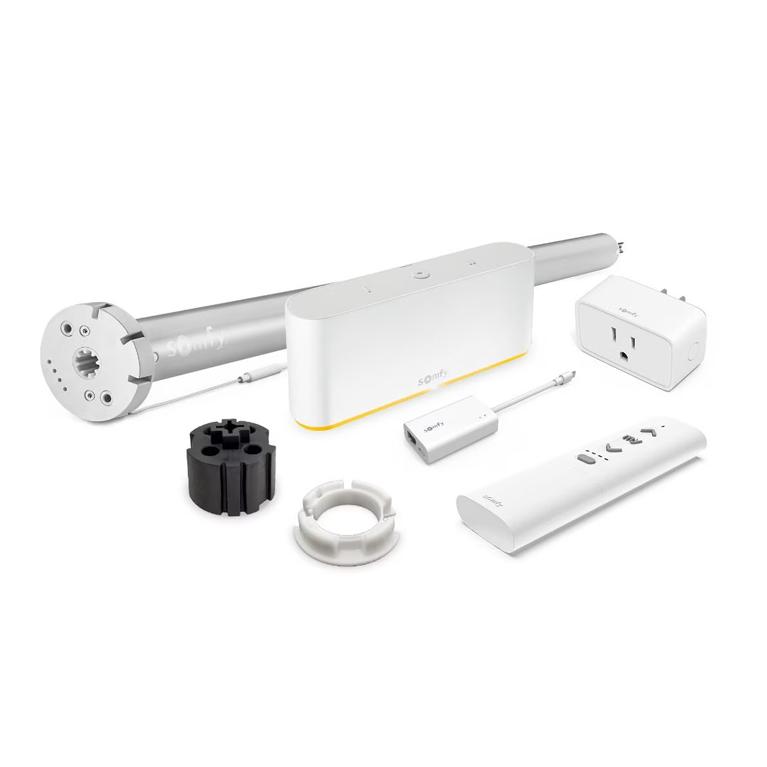
Short answer: The Somfy TaHoma Switch with Ethernet Adapter (1871038) is the standard TaHoma Switch hub boxed with Somfy's Ethernet Adaptor (9028054). It controls up to 60 Somfy Zigbee products or 40 RTS channels from the TaHoma app, and the adapter adds a 10/100 Mbps RJ45 port so the hub can sit on a wired network drop instead of Wi-Fi.

Pick the bundle when the hub sits on a network cable
The Somfy TaHoma Switch with Ethernet Adaptor (1871038) answers one installation question: how the hub reaches the internet. Somfy's setup guide for the TaHoma Switch states that the Wi-Fi network must run on 2.4 GHz and be secured with a password. Plenty of homes meet that. Some do not, and some installers would rather keep a shade hub off a congested wireless network altogether.
The Ethernet Adaptor gives the hub a wired LAN connection. Somfy describes it as adding an Ethernet port to TaHoma for a fast and stable internet connection. Everything else about the hub stays the same, so the buying decision comes down to where the switch will live and what network drop sits near it.
A structured media panel or an equipment closet with a free switch port and an outlet suits the 1871038. A hub placed on a shelf in the middle of the house, with good 2.4 GHz coverage, runs fine on the standard Somfy TaHoma Switch (1871037).
TaHoma Switch capacity on Zigbee and RTS
TaHoma Switch is Somfy's smart home hub for interior blinds and shades. Two radios share one housing. The Zigbee 3.0 side runs at 2.4 GHz and handles up to 60 Somfy Zigbee products. The RTS side transmits at 433.420 MHz and drives up to 40 channels of Radio Technology Somfy motors.
From the TaHoma app you build scenes and schedules, then run them from home or away. Somfy also lists voice control through Amazon Alexa and Google Home, plus Apple Home for Zigbee products where applicable. Up to 10 TaHoma Switches can join together for multi-zone RTS control in a larger house.
The setup and capacity math for the hub itself lives in our TaHoma Switch setup and capacity guide. This page stays on the Ethernet bundle.
Verified specs for the 1871038 and its adapter
The figures below come from Somfy's TaHoma switch spec sheet (March 2024) and the somfysystems.com product page for 1871038.
| Somfy references | 1871038 (switch with Ethernet Adaptor); 1871037 (switch only); 9028054 (adaptor only) |
| Zigbee capacity | Up to 60 Somfy Zigbee products, Zigbee 3.0 at 2.4 GHz |
| RTS capacity | Up to 40 channels, 433.420 MHz |
| Multi-zone | Up to 10 TaHoma Switches joined for RTS control |
| Power supply input | 100-240V AC, 50-60 Hz, 0.5 A max, type A plug |
| Power supply output | 5V DC, 2000 mA, Micro-USB to the switch |
| Switch dimensions | 6.37 x 2.65 x 1.33 in (162 x 67.5 x 34 mm) |
| Switch operating temperature | 32 to 95 F (0 to 35 C), indoor use |
| Adaptor port | RJ45, 10/100 Mbps |
| Adaptor power pass-through | Micro-USB socket in, Micro-USB plug out, 5V, 2A max |
| Adaptor size and weight | 7.36 x 1.39 x 0.67 in, 0.056 lb (25.5 g) |
| Adaptor operating temperature | 32 to 140 F (0 to 60 C) |
| Apps | TaHoma by Somfy and TaHoma pro, iOS 15.0 or later, Android 8.0 and up |
| Approvals | FCC, CE, UL; adaptor FCC, IC |
| Warranty | 5 years |
Note the temperature row. The switch carries a 95 F ceiling, lower than the adaptor's 140 F. A hot attic or a sealed equipment cabinet is a poor home for the hub, wired or not.
Connecting the Ethernet Adaptor
The adaptor works on the hub's own power lead. It accepts 5V through a Micro-USB socket and passes it to the TaHoma Switch through a Micro-USB plug, so one cable run from the USB power supply feeds both. The RJ45 port then takes a standard network patch cable from your router or switch.
Somfy's spec sheet shows two indicator lights on the adaptor. Blue means an Ethernet connection is up. Yellow means data is moving. Those two lights are the first check if the app reports the hub offline.
Somfy publishes the TaHoma Switch app setup as these steps:
- Open the TaHoma app.
- Start the TaHoma switch installation.
- Plug in the power supply.
- Accept Bluetooth, select your Wi-Fi network and enter the password, then connect to the internet.
- Create your TaHoma account or log in with your email address and password.
- Enter your name, accept the terms and conditions, and allow notifications.
- Finish: TaHoma switch is ready to use.
Steps can change between app versions, so follow the screens the TaHoma app shows on the day. The hub needs a smartphone on iOS 15.0 or later, or Android 8.0 and up, for setup.
Compatible remotes, switches and modules
A Zigbee hub earns its keep through the devices paired to it. Four Somfy Zigbee products pair with the TaHoma Switch and fit most jobs built around it:
- The Somfy Ysia 5 Channel Zigbee Remote (1871154) gives a handheld for five groups of Zigbee shades.
- The Somfy Ysia 1 Channel Zigbee Remote (1871153) covers a single shade or group.
- The Somfy DecoFlex WireFree Zigbee 2 Channel In-wall switch (1871573) puts Zigbee control on the wall with no wiring.
- The Somfy Zigbee (2-Way) Module (9000043) adds Zigbee to Glydea ULTRA DCT drapery motors, so a curtain track joins the same app as the roller shades.

RTS motors need no added hardware. The hub transmits RTS at 433.420 MHz and pairs to existing RTS motors through the app. Keep one point in mind: RTS is a one-way radio, so the app shows the last command sent to an RTS shade, while Zigbee motors report their position back. Our Somfy RTS vs Zigbee comparison covers that difference in detail.
Integration with Control4, Crestron and other systems
Somfy lists a long partner roster for TaHoma Switch: Control4, Crestron, Savant, ELAN, RTI, URC, Brilliant, SmartThings, Josh, Alarm.com, Philips Hue and Sonos. Third-party systems reach the hub through the Somfy Synergy API.
Integrators often prefer the wired version here. A control processor and a shade hub that share a wired LAN keep their traffic off the household Wi-Fi. If you already own a 1871037 and want the same result, the Somfy TaHoma Switch Ethernet Adaptor (9028054) sells on its own and adds the RJ45 port to the hub you have.
Weighing TaHoma against Somfy's other interfaces, such as URTSI II for serial control or UAI Plus for SDN, takes a separate decision. Our TaHoma Switch vs Beecon, URTSI II and UAI Plus guide walks through it, and the full range sits in our Somfy smart hubs collection.
Ordering the right TaHoma part
Somfy splits the TaHoma Switch family across separate references. Order the TaHoma Switch with Ethernet Adaptor (1871038) for a new installation that will sit on a wired drop. For a Wi-Fi installation on a 2.4 GHz network, the 1871037 does the job, and the 9028054 adaptor can follow later if that hub ever moves to a cable.
Count devices before you order. One hub carries 60 Zigbee products or 40 RTS channels, and Somfy allows up to 10 TaHoma Switches joined for multi-zone RTS control. Then add the Ysia remote or DecoFlex switch each room needs.
Sources: Somfy TaHoma switch Spec Sheet (2024.03.18), Somfy TaHoma switch installation guide, and the somfysystems.com product page for 1871038.
FAQ
Is the 1871038 a different hub from the TaHoma Switch 1871037?
No. Somfy lists 1871038 as the TaHoma Switch with the Ethernet Adaptor included, and 1871037 as the switch alone. Both carry the same capacity of 60 Zigbee products or 40 RTS channels and run on the same TaHoma app. The 1871038 adds the 9028054 adaptor and its RJ45 port in the box.
Does the TaHoma Switch work on 5 GHz Wi-Fi?
Somfy's installation guide states that the Wi-Fi network must run on 2.4 GHz and be secured with a password. A router that broadcasts both bands works, provided the 2.4 GHz band is on. Homes that would rather keep the hub off Wi-Fi can use the 1871038 bundle and its Ethernet Adaptor for a wired 10/100 Mbps connection.
Can I add the Ethernet Adaptor to a TaHoma Switch I already own?
Yes. Somfy sells the TaHoma Switch Ethernet Adaptor on its own as part 9028054, and its spec sheet lists it alongside both TaHoma Switch references. It takes 5V through a Micro-USB socket, passes that power to the hub through a Micro-USB plug, and adds an RJ45 port. Buying the 1871038 bundle gets both pieces in one box.
Will the TaHoma Switch run my older RTS shades?
Yes, up to 40 RTS channels. The hub transmits at 433.420 MHz, the RTS frequency, and pairs to RTS motors from the TaHoma app. RTS is a one-way radio, so the app shows the last command sent rather than a reported position. Zigbee motors on the same hub report their position back.
Shade Motors Direct is an authorized source for genuine Somfy motorized window shade, blind, and drapery parts.