Skip to content
Genuine Somfy Motors & Parts for Roller Shades

Shade Motors School · Program It · 101

How to Program a Somfy Smoove 4 RTS Wall Switch

The Smoove 4 RTS Pure II puts four RTS channels on a battery wall switch you mount without wiring. Learn its buttons and front panel ON/OFF, plan the four channels, pair and delete each one, and mount it where the shades hear it.

  • 5 modules
  • 15 min
  • 10-question quiz
  • Free certificate
  • Unlocks 10% off
10% OFF

Pass the quiz to unlock 10% off your first ShadeMotorsDirect order. Your code and certificate arrive by email from Shade Motors School.

You will be able to: Set up a Smoove 4 RTS Pure II with a four-channel plan and pair every channel to its shades.

Start the course

Inside this course

5 modules, one idea at a time

  1. Meet the Smoove 4 RTS Pure IIKnow what the Smoove 4 is, where it can go and which motors Somfy pairs it with. After this module you can say yes or no to a wall switch request on the first site visit.4 lessons · scenario check
  2. Buttons, LEDs and the front panel ON/OFFLearn what each button and light does, including the front panel ON/OFF that ships switched off. After this module you can wake a new switch and explain it to the owner at handover.4 lessons · scenario check
  3. Plan the four channelsChoose what each channel runs before you pair anything: one shade, a room or a mix. After this module you can write a channel plan the owner understands.4 lessons · scenario check
  4. Pair and delete a channelAdd the Smoove 4 to a shade from a control that already runs it, and take it off again with the same steps. After this module you can pair all four channels to your plan.4 lessons · 3-step walkthrough · scenario check
  5. Battery, range and placementFit the right battery and pick a wall spot the shades can hear. After this module you can mount the switch where the shades hear it and tell the owner what to replace.4 lessons · scenario check
  6. Final quiz10 real job scenarios, one per screen, each with a hint if you need it. Score 80% to pass and get your certificate.

Pass = 10% off

Finish every module, pass the quiz, unlock 10% off

Module 1 of 5

Meet the Smoove 4 RTS Pure II

Know what the Smoove 4 is, where it can go and which motors Somfy pairs it with. After this module you can say yes or no to a wall switch request on the first site visit.

4 lessons, then a scenario check.

Meet the Smoove 4 RTS Pure II

Four channels on the wall

The Smoove 4 RTS Pure II (1871381) is a battery wall switch with four channels. It surface mounts on its mounting plate, so you cut no drywall and run no wire.

On the jobA client wants one switch by the patio door for four shades. The Smoove 4 covers it with no electrician.

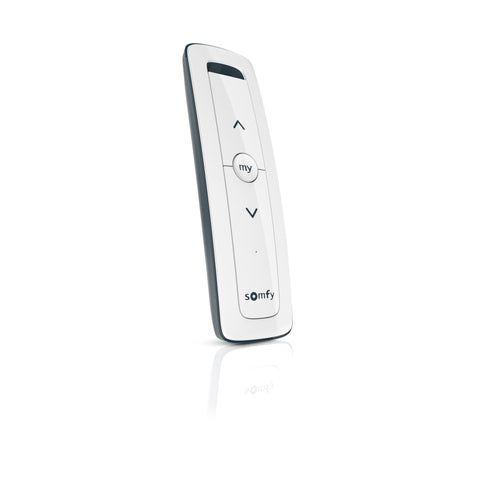
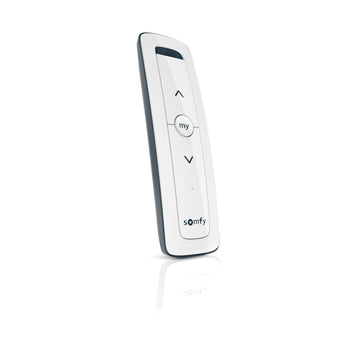
Somfy Smoove 4 RTS Pure II Wall Switch with Frame (1871381)
Smoove 4 RTS Pure II (1871381)

Meet the Smoove 4 RTS Pure II

Indoor only

Somfy rates the Smoove 4 IP 20 for indoor use, with a working range of 32 to 118 F.

Watch forAn owner asks for the same switch on an outdoor pergola post. The IP 20 indoor rating rules it out, so pick an outdoor control.

RATINGProtectionIP 20UseIndoor onlyWorking temperature32 to 118 F

Meet the Smoove 4 RTS Pure II

RTS is the language

Somfy lists RTS at 433.42 MHz as the only protocol for the Smoove 4. Pair it with RTS motors only.

On the jobRead the motor label before you sell the switch. If it does not say RTS, the Smoove 4 is the wrong control.

PROTOCOLSmoove 4RTS433.42 MHzPairs withRTS motorsonly

Meet the Smoove 4 RTS Pure II

Motors on the spec sheet

Somfy names four motors with the Smoove 4: Cord Lift WireFree CL32 RTS, Roll Up 28 WireFree RTS V2, Tilt 50 WireFree Through-Shaft RTS and Sonesse 40 RTS AC.

ExampleA bedroom with cellular shades on CL32 RTS motors is a match Somfy names on the Smoove 4 sheet.

Somfy Cord Lift WireFree CL32 RTS (External Battery) (1002422)
Cord Lift WireFree CL32 RTS (1002422)

Check yourself

A client has Smoove 4 in the cart for a covered porch post exposed to rain. What do you tell them?

Finish every module, pass the quiz, unlock 10% off

Module 2 of 5

Buttons, LEDs and the front panel ON/OFF

Learn what each button and light does, including the front panel ON/OFF that ships switched off. After this module you can wake a new switch and explain it to the owner at handover.

4 lessons, then a scenario check.

Buttons, LEDs and the front panel ON/OFF

The face

The front carries a channel selector, then UP, MY and DOWN. You pick a channel, then press the button for the move you want.

ExampleAt handover, point to the channel selector first, since it decides which shade moves.

THE FACECHANNEL 1 2 3 4UPMYDOWN

Buttons, LEDs and the front panel ON/OFF

Off out of the box

The switch also has ON/OFF, PROG and a battery door. Somfy ships the front panel switched off. A long press on ON/OFF turns it on, and the LED shows green.

Watch forIf a new switch does nothing, long press ON/OFF before you call it faulty.

ON/OFFOut of the boxFront panel OFFButtons do nothingLong press ON/OFFFront panel ONGreen LED

Buttons, LEDs and the front panel ON/OFF

Green on, red off

The spec sheet ties the ON/OFF LED to the panel state: green means on and red means off.

On the jobA parent who wants the kids off the shades can turn the front panel off with ON/OFF and read red to confirm it.

LEDGreen LEDPanel ONRed LEDPanel OFF

Buttons, LEDs and the front panel ON/OFF

MY does two jobs

MY stops a moving shade. With the shade still, MY sends it to the saved favorite position.

ExampleSave a glare position as the favorite so the owner gets it with one press of MY.

MY BUTTONShade movingMYstops itShade stillMYgoes to favorite

Check yourself

You mount a new Smoove 4 and pair nothing yet, but the owner says no button does anything. What do you check first?

Finish every module, pass the quiz, unlock 10% off

Module 3 of 5

Plan the four channels

Choose what each channel runs before you pair anything: one shade, a room or a mix. After this module you can write a channel plan the owner understands.

4 lessons, then a scenario check.
Plan the four channels

Select before you press

Somfy tells you to confirm the right channel or channels are selected before use. The channel LED lights to confirm the switch sent an RTS signal.

On the jobIf the wrong shade moves, check which channel shows before you suspect the pairing.

CHANNELSCHANNEL 1 2 3 4UPMYDOWN

Plan the four channels

One shade per channel

The RTS Pocket Guide shows individual control: channel 1 runs shade 1, channel 2 runs shade 2 and so on.

ExampleFour windows in one office, each with its own glare angle, suit one shade per channel.

INDIVIDUALChannel 1Shade 1Channel 2Shade 2Channel 3Shade 3Channel 4Shade 4

Plan the four channels

One room per channel

Group control gives each channel a room or area. Every shade in that room shares the channel.

On the jobIn an open plan, give dining, living and kitchen one channel each so the owner moves one area at a time.

GROUPChannel 1Living roomChannel 2KitchenChannel 3DenChannel 4Bedroom

Plan the four channels

Mix shades and groups

The Pocket Guide also mixes the two: some channels run single shades, some run a room, and one can run every shade.

ExampleWrite the plan on the handover sheet so the owner knows channel 4 runs every shade.

MIXED PLANChannel 1Shade 1Channel 2Shade 2Channel 3Room groupChannel 4All shades

Check yourself

A client has three bedroom shades and wants each one alone plus a way to move all three together from one Smoove 4. How do you lay out the channels?

Finish every module, pass the quiz, unlock 10% off

Module 4 of 5

Pair and delete a channel

Add the Smoove 4 to a shade from a control that already runs it, and take it off again with the same steps. After this module you can pair all four channels to your plan.

4 lessons, then a scenario check.

Pair and delete a channel

Start from a paired control

Somfy adds a new RTS control from one already paired to the shade. Keep a working remote, such as a Situo 1 RTS, in hand before you start.

Watch forWith no paired control on site, go back to the motor setup steps before you touch the Smoove 4.

Somfy Situo 1 Channel RTS Pure Remote (1870571)
Situo 1 RTS Pure (1870571)

Pair and delete a channel

The add sequence

Select the channel. Hold PROG on the paired control until the shade jogs. Briefly press PROG on the Smoove 4. The shade jogs again.

On the jobPair channel by channel and test each one before you move to the next shade.

PAIR A CHANNEL1Smoove 4: select the channel2Paired control: hold PROG, shade jogs3Smoove 4: brief PROG press4Shade jogs: channel paired

Pair and delete a channel

Delete uses the same steps

Somfy states the procedure for adding or deleting an RTS control is the same. Run it again on that channel to take the switch off the shade.

Watch forRunning the steps twice on one channel undoes the first pairing. Test after every press.

ADD OR DELETEChannel not pairedRun the stepschannel addedChannel pairedRun the stepschannel deleted

Pair and delete a channel

Groups mean repeat pairing

For a group channel, run the add sequence on every shade in the group with the same channel selected.

ExampleFor an all-shades channel on three motors, you pair channel 4 three times, once per motor.

GROUP PAIRINGShade AChannel 4Shade BChannel 4Shade CChannel 4

Step by step

Pair one Smoove 4 channel to a shade

You need a control already paired to the shade, such as a Situo 1 RTS. Somfy uses the same steps to add and to delete.

3 steps, one per screen.

Step 1 of 3

Select the channel on the Smoove 4

The channel LED shows the channel you picked.

Step 2 of 3

Hold PROG on the paired control

The shade jogs up and down.

Step 3 of 3

Briefly press PROG on the Smoove 4

The shade jogs again. The channel now runs that shade.

Check yourself

You paired channel 2 to the den shade, then ran the same steps on channel 2 again by mistake. What happened?

Finish every module, pass the quiz, unlock 10% off

Module 5 of 5

Battery, range and placement

Fit the right battery and pick a wall spot the shades can hear. After this module you can mount the switch where the shades hear it and tell the owner what to replace.

4 lessons, then a scenario check.

Battery, range and placement

One CR2032

The Smoove 4 runs on one CR2032 3 V coin cell. Somfy rates about 5 years at 4 orders per day.

On the jobLeave a spare CR2032 with the owner and show them the battery door.

BATTERYBattery1 x CR2032, 3 VLife5 years at 4 orders a day

Battery, range and placement

Plus side up, right type

Somfy warns of an explosion risk with the wrong battery type. Fit one CR2032 with the plus side visible.

Watch forAn owner swaps in a coin cell from a drawer. Check it reads CR2032 before they close the door.

BATTERY WARNINGWrong typeExplosion riskdo not fitCR2032Plus sidevisible

Battery, range and placement

Three range figures

Somfy prints three range figures. The spec sheet gives 20 ft reliable and up to 65 ft in optimal conditions. The product record gives 164.05 ft and the instructions 50 m, both in open field.

ExamplePlan on the 20 ft figure. Somfy notes the room around the switch can cut its range.

RANGESpec sheet20 ft reliable, 65 ft bestProduct record164.05 ft open fieldInstructions50 m free field

Battery, range and placement

Same room as the shades

For the US and Canada, the Smoove 4 instructions recommend using the switch in the same room as the products it controls.

On the jobA client wants the switch in the hall to run kitchen shades. Mount it inside the kitchen doorway instead.

PLACEMENTOther roomRange can dropfarther awaySame roomRecommendedSomfy advice

Check yourself

An owner wants the Smoove 4 two rooms away from the shades because the 164 ft figure looks generous. What do you advise?

Final quiz

10 questions. Score 80% to pass.

Each question is a real job scenario, one per screen. Stuck? Tap the hint. You see the right answer and why right after you choose. Pass and you get a printable certificate.

10% OFF

Score 80% to unlock 10% off your first ShadeMotorsDirect order.

Question 1 of 10

On the job: A homeowner wants one switch by the bedroom door for four Sonesse 40 RTS AC shades.

Does the Smoove 4 fit the job?

Question 2 of 10

On the job: A contractor wants a wall control on an exposed outdoor kitchen wall.

Is the Smoove 4 the right pick?

Question 3 of 10

On the job: You just mounted a Smoove 4 and no button does anything.

What do you try first?

Question 4 of 10

On the job: After a long press on ON/OFF, you watch the LED.

What color tells you the front panel is on?

Question 5 of 10

On the job: A shade is resting halfway and the owner presses MY.

What does the shade do?

Question 6 of 10

On the job: A client has three bedroom shades and wants each alone plus all three together.

Which channel plan fits?

Question 7 of 10

On the job: The owner presses DOWN and the kitchen shade moves instead of the den shade.

What do you check first?

Question 8 of 10

On the job: You are ready to add the Smoove 4 to a shade that already runs from a Situo 1 RTS.

Where do you press and hold PROG?

Question 9 of 10

On the job: A tenant moves out and the manager wants their Smoove 4 channel off the living room shade.

How do you remove it?

Question 10 of 10

On the job: An owner wants the switch two rooms away, citing the 164.05 ft open field figure.

What do you advise?

Almost done

Where should we send your certificate?

Your score shows on the next screen. If you pass, your certificate and 10% code go to this email. They come from Shade Motors School (school@shademotorsdirect.com). Check Promotions, Updates or Spam if you don't see them.

Your name prints on the certificate. You'll also get new course alerts and Somfy tips from ShadeMotorsDirect. Unsubscribe any time.

Parts used in this course

Genuine Somfy parts, 5-year warranty