Skip to content
Genuine Somfy Motors & Parts for Roller Shades

Shade Motors School · Program It · 101

How to Pick a Somfy Situo 5 Remote: Pure II, Variation or Soliris

The Situo 5 RTS Pure II, Situo 5 Variation and Situo 5 Soliris share one five-channel body, and each adds a different control. Learn which one fits the room, then pair it, save a favorite and keep it running.

  • 5 modules
  • 15 min
  • 10-question quiz
  • Free certificate
  • Unlocks 10% off
10% OFF

Pass the quiz to unlock 10% off your first ShadeMotorsDirect order. Your code and certificate arrive by email from Shade Motors School.

You will be able to: Pick the right Situo 5 for any RTS job and pair it to every shade.

Start the course

Inside this course

5 modules, one idea at a time

  1. One body, three jobsTell the three Situo 5 remotes apart by the one control each adds. After this module you can match a remote to a room with one question to the client.3 lessons · scenario check
  2. Situo 5 RTS Pure II: the everyday remoteRun shades from the Pure II with the channel selector, UP, DOWN and my. After this module you can show a homeowner how to reach channel 5 and save a favorite position.4 lessons · scenario check
  3. Situo 5 Variation: tilt and lightKnow when the scroll wheel earns its place on a job. After this module you can specify the Variation for tilting blinds, sheers and RTS LED lights.4 lessons · scenario check
  4. Situo 5 Soliris: sun on or offExplain the sun button and the sensor it depends on. After this module you can quote sun automation for an awning with the right remote and sensor.3 lessons · scenario check
  5. Add it and keep it runningPair any Situo 5 to a shade that already has a control, then service it later. After this module you can add or delete a remote, change the battery and mount the holder.4 lessons · 3-step walkthrough · scenario check
  6. Final quiz10 real job scenarios, one per screen, each with a hint if you need it. Score 80% to pass and get your certificate.

Pass = 10% off

Finish every module, pass the quiz, unlock 10% off

Module 1 of 5

One body, three jobs

Tell the three Situo 5 remotes apart by the one control each adds. After this module you can match a remote to a room with one question to the client.

3 lessons, then a scenario check.
One body, three jobs

Same five channels

All three Situo 5 remotes run five channels. Somfy says each channel controls one window covering or one group, and every one ships with a wall holder.

ExamplePut one shade on each of channels 1 to 4 and a group of shades on channel 5.

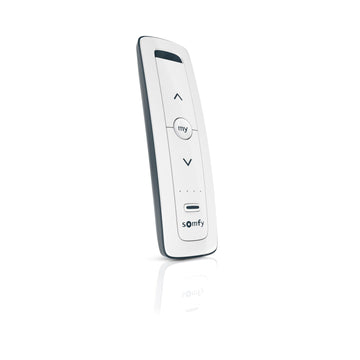
Somfy Situo 5 Channel RTS Pure Remote (1870575)
Situo 5 RTS Pure II (1870575)

One body, three jobs

What sets them apart

The Pure II gives you UP, DOWN and my. The Variation adds a scroll wheel for tilt and RTS LED lights. The Soliris adds a button that turns the sun function on or off.

On the jobAsk the client what they adjust most. Slats point to the Variation, and sun on an awning points to the Soliris.

WHAT EACH ONE ADDSUPmyDOWNPure II: baseUPmyDOWNwheelVariation: wheelUPmyDOWNSUNSoliris: sun button

One body, three jobs

RTS only

Each Situo 5 is an RTS remote on 433.42 MHz. Somfy states RTS transmitters can operate any RTS motor, so pair it with RTS motors and receivers.

Watch forA Zigbee motor will not answer a Situo 5. Check the motor label before you quote the remote.

ONE RADIORTS motoror RTS receiver433.42 MHzPairs: yesZigbee or wiredmotordifferent controlPairs: no

Check yourself

A client has three RTS roller shades and two RTS awnings and wants one handheld that can also put the awnings on sun automation. Which Situo 5 fits?

Finish every module, pass the quiz, unlock 10% off

Module 2 of 5

Situo 5 RTS Pure II: the everyday remote

Run shades from the Pure II with the channel selector, UP, DOWN and my. After this module you can show a homeowner how to reach channel 5 and save a favorite position.

4 lessons, then a scenario check.

Situo 5 RTS Pure II: the everyday remote

Pick the channel

Press the channel selector to step through channels 1 to 4. Somfy marks channel 5 as selected when all four indicator lights are on.

Watch forA client who thinks the remote has four channels has stopped at channel 4. Keep pressing until all four lights show.

CHANNEL LIGHTSall four onChannels 1 to 4: one light eachChannel 5: all four lights onPress the selector to step through

Situo 5 RTS Pure II: the everyday remote

my stops and saves

The my button stops a moving shade. To save a favorite position, stop the shade where you want it, then hold my for about 5 seconds.

ExampleSave a half-open spot on the office shade so one press of my brings it back each morning.

SAVE A FAVORITEStep 1Stop the shadewhere you want itStep 2Hold myabout 5 seconds

Situo 5 RTS Pure II: the everyday remote

Plan the range

Somfy rates the Situo RTS II at about 20 ft reliable range and up to 65 ft in optimal conditions.

On the jobTest each channel from where the client will stand before you leave the job.

SITUO RTS II RANGEReliable rangeabout 20 ftOptimal conditionsup to 65 ft

Situo 5 RTS Pure II: the everyday remote

One coin cell

The Situo 5 RTS Pure II runs on one 3V CR2032 battery.

ExampleA remote that stops reaching the shade it used to run is a reason to check the battery first.

Somfy Situo 5 Channel RTS Pure Remote (1870575)
Situo 5 RTS Pure II (1870575)

Check yourself

A homeowner presses the selector and the lights step 1, 2, 3, 4, then all four come on together. Which channel is selected now?

Finish every module, pass the quiz, unlock 10% off

Module 3 of 5

Situo 5 Variation: tilt and light

Know when the scroll wheel earns its place on a job. After this module you can specify the Variation for tilting blinds, sheers and RTS LED lights.

4 lessons, then a scenario check.

Situo 5 Variation: tilt and light

The scroll wheel

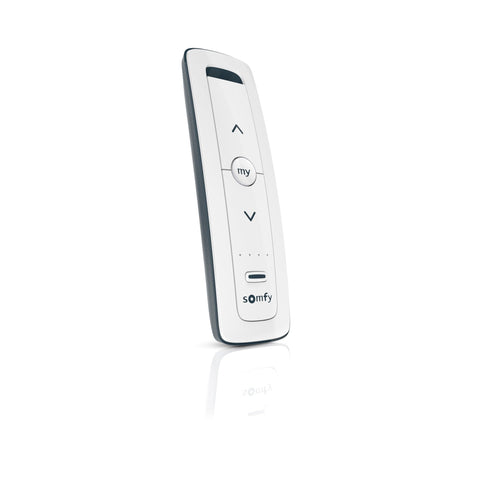
The Situo 5 Variation (1811612) adds a scroll wheel. Somfy uses it to tilt blind slats and sheer vanes in small steps and to adjust RTS LED lights.

ExampleA client wants to angle office blinds against glare without closing them. The wheel does that from the desk.

Somfy Situo 5 Variation RTS Pure II Remote (1811612)
Situo 5 Variation RTS Pure II (1811612)

Situo 5 Variation: tilt and light

One notch at a time

Scroll one notch at a time and the slats open or close a small step. UP, DOWN and my work the same way they do on the Pure II.

Watch forTurn the wheel slowly during a demo. Each notch moves the slats, so a fast spin moves them further than the client expects.

ONE NOTCH AT A TIMEOne notch= a small tilt of the slatsScroll slowly for small changes

Situo 5 Variation: tilt and light

A tilt motor to match

Somfy's WireFree Databook lists the Tilt Only 50 WireFree RTS Through Shaft (1240276) for horizontal blinds and the Situo 5 Variation among its WireFree remotes. Both run RTS.

On the jobQuoting Tilt Only 50 WireFree RTS motors for a run of horizontal blinds? Quote the Variation as the handheld that goes with them.

Somfy Tilt 50 WireFree Through-Shaft RTS (1240276)
Tilt Only 50 WireFree RTS Through Shaft (1240276)

Situo 5 Variation: tilt and light

Its own battery

The Variation takes one 3V CR2430. The Pure II takes a CR2032, so the two remotes do not share a spare cell.

Watch forOrder CR2430 spares for Variation remotes.

BATTERY BY MODELSituo 5 RTS Pure IICR2032, 3VSituo 5 SolirisCR2032, 3VSituo 5 VariationCR2430, 3V

Check yourself

A client wants to angle the slats on motorized horizontal blinds a little at a time from the couch. Which Situo 5 do you hand them?

Finish every module, pass the quiz, unlock 10% off

Module 4 of 5

Situo 5 Soliris: sun on or off

Explain the sun button and the sensor it depends on. After this module you can quote sun automation for an awning with the right remote and sensor.

3 lessons, then a scenario check.
Situo 5 Soliris: sun on or off

A button for the sun

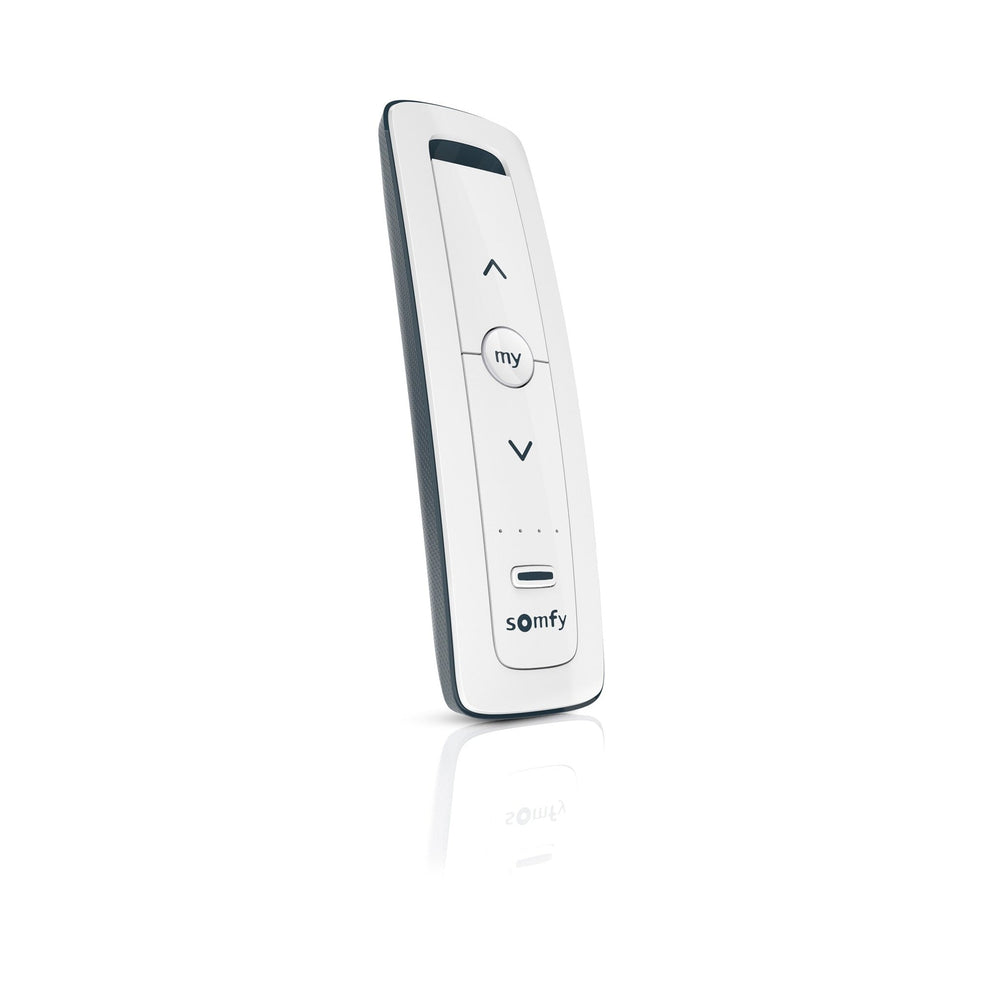
The Situo 5 Soliris RTS Pure II (1870579) adds a push button at the bottom. Somfy uses it to enable and disable the sun function.

ExampleGuests are sitting under the awning. The owner switches the sun function off so the awning holds its position.

Somfy Situo 5 Soliris RTS Pure II (1870579)
Situo 5 Soliris RTS Pure II (1870579)

Situo 5 Soliris: sun on or off

It needs a sun sensor

The remote switches sun automation on or off, and a Somfy sun sensor measures the light. Somfy pairs the Situo Soliris with the Sunis WireFree outdoor sun sensor and says a Situo Soliris is required to activate the sun function.

Watch forA Soliris with no sun sensor on the job has nothing to switch. Quote the sensor with it.

WHO DOES WHATSun sensormeasuresthe lightSituo 5Solirissun on or offRTS motormoves theawning

Situo 5 Soliris: sun on or off

Where it works

Somfy lists the Soliris for awnings, exterior solar screens, pergolas and rolling shutters, as well as interior coverings. It comes in the Pure finish only and runs on one CR2032.

On the jobAsk about the room finish at the quote, before the client picks a remote for its color.

SOLIRIS APPLICATIONSAwnings and pergolaslistedExterior solar screenslistedRolling shutters, interiorlisted

Check yourself

An awning client asks whether the Soliris remote measures sunlight by itself. What do you tell them?

Finish every module, pass the quiz, unlock 10% off

Module 5 of 5

Add it and keep it running

Pair any Situo 5 to a shade that already has a control, then service it later. After this module you can add or delete a remote, change the battery and mount the holder.

4 lessons, then a scenario check.

Add it and keep it running

Two presses to add

Hold PROG on a control already paired to the shade until the shade jogs. Then select the channel on the Situo 5 and briefly press PROG. The shade jogs again.

On the jobPair one channel, test it, then move to the next shade.

ADD THE REMOTEStep 1Paired control:hold PROGuntil the jogStep 2Situo 5:select channel,briefly press PROG

Add it and keep it running

The same steps delete

Somfy uses the same two steps to delete a remote from a shade. The jog confirms the change either way.

Watch forRun the steps on a channel that already runs that shade and you remove it. Check the selected channel first.

ADD OR DELETENot paired yettwo stepsremote addedAlready pairedsame two stepsremote deleted

Add it and keep it running

Change the battery

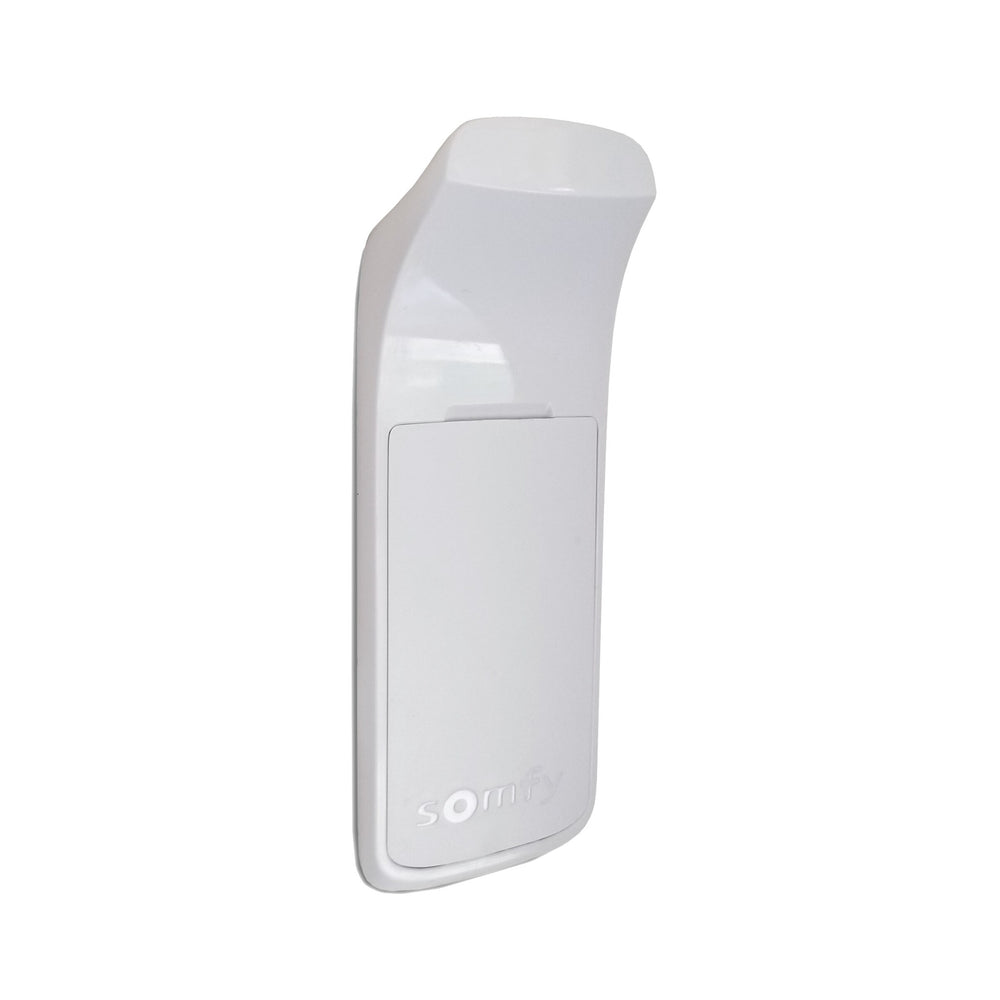
On the Pure II, remove the rear panel with a Phillips screwdriver. On the Variation, slide the rear panel off. Fit the new cell: a CR2032 for the Pure II and Soliris, a CR2430 for the Variation.

ExampleCarry both cell types when a building mixes Variation and Pure II remotes.

BATTERY BY MODELSituo 5 RTS Pure IICR2032, 3VSituo 5 SolirisCR2032, 3VSituo 5 VariationCR2430, 3V

Add it and keep it running

Mount the holder

Every Situo 5 ships with a wall holder. Stick it to a flat, clean, dry surface. Somfy also sells the Situo II RTS Mounting Bracket (9028048).

On the jobOrder a spare bracket when the client wants a second home for the remote in another room.

Somfy Situo II RTS Mounting Bracket (9028048)
Situo II RTS Mounting Bracket (9028048)

Step by step

Add a Situo 5 to a shade

You need a control already paired to the shade. Somfy uses the same steps to add and to delete a remote.

3 steps, one per screen.

ADD THE REMOTEStep 1Paired control:hold PROGuntil the jogStep 2Situo 5:select channel,briefly press PROG

Step 1 of 3

Hold PROG on the paired control

The shade moves up and down (a jog).

Step 2 of 3

Press the channel selector on the Situo 5 until the lights show the channel you want

The lights show the channel. All four on means channel 5.

Step 3 of 3

Briefly press PROG on the Situo 5

The shade jogs again. That channel now runs the shade.

Check yourself

You need channel 3 on a new Situo 5 to run the bedroom shade. The shade has just jogged from the paired control. What do you do next?

Final quiz

10 questions. Score 80% to pass.

Each question is a real job scenario, one per screen. Stuck? Tap the hint. You see the right answer and why right after you choose. Pass and you get a printable certificate.

10% OFF

Score 80% to unlock 10% off your first ShadeMotorsDirect order.

Question 1 of 10

On the job: A client has RTS roller shades in a living room and wants one handheld with up, down and a favorite stop, nothing more.

Which remote fits?

Question 2 of 10

On the job: The client's new shades run Zigbee motors.

Can a Situo 5 control them?

Question 3 of 10

On the job: A homeowner says the remote shows four lights and asks how to reach the fifth shade.

What do you show them?

Question 4 of 10

On the job: A client wants the bedroom shade to stop at the same half-open spot every morning.

How do you set that on the Pure II?

Question 5 of 10

On the job: A dealer is quoting Tilt Only 50 WireFree RTS motors for horizontal blinds in a study.

Which handheld lets the owner angle the slats a step at a time?

Question 6 of 10

On the job: The owner of a Variation spins the wheel fast and the slats swing further than they wanted.

What should they do?

Question 7 of 10

On the job: A facilities tech is stocking spare cells for a building full of Situo 5 Variation remotes.

Which battery goes on the order?

Question 8 of 10

On the job: An awning owner wants the awning to follow the sun on weekdays but hold still when guests are on the patio.

Which remote gives them that switch?

Question 9 of 10

On the job: A client bought a Situo 5 Soliris for an exterior screen, but the screen never reacts to sunlight.

What is missing?

Question 10 of 10

On the job: You are adding a new Situo 5 to a shade that already runs from a Situo 1.

What is the first step?

Almost done

Where should we send your certificate?

Your score shows on the next screen. If you pass, your certificate and 10% code go to this email. They come from Shade Motors School (school@shademotorsdirect.com). Check Promotions, Updates or Spam if you don't see them.

Your name prints on the certificate. You'll also get new course alerts and Somfy tips from ShadeMotorsDirect. Unsubscribe any time.

Parts used in this course

Genuine Somfy parts, 5-year warranty