Skip to content
Genuine Somfy Motors & Parts for Roller Shades

Shade Motors School · Wired and Networked · 301

How to Wire and Set Up a Somfy Sonesse 30 RS485 24V DC Motor

The Sonesse 30 RS485 24V DC (1241144) is a 2 Nm Somfy motor for interior shades that runs on the SDN bus. Wire the 5-position connector, pick the 24V DC supply, set limits with the RS485 tool and hand the motor to the control system.

  • 5 modules
  • 16 min
  • 10-question quiz
  • Free certificate
  • Unlocks 10% off
10% OFF

Pass the quiz to unlock 10% off your first ShadeMotorsDirect order. Your code and certificate arrive by email from Shade Motors School.

You will be able to: Wire, power and set limits on a Sonesse 30 RS485 24V DC motor, then hand it off to the SDN system.

Start the course

Inside this course

5 modules, one idea at a time

  1. Know the motorCheck that the Sonesse 30 RS485 24V DC (1241144) suits the shade, the tube and the room before you order. After this module you can confirm the fit from Somfy's own figures.5 lessons · scenario check
  2. Wire the motor endMatch each conductor of the SDN motor cable to the five positions on the motor connector. After this module you can terminate the motor end without guessing at colors.4 lessons · scenario check
  3. Power itPick a 24V DC source that suits the job size, from one plug-in supply to a panel that feeds many motors. After this module you can choose the supply and know what a panel needs before it runs.5 lessons · scenario check
  4. Set limits with the RS485 toolConnect the RS485 Motor Limit Setting and Address Reader Tool and find the menu items for direction, limits, presets and reset. After this module you can commission one motor on the bench or at the window.5 lessons · scenario check
  5. Join it to the SDN systemSee where the motor sits on the SDN backbone and which Somfy interfaces talk to it. After this module you can plan the hand-off to keypads and a control system.4 lessons · scenario check
  6. Final quiz10 real job scenarios, one per screen, each with a hint if you need it. Score 80% to pass and get your certificate.

Pass = 10% off

Finish every module, pass the quiz, unlock 10% off

Module 1 of 5

Know the motor

Check that the Sonesse 30 RS485 24V DC (1241144) suits the shade, the tube and the room before you order. After this module you can confirm the fit from Somfy's own figures.

5 lessons, then a scenario check.

Know the motor

A 24V DC motor on an RS485 bus

The Sonesse 30 RS485 24V DC (1241144) is a small Somfy tubular motor for interior shades and projection screens. It runs on 24V DC and takes commands over RS485 on the Somfy Digital Network (SDN).

ExampleA row of narrow office shades tied to a building control system suits this motor, since it lives on the SDN bus.

Somfy Sonesse 30 RS485 24V DC (1241144)

Know the motor

2 Nm at 25 rpm

Somfy rates the motor at 2 Nm. It ships at 25 rpm, and you can adjust the speed from 10 to 28 rpm.

On the jobSize the shade against the 2 Nm rating before you quote. Speed is adjustable later.

SONESSE 30 RS485 24V DC (1241144)Torque2 NmDefault speed25 rpmSpeed range, adjustable10 to 28 rpmSupply24V DCSound levelunder 47 dB(A)

Know the motor

Tube and crown

Somfy's Low Voltage Databook calls for a tube inside diameter greater than 31 mm. You need a crown adaptor between motor and tube, and Somfy recommends the Sonesse 30 drive stop and screw.

Watch forA tube that measures 31 mm inside or less is too tight. Measure the tube's inside diameter with calipers.

TUBE INSIDE DIAMETERMotorin crownTube inside diametergreater than 31 mmCrown adaptorrequired

Know the motor

Interior only

Somfy rates the motor IP30 and Class III for interior use only. Its working temperature runs from 32 to 140 F.

Watch forA shade on a covered patio needs a different motor. Keep the Sonesse 30 RS485 indoors.

WHERE IT WORKSIP30interior onlyClass IIIinsulation32 to 140degrees F

Know the motor

125 turns and 6 minutes

The electronic limit switch holds 125 turns. Somfy caps a run at 6 minutes of rotation without a stop, with repeatability of plus or minus 6 degrees.

On the jobOn a tall shade, count the tube turns from top to bottom before you commit to this motor.

LIMIT SWITCH125turns capacity6 minrun without stop+/- 6degrees repeat

Check yourself

A tall shade needs about 140 tube turns from top to bottom. Is the Sonesse 30 RS485 a match?

Finish every module, pass the quiz, unlock 10% off

Module 2 of 5

Wire the motor end

Match each conductor of the SDN motor cable to the five positions on the motor connector. After this module you can terminate the motor end without guessing at colors.

4 lessons, then a scenario check.

Wire the motor end

Five wires on one pigtail

The motor ends in a fixed 9.8 in (249 mm) Weidmuller pigtail with five wires: two for power and three for data. Somfy includes the 5-position connector, 9020743, in the box.

On the jobKeep the connector from the box with the motor. You land the field cable on it at the window.

Somfy Sonesse 30 RS485 24V DC (1241144)

Wire the motor end

The connector positions

Somfy numbers the five positions: 1 power positive, 2 power negative, 3 RS485 positive, 4 RS485 negative, 5 RS485 ground.

Watch forLand the data pair on positions 3 and 4 in that order, positive first, then the data ground on 5.

WEIDMULLER 5-POSITION CONNECTOR1 Power positive24V DC +2 Power negative24V DC -3 SDN RS485 positivedata +4 SDN RS485 negativedata -5 SDN RS485 grounddata ground

Wire the motor end

Cable colors

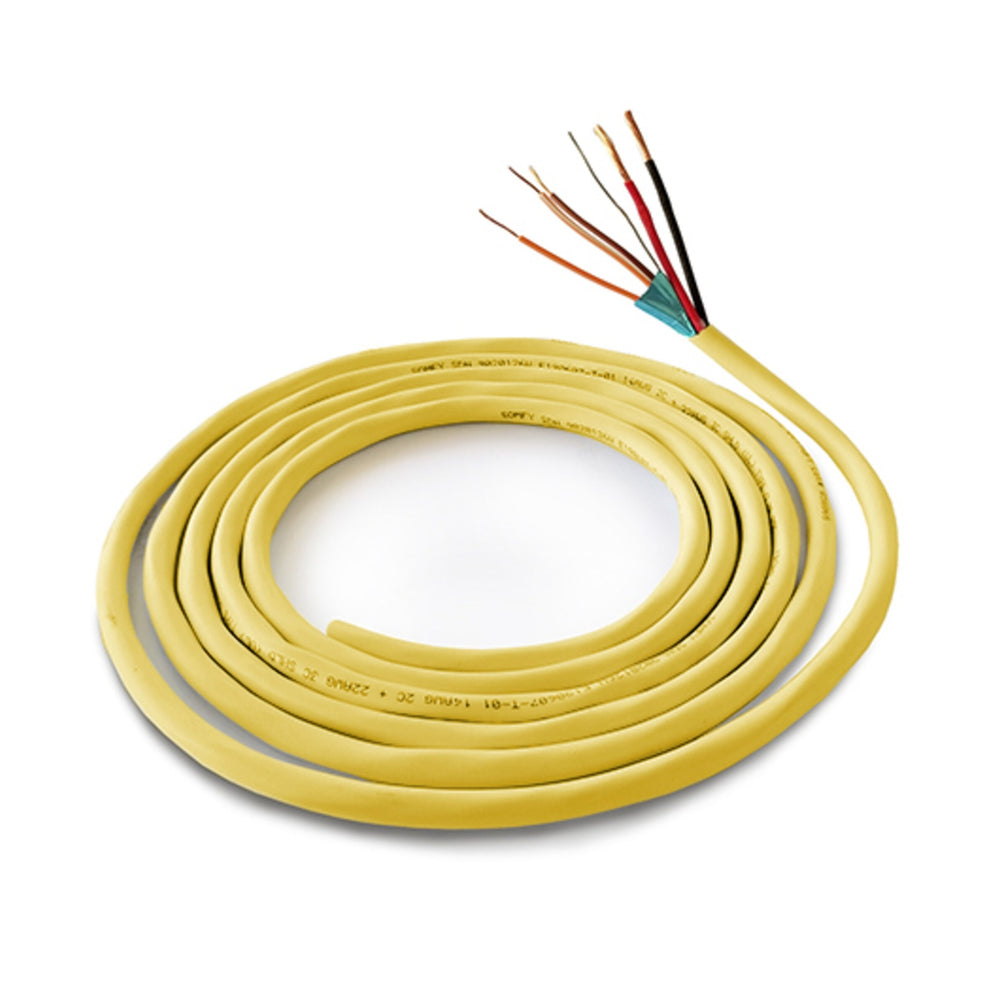
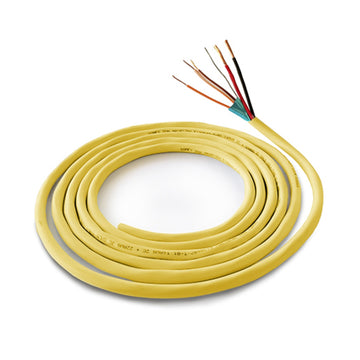
In Somfy's SDN motor cable, red is power positive and black is power negative. Orange/white is RS485 positive, orange is RS485 negative, brown is RS485 ground and silver is the drain.

ExampleRed goes to position 1, black to 2, orange/white to 3, orange to 4 and brown to 5.

SDN MOTOR CABLE COLORSRedpower +Blackpower -Orange/whiteRS485 +OrangeRS485 -BrownRS485 groundSilverdrain

Wire the motor end

Cable and run length

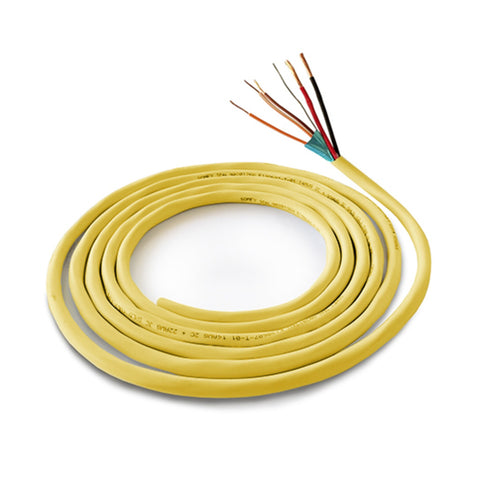
Somfy sells the motor cable as non-plenum 9020126 and plenum 9020127 on 1,000 ft spools, rated NEC CL3R or CL3P. With this cable, motor wiring runs can reach up to 240 ft.

Watch forCheck the ceiling type on the plans. A plenum ceiling needs the plenum version, 9020127.

Somfy SDN Low-Voltage Motor Power and Data Cable, Non-Plenum Rated (1000 ft) (9020126)
Somfy SDN Low-Voltage Motor Power and Data Cable, non-plenum (9020126)

Check yourself

Your helper landed the orange conductor on position 3 of the motor connector. What do you tell him?

Finish every module, pass the quiz, unlock 10% off

Module 3 of 5

Power it

Pick a 24V DC source that suits the job size, from one plug-in supply to a panel that feeds many motors. After this module you can choose the supply and know what a panel needs before it runs.

5 lessons, then a scenario check.
Power it

A narrow 24V DC window

The motor runs on 24V DC, and Somfy lists a supply tolerance of 21.6 to 26.4 V. It draws 0.725 A rated and 16 W in operation.

On the jobOn a long run, measure the voltage at the motor end. It needs to land inside the 21.6 to 26.4 V window.

SUPPLY WINDOW24V DC nominal21.6 V26.4 VRated current 0.725 A16 W in operation

Power it

One motor, one plug-in

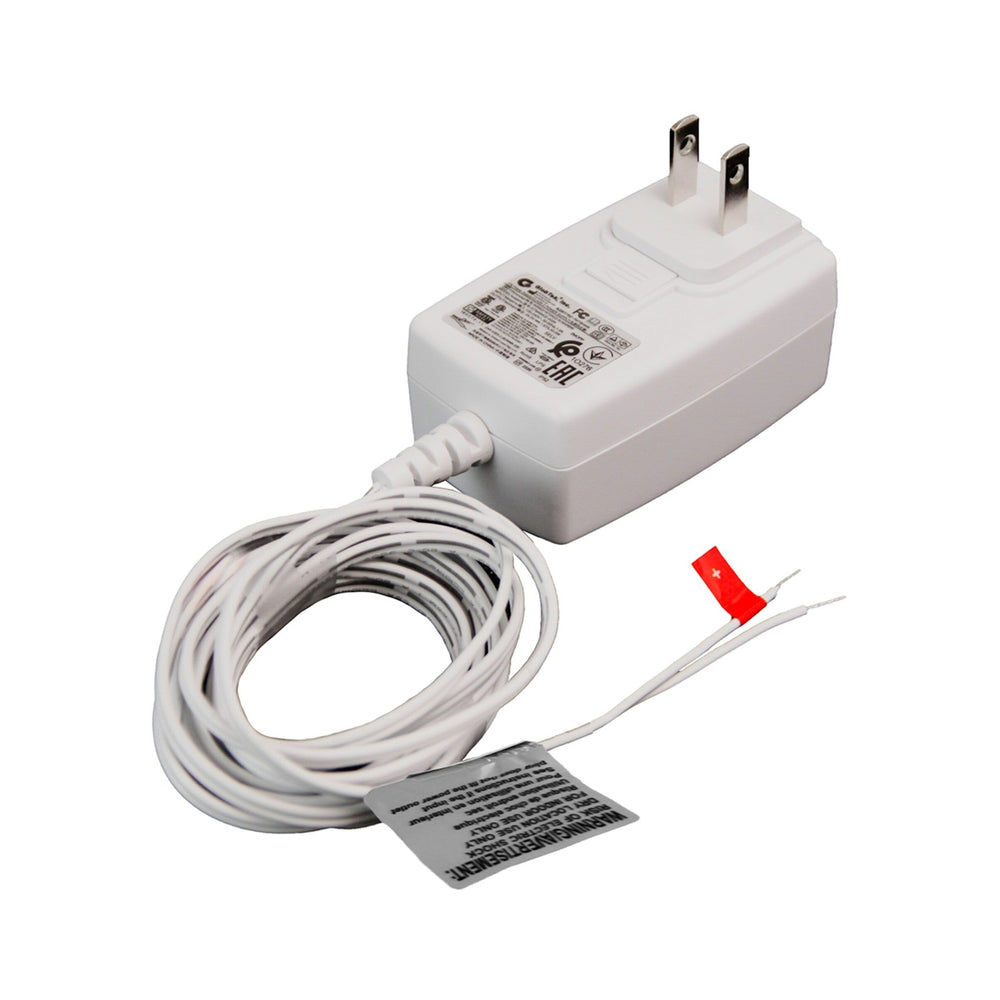
For a single motor, Somfy's RS485 plug-in power diagram shows the 24V DC 1.67 A Wall Mount Plug-in Transformer, 1822209, alongside the Bus Power Supply, 1822440.

ExampleOne RS485 shade beside an outlet in a home theater is the plug-in case.

Somfy 24V DC 1.67 Amp Plug-in Wall Mount Transformer (1822209)
Somfy 24V DC 1.67 A Plug-in Wall Mount Transformer (1822209)

Power it

Surface-mount panel

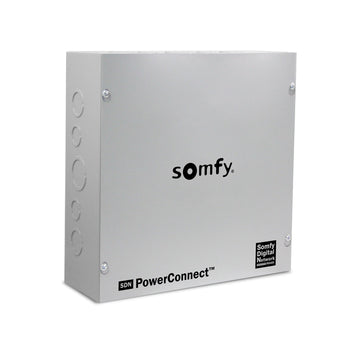
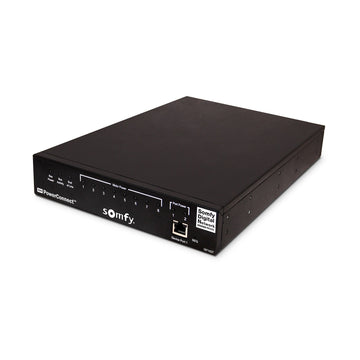
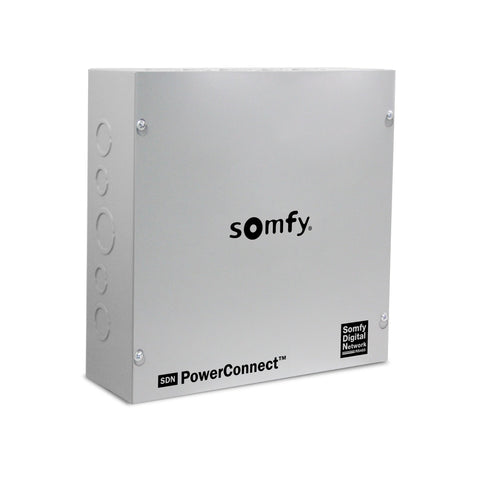
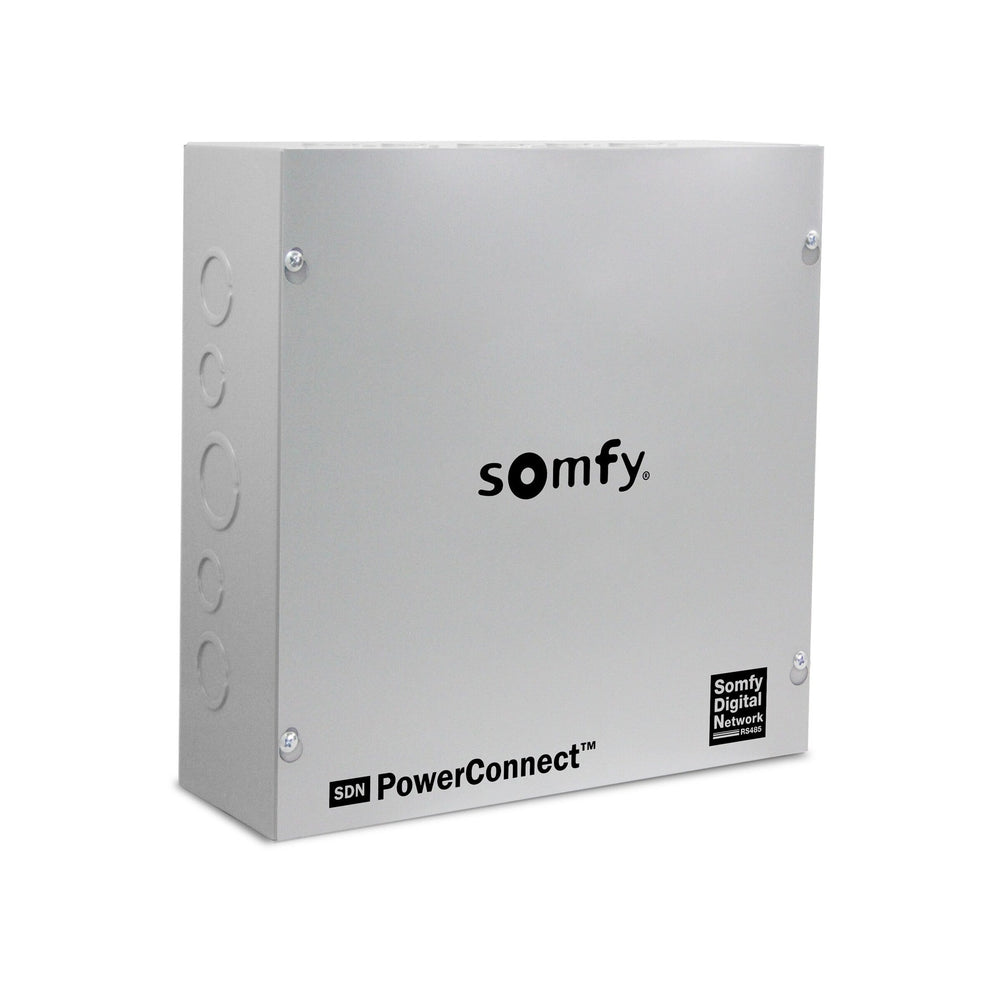
The SDN PowerConnect Surface-Mount Panel, 1871026, adds 10 isolated motor ports and 2 isolated device ports to an SDN bus segment.

On the jobA room with up to ten RS485 shades fits on the motor ports of one surface-mount panel.

Somfy Power Panel 24V for Somfy Digital Network (1871026)
Somfy SDN PowerConnect Surface-Mount Panel (1871026)

Power it

Rack-mount panel

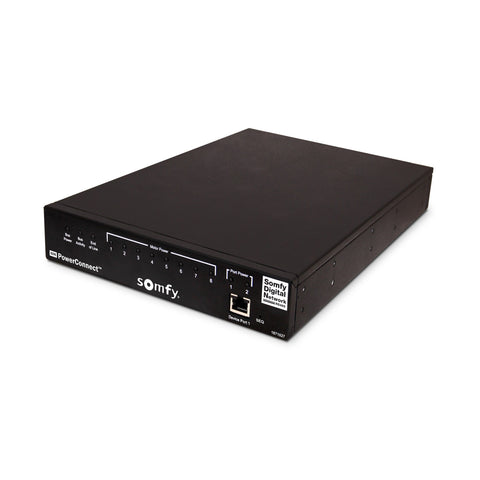
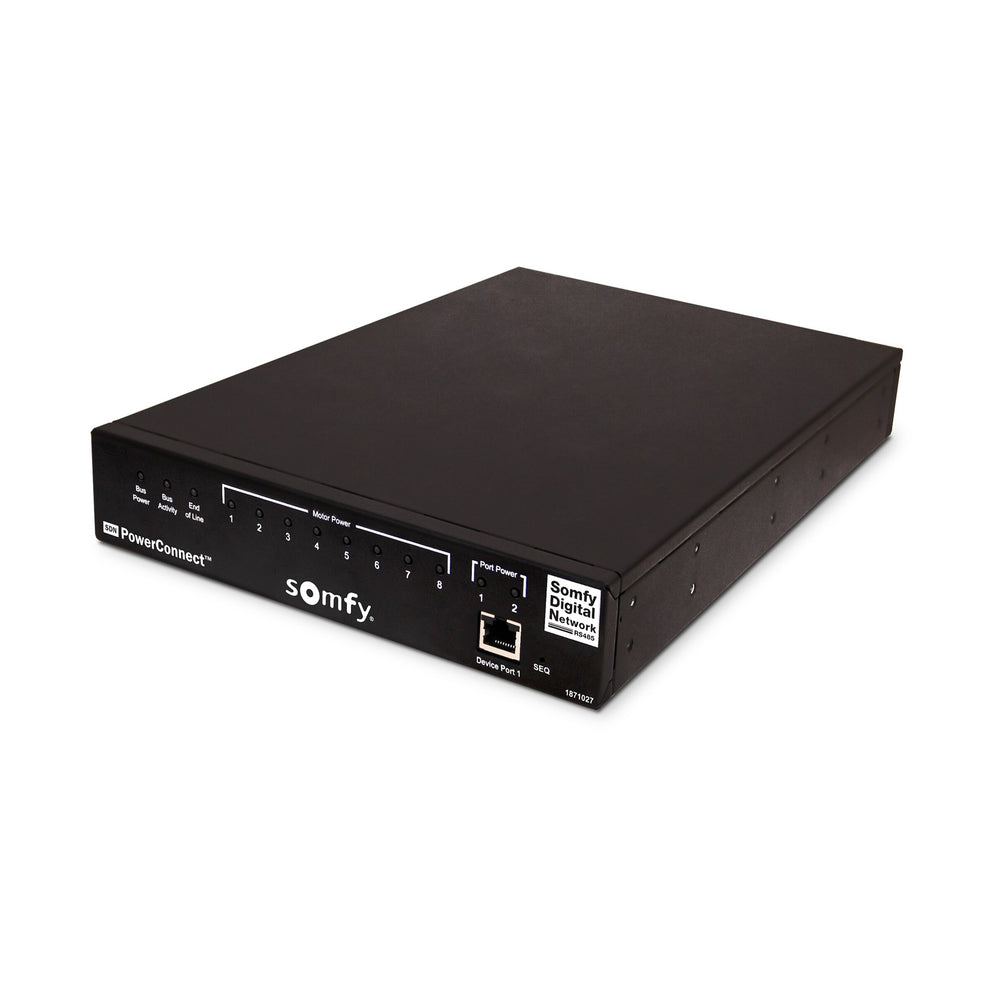
The rack-mount panel, single kit 1871027, adds 8 isolated motor ports and 2 isolated device ports per panel. Somfy also lists a dual kit, 1871312.

ExampleWhen the head end sits in an equipment rack, the rack-mount panel keeps the motor ports with the rest of the gear.

Somfy SDN RU Power Panel (1871027)
Somfy SDN PowerConnect Rack-Mount Panel (1871027)

Power it

Panels need bus power

Somfy states that all power panels require bus power. The Bus and Sensor Station Power Supply, 1822440, puts 24V DC on the SDN bus for up to 100 bus devices, not counting motors.

Watch forWhen you order PowerConnect panels, add the bus power supply to the same order.

POWER PANELS NEED BUS POWERBus and Sensor Station Power Supply1822440Powers bus line devicesup to 100Counts motors?noPowerConnect Surface-Mount Panel1871026PowerConnect Rack-Mount Panel1871027

Check yourself

A room has 12 Sonesse 30 RS485 shades. Will one surface-mount PowerConnect panel cover them?

Finish every module, pass the quiz, unlock 10% off

Module 4 of 5

Set limits with the RS485 tool

Connect the RS485 Motor Limit Setting and Address Reader Tool and find the menu items for direction, limits, presets and reset. After this module you can commission one motor on the bench or at the window.

5 lessons, then a scenario check.
Set limits with the RS485 tool

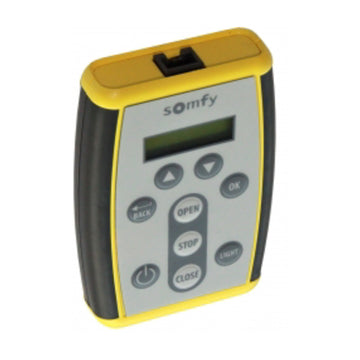
The tool for limits

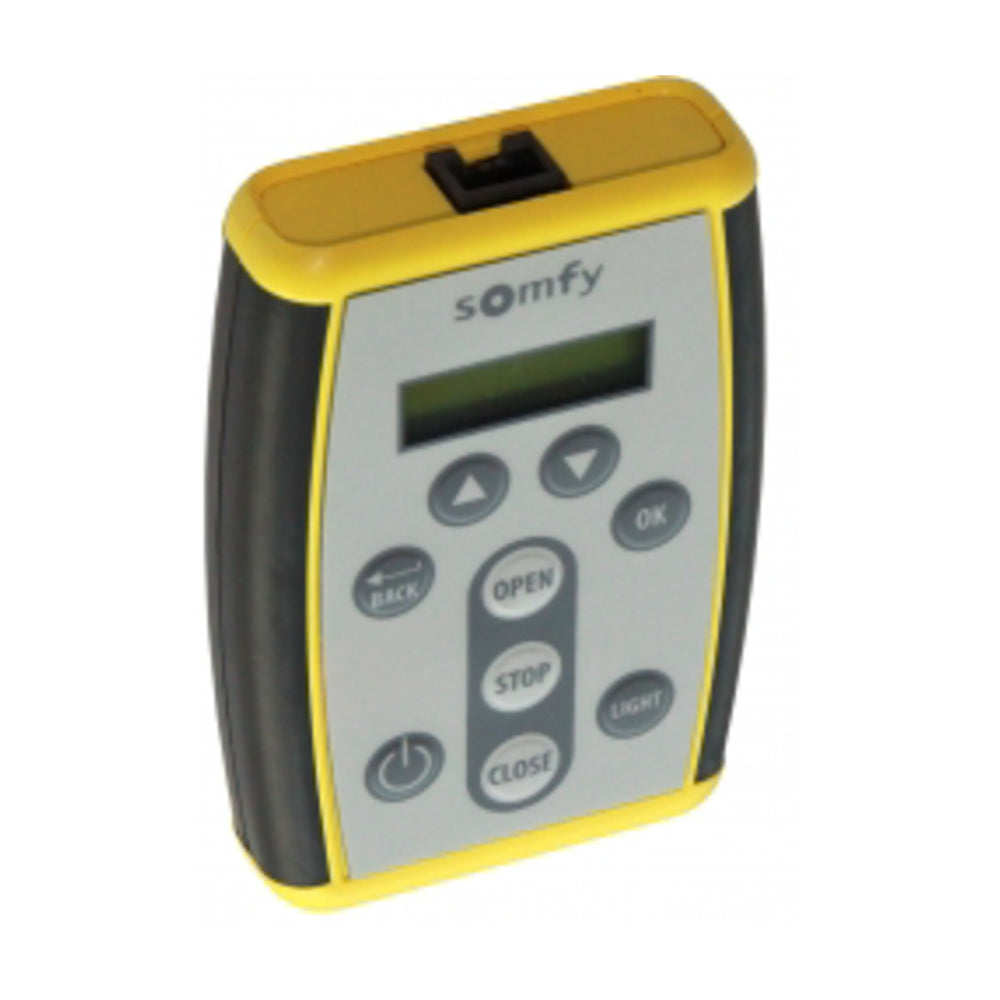
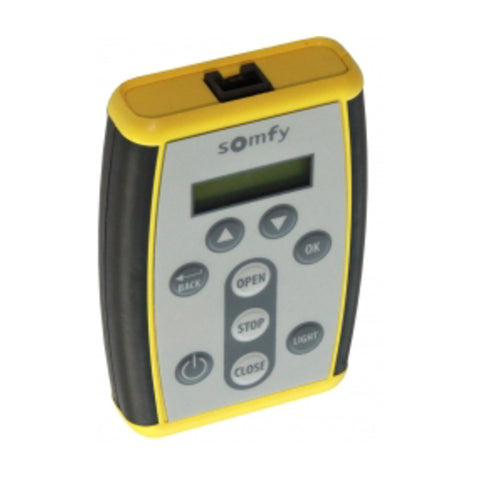
Somfy describes the RS485 Motor Limit Setting and Address Reader Tool, 9017142, as required to set limits with RS485 motors. It lists the Sonesse 30 RS485 24V DC among compatible motors.

On the jobPack the 9017142 tool with the motors on every Sonesse 30 RS485 job, since you need it to set the limits.

Somfy RS485 Setting Tool (9017142)
Somfy RS485 Motor Limit Setting and Address Reader Tool (9017142)

Set limits with the RS485 tool

Wire the tool

On the tool's terminal block, h is RS485 positive and g is RS485 negative. Terminals a and b are ground; c, d, e and f are not used.

Watch forCheck the tool's battery level in the tool parameters menu before you climb the ladder.

TOOL TERMINAL BLOCKTerminal hRS485 +Terminal gRS485 -Terminals a and bgroundTerminals c, d, e, fnot usedTool power9 V battery

Set limits with the RS485 tool

One motor at a time

Somfy's guide says the tool works point to point only, not on a network, with no more than 10 m of cable between tool and motor.

On the jobCommission each motor on its own short lead before you join it to the bus.

POINT TO POINTSettingtool10 m maximumOnemotorPoint to point only, not a network

Set limits with the RS485 tool

Find the motor

Press On/Off, choose Somfy RS485 node discovery with the Up and Down buttons and press OK. The screen shows the motor's node id.

ExampleWrite each node id on the plan as you go, so the integrator can match ids to windows.

TOOL SCREENSomfy RS485node discoverynode id : xxxxxBACKOKON/OFF

Set limits with the RS485 tool

The motor menu

Under node discovery the guide lists rotation direction (standard or reversed), up limit, down limit, presets 1 to 16 to set, test or erase, and factory default.

Watch forThe guide lists rotation direction ahead of the up and down limits, so check direction before you set them.

NODE DISCOVERY MENURotation directionstandard / reversedUp limitSET up limitDown limitSET down limitPresets 1 to 16set, test, eraseFactory defaultmotor reset

Check yourself

You press On/Off and the setting tool screen stays blank. What do you check first?

Finish every module, pass the quiz, unlock 10% off

Module 5 of 5

Join it to the SDN system

See where the motor sits on the SDN backbone and which Somfy interfaces talk to it. After this module you can plan the hand-off to keypads and a control system.

4 lessons, then a scenario check.
Join it to the SDN system

Position feedback on RS485

The Low Voltage Databook lists motor auto discovery and motor position feedback under Somfy's improved RS485 commissioning process.

ExampleA touch panel can show where each shade sits, because the motor reports its position.

RS485 COMMISSIONING1Motor auto discovery2Motor position feedback3Multiple intermediate positions

Join it to the SDN system

Add ports with a Data Hub

The SDN Data Hub V2, 1870951, adds 5 device ports to an SDN bus line. Somfy's RS485 diagrams show keypads and controllers on Cat5e.

On the jobWhere several keypads land in one area, plan a Data Hub V2 to give them ports on the bus.

SDN DISTRIBUTIONSDN Data Hub V21870951Device ports added5Keypads and controllersCat5e

Join it to the SDN system

Interfaces for a control system

Somfy lists the UAI Plus, 1870272, among its SDN controls, plus the Somfy Connect BMS Interface, 1871168, which links a building management system to SDN shades.

On the jobAsk the integrator which control system runs the building before you pick the interface.

INTERFACES FOR A CONTROL SYSTEMSomfy Connect UAI Plus1870272Somfy Connect BMS Interface1871168

Join it to the SDN system

More SDN controls

The databook also lists the 0-10V Interface V2 (1870857), the RTS Receiver for SDN V2 (1871471) and DecoFlex SDN keypads.

ExampleA client who wants RTS remotes on SDN shades points you to the RTS Receiver for SDN V2.

MORE SDN CONTROLS0-10V Interface V21870857RTS Receiver for SDN V21871471DecoFlex SDN keypads

Check yourself

An integrator asks whether the Sonesse 30 RS485 can report where the shade sits. What do you tell him?

Final quiz

10 questions. Score 80% to pass.

Each question is a real job scenario, one per screen. Stuck? Tap the hint. You see the right answer and why right after you choose. Pass and you get a printable certificate.

10% OFF

Score 80% to unlock 10% off your first ShadeMotorsDirect order.

Question 1 of 10

On the job: A designer wants a Sonesse 30 RS485 on a shade for a covered patio.

What do you tell her?

Question 2 of 10

On the job: You measure an existing shade tube at 31 mm inside.

Can you fit the Sonesse 30 RS485 in it?

Question 3 of 10

On the job: You land the SDN motor cable on the 5-position Weidmuller connector.

Which conductor goes on position 5?

Question 4 of 10

On the job: The plans show the motor cable running through a plenum ceiling space.

Which Somfy motor cable do you order?

Question 5 of 10

On the job: A homeowner has one Sonesse 30 RS485 shade beside an outlet in a home theater.

Which supply does Somfy's RS485 plug-in power diagram show?

Question 6 of 10

On the job: You are quoting twenty RS485 shades on two surface-mount PowerConnect panels.

What else belongs on the order?

Question 7 of 10

On the job: Six Sonesse 30 RS485 motors are already joined on one RS485 bus and none has limits set.

How do you use the 9017142 tool?

Question 8 of 10

On the job: You wire the setting tool's terminal block to a motor's data pair.

Which terminal takes RS485 positive?

Question 9 of 10

On the job: A facilities manager wants the building management system to run the RS485 shades.

Which Somfy interface from the databook's SDN controls fits that request?

Question 10 of 10

On the job: A client wants handheld RTS remotes for a room of Sonesse 30 RS485 shades.

Which part lets the client's remotes control the SDN shades?

Almost done

Where should we send your certificate?

Your score shows on the next screen. If you pass, your certificate and 10% code go to this email. They come from Shade Motors School (school@shademotorsdirect.com). Check Promotions, Updates or Spam if you don't see them.

Your name prints on the certificate. You'll also get new course alerts and Somfy tips from ShadeMotorsDirect. Unsubscribe any time.

Parts used in this course

Genuine Somfy parts, 5-year warranty