Finish every module, pass the quiz, unlock 10% off
Module 1 of 5
Two tools, two jobs
Tell the handheld Setting Tool and the USB adaptor apart, so you bring the right one to each commissioning visit.
4 lessons, then a scenario check.

Shade Motors School · Wired and Networked · 301
Somfy's RS485 Setting Tool sets limits, rotation and presets on one SDN motor at a time, and the USB to RS485 Adaptor puts a Windows laptop running Set pro on the whole bus. Learn which job each tool does, how to log node IDs and what Somfy publishes for both.
Pass the quiz to unlock 10% off your first ShadeMotorsDirect order. Your code and certificate arrive by email from Shade Motors School.
You will be able to: Set limits and log node IDs on Somfy RS485 motors with the right tool for the job.
Inside this course
Finish every module, pass the quiz, unlock 10% off
Module 1 of 5
Tell the handheld Setting Tool and the USB adaptor apart, so you bring the right one to each commissioning visit.
4 lessons, then a scenario check.
Two tools, two jobs
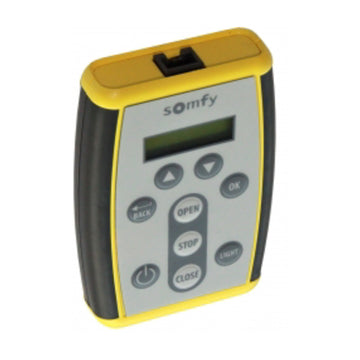
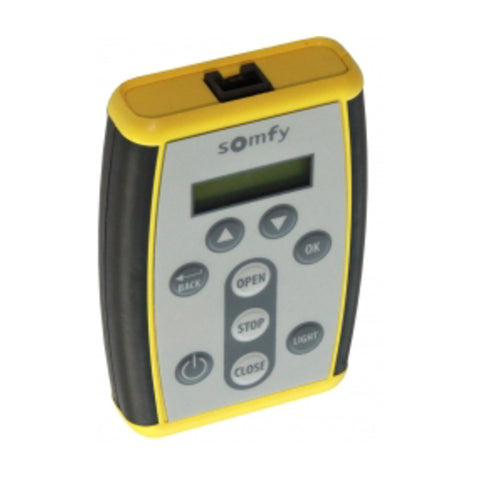
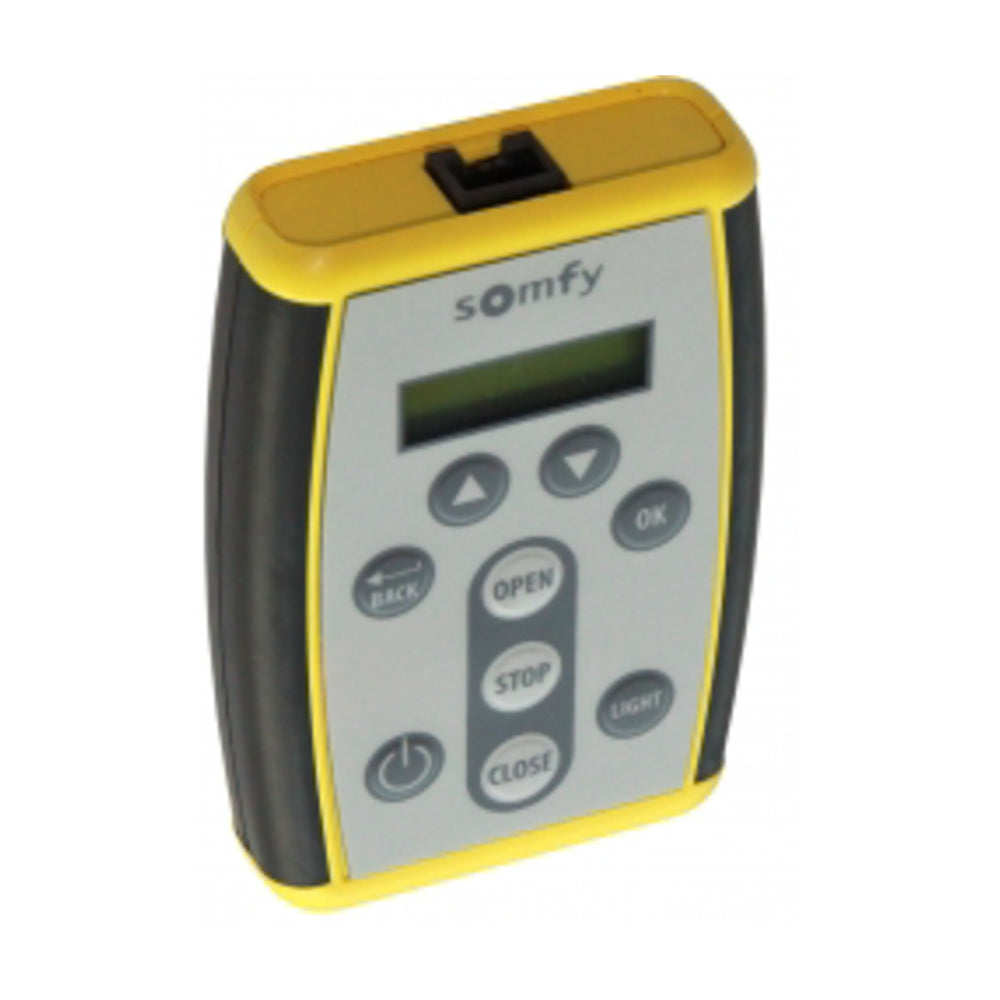
Somfy lists the RS485 Motor Limit Setting & Address Reader Tool (9017142) as the hand-held tool required to set limits with RS485 motors. It also reads a motor's address.
On the jobPack the Setting Tool for any RS485 motor visit. Somfy names it as the tool you need to set limits.
Two tools, two jobs
Somfy's software page says the tool lets installers set and adjust end limits, roll direction and speed, before or during installation on site.
ExampleA fabricator can set limits before the shade ships, and you adjust them at the window during the install.
Two tools, two jobs
The USB to RS485 Adaptor for SDN (9015260) connects a Windows laptop running Set pro to the SDN bus. Somfy lists setup, updates and diagnostics for motors, keypads and devices.
On the jobBring the adaptor when the job includes keypads or firmware updates as well as motors.

Two tools, two jobs
| RS485 Setting Tool | USB to RS485 Adaptor | |
|---|---|---|
| Connects to | One motor, point to point | The SDN bus, RJ45 on Cat5/6 |
| Power | 9V DC battery | USB from the laptop |
| Menus | On the tool's own display | Set pro on Windows |
Watch forSomfy states the Setting Tool is not a network tool. Plug it into one motor at a time.
Check yourself
Hint: Think about which tool runs on its own battery.
The RS485 Setting Tool (9017142). It sets limits point to point on one motor with no PC.
Finish every module, pass the quiz, unlock 10% off
Module 2 of 5
Check a motor against Somfy's list for the Setting Tool and plan power for 24V DC SDN motors before commissioning day.
4 lessons, then a scenario check.
Motors the tool works with
Somfy lists nine motors for the Setting Tool, among them the Sonesse 506S2 RS485 (1002286), the Sonesse 30 RS485 24V DC (1241144), the 515S2 RS485 and the 535A2 RS485.
Watch forCheck the motor's ref against this list before the visit, while you still have time to order.
Motors the tool works with
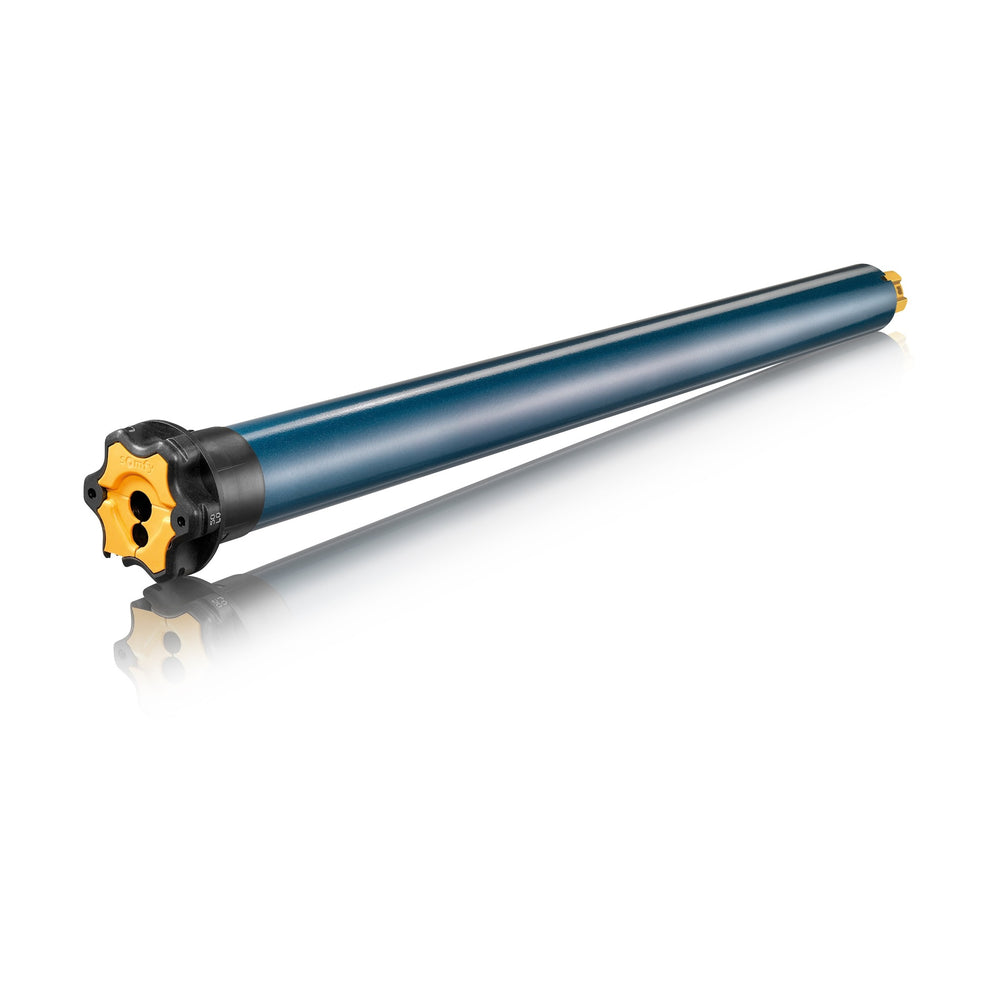
The Sonesse 506S2 RS485 (1002286) is on Somfy's list. It delivers 6 Nm at 32 rpm, and Somfy rates it IP 44.
On the jobThe Setting Tool connects through its RJ45 socket, so plan access to the motor's RS485 data lead.
Motors the tool works with
The Sonesse 30 RS485 24V DC (1241144) delivers 2 Nm at 25 rpm on 21.6 to 26.4 V, with electronic limits.
ExampleSomfy publishes a wire detail for this motor with a Weidmuller connector, a 24V DC supply and the RS485 Setting Tool. Pull it before rough-in.

Motors the tool works with
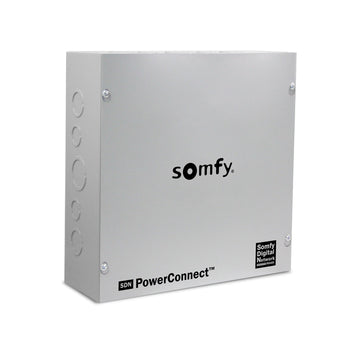
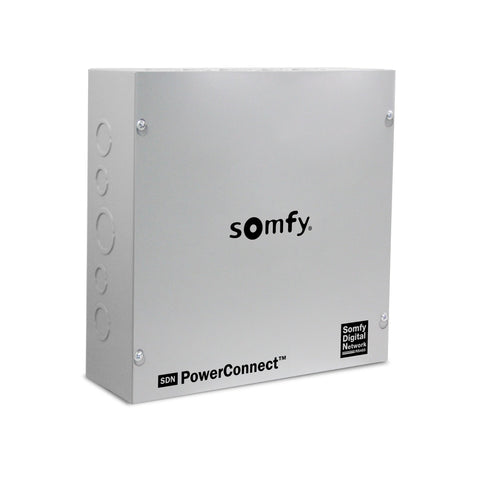
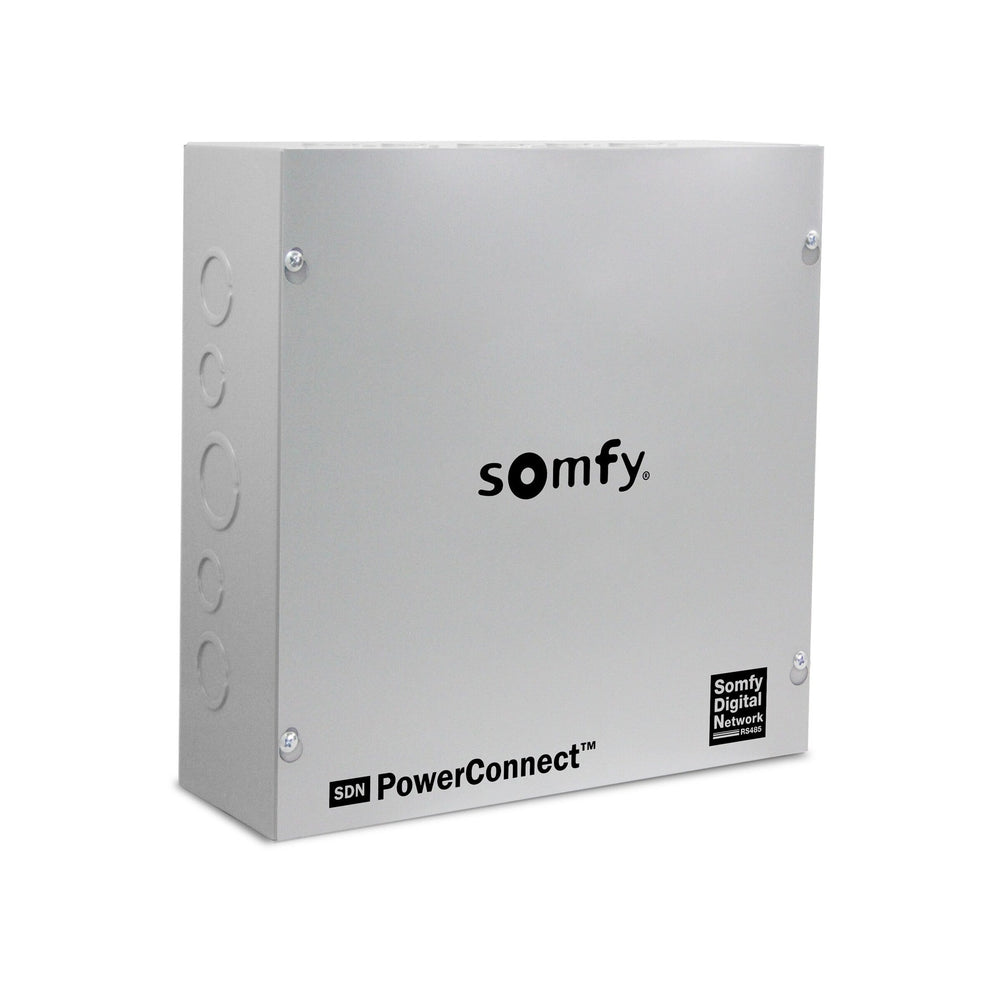
The SDN PowerConnect Surface-Mount Panel (1871026) adds 10 isolated motor ports and two isolated device ports to an SDN bus segment. Each motor port supports up to 240 ft of power and data wiring.
On the jobSomfy gives the panel a sequence button that tests motor wiring at the panel. Use it before you blame a motor.
Check yourself
Hint: Look back at the list of nine refs.
Yes. Somfy lists 1241144 among the nine motors for the Setting Tool.
Finish every module, pass the quiz, unlock 10% off
Module 3 of 5
Power the tool, connect it to one motor and find the functions Somfy builds into its menu.
5 lessons, then a scenario check.
Inside the Setting Tool
Somfy's guide lists navigation buttons (Up, Down, Back, OK), control buttons (Open, Stop, Close), a LIGHT backlight button, an On/Off switch, a battery compartment and an RJ45 socket.
ExamplePress LIGHT to backlight the display when you work in a dark ceiling pocket.
Inside the Setting Tool
The tool runs on a 9V DC battery, type IEC 6LR61 (ANSI 1604A). Somfy rates the battery for about 1000 motor settings.
Watch forIf the tool will not switch on, Somfy points to a low battery first.
Inside the Setting Tool
Somfy limits the cable between the tool and the motor to 10 m. The tool does point to point settings only, and Somfy states it is not a network tool.
On the jobOn a high window, keep the lead from the tool to the motor within 10 m.
Inside the Setting Tool
Under node discovery, Somfy lists rotation direction, up and down limits, preset positions 1 to 16 (set, test, erase), calibration and back to factory.
Watch forBack to factory resets the motor to its defaults. Confirm you are on the right motor before you choose it.
Inside the Setting Tool
The setting tool parameters function shows the battery level, the tool software, the tool's own node ID and a software update entry.
ExampleCheck the battery level here before you start a floor of motors.
Step by step
Somfy's RS485 Setting Tool installation guide numbers two short sequences: fitting the battery, then starting commissioning. Connect the tool to one motor as Somfy's wiring diagram shows, with no more than 10 m of cable.
6 steps, one per screen.
Step 1 of 6
The battery compartment is open.
Step 2 of 6
The battery sits the right way round.
Step 3 of 6
The cover is closed and the tool is ready to switch on.
Step 4 of 6
The tool switches on, ready for you to choose a function.
Step 5 of 6
The function you want shows on the display.
Step 6 of 6
You are inside node discovery or the tool parameters, ready to work.
Check yourself
Hint: Recall what Somfy says the tool is not.
No. Somfy states the tool does point to point settings only and is not a network tool. Connect it to one motor at a time, within 10 m.
Finish every module, pass the quiz, unlock 10% off
Module 4 of 5
Record each motor's node ID before it disappears into the tube, and know the two address formats integrators work with.
4 lessons, then a scenario check.
Node IDs and addresses
Each SDN motor carries a node ID. Somfy's SDN Reference Book lists node ID discovery with the RS485 Setting Tool and describes easy localization with the motor node ID.
On the jobWrite each node ID on the window schedule beside the room and window number.
Node IDs and addresses
Somfy's Sonesse 30 RS485 instructions say to remove Network ID labels before installing the crown. Copy each ID to your schedule first.
Watch forOnce the motor is in the tube, the label is gone. Log or photograph it on the bench.
Node IDs and addresses
Somfy publishes an SDN Address Converter that helps integrators convert between the readable and inverted address formats within SDN.
ExampleIf an integrator's driver rejects an address you logged, check which format it expects before you rediscover the motors.
Node IDs and addresses
In Set pro, the Wink option gives visual feedback: Somfy says the motor winks for 5 minutes.
On the jobWink a motor, then walk the floor to tie its node ID to a window.
Check yourself
Hint: Somfy's Sonesse 30 RS485 instructions tie the labels to one install step.
Before installing the crown, because Somfy says to remove the labels at that point.
Finish every module, pass the quiz, unlock 10% off
Module 5 of 5
Connect a laptop through the USB adaptor, discover every motor in Set pro and spot the ones still missing limits.
5 lessons, then a scenario check.
Put a PC on the bus
USB goes to the laptop and RJ45 goes to the SDN bus on a standard Cat5/6 cable. The adaptor takes its power from USB.
On the jobCarry a short Cat5/6 patch lead in the bag with the adaptor.
Put a PC on the bus
Somfy lists Windows 7 or higher for its configuration software. In Set pro, the Serial Connection option opens a list of available ports and shows the port name once connected.
Watch forSomfy says the Serial Connection option keeps flashing until the connection is made.
Put a PC on the bus
After node discovery, Set pro lists every motor with its NodeLabel and NodeID. A motor without a NodeLabel shows its NodeID only. A motor without limits shows a flashing red dot.
ExampleA flashing red dot on three motors tells you which windows still need limits before handover.
Put a PC on the bus
Set pro can set the top or bottom limit at the motor's current position, set the bottom limit at a pulse count you type, and move a motor beyond its limits while you hold UP or DOWN.
Watch forMovement beyond the limits runs only while you hold the button. Release it to stop.
Put a PC on the bus
Set pro cannot discover the Setting Tool; its only operation on the tool is a firmware update. For motor firmware, Somfy says to skip the SDN Data Hub V2 and use an RJ45 coupler or other passive hub.
On the jobSwap the Data Hub V2 for a passive coupler before you start a motor firmware update.
Check yourself
Hint: Set pro checks one motor setting right after the NodeLabels.
Those two motors have no limits set yet.
Final quiz
Each question is a real job scenario, one per screen. Stuck? Tap the hint. You see the right answer and why right after you choose. Pass and you get a printable certificate.
Score 80% to unlock 10% off your first ShadeMotorsDirect order.
Question 1 of 10
On the job: You are adjusting limits on one RS485 motor at a window and there is no laptop on site.
Hint: One of these runs on a 9V battery and connects point to point.
Somfy names the Setting Tool as the hand-held tool required to set limits with RS485 motors.
Question 2 of 10
On the job: The job includes setting up SDN keypads and running updates from one place.
Hint: Somfy lists keypads and updates for one connection to the bus.
Somfy says the adaptor connects a Windows laptop running Set pro to the SDN bus to configure motors, keypads and devices.
Question 3 of 10
On the job: A spec calls for a 535A2 RS485 motor and you plan to set its limits by hand.
Hint: Check the nine refs in module 2.
Somfy lists the 535A2 RS485 among the nine motors for the Setting Tool.
Question 4 of 10
On the job: You need power and data for ten Sonesse 30 RS485 24V DC motors on one bus segment.
Hint: Look for the part that carries both power and data to each motor.
Somfy says the panel adds 10 isolated motor ports and two isolated device ports to an SDN bus segment.
Question 5 of 10
On the job: You press the on/off button and the Setting Tool stays dark.
Hint: Somfy's troubleshooting table covers this exact symptom.
Somfy's troubleshooting says the battery is likely low when the tool does not switch on.
Question 6 of 10
On the job: A colleague plugs the Setting Tool into the bus at the panel to set the whole floor.
Hint: Recall how many motors the tool talks to at once.
Somfy states the tool is not a network tool, so you connect it to one motor at a time.
Question 7 of 10
On the job: You are about to update motor firmware and the bus runs through an SDN Data Hub V2.
Hint: Somfy notes the hub cannot handle the update's data rate.
Somfy says the Data Hub V2 does not support the data rates of a motor firmware update.
Question 8 of 10
On the job: The motors arrive from the fabricator with Network ID labels on the body.
Hint: Somfy ties the labels to one install step.
Somfy says to remove Network ID labels before installing the crown, so record them first.
Question 9 of 10
On the job: An integrator's driver rejects an SDN address you logged on site.
Hint: The same address can be written two ways.
Somfy's converter moves an address between the readable and inverted formats.
Question 10 of 10
On the job: After discovery in Set pro, one motor shows a flashing red dot.
Hint: Set pro checks one motor setting right after the NodeLabels.
Somfy says motors without limits set show a flashing red dot.
Almost done
Your score shows on the next screen. If you pass, your certificate and 10% code go to this email. They come from Shade Motors School (school@shademotorsdirect.com). Check Promotions, Updates or Spam if you don't see them.
Parts used in this course
Parts used in this course
Your cart is currently empty.
Not sure where to start? Try these collections: