Finish every module, pass the quiz, unlock 10% off
Module 1 of 5
What the receiver adds
Explain what the Universal RTS Receiver does for a wired Somfy motor and read its Somfy ratings before you quote it.
3 lessons, then a scenario check.

Shade Motors School · Wired and Networked · 201
The Somfy Universal RTS Receiver gives a wired 120V Somfy motor RTS radio control without replacing the motor. Learn the receiver ratings, the motor terminals, safe wiring, the first pairing, and how to add remotes, positions and sensors.
Pass the quiz to unlock 10% off your first ShadeMotorsDirect order. Your code and certificate arrive by email from Shade Motors School.
You will be able to: Wire a Universal RTS Receiver to a Somfy standard 120V motor, pair the first RTS remote and confirm direction.
Line-voltage work. 120V motors, switches and wiring must be installed by a licensed electrician, with power off at the breaker. The course explains what to ask for and how to check it.
Inside this course
Finish every module, pass the quiz, unlock 10% off
Module 1 of 5
Explain what the Universal RTS Receiver does for a wired Somfy motor and read its Somfy ratings before you quote it.
3 lessons, then a scenario check.
What the receiver adds
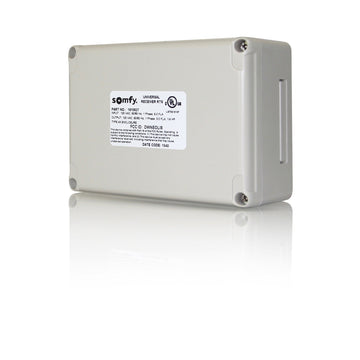
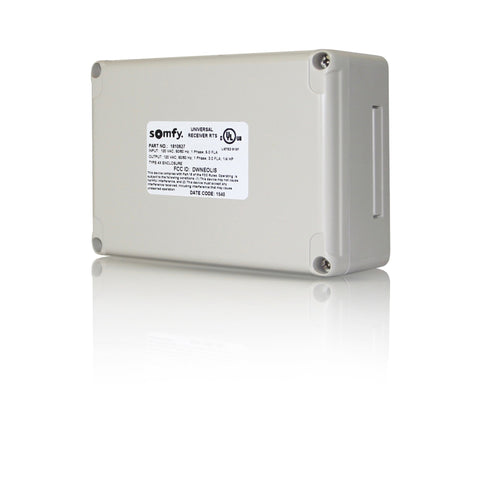
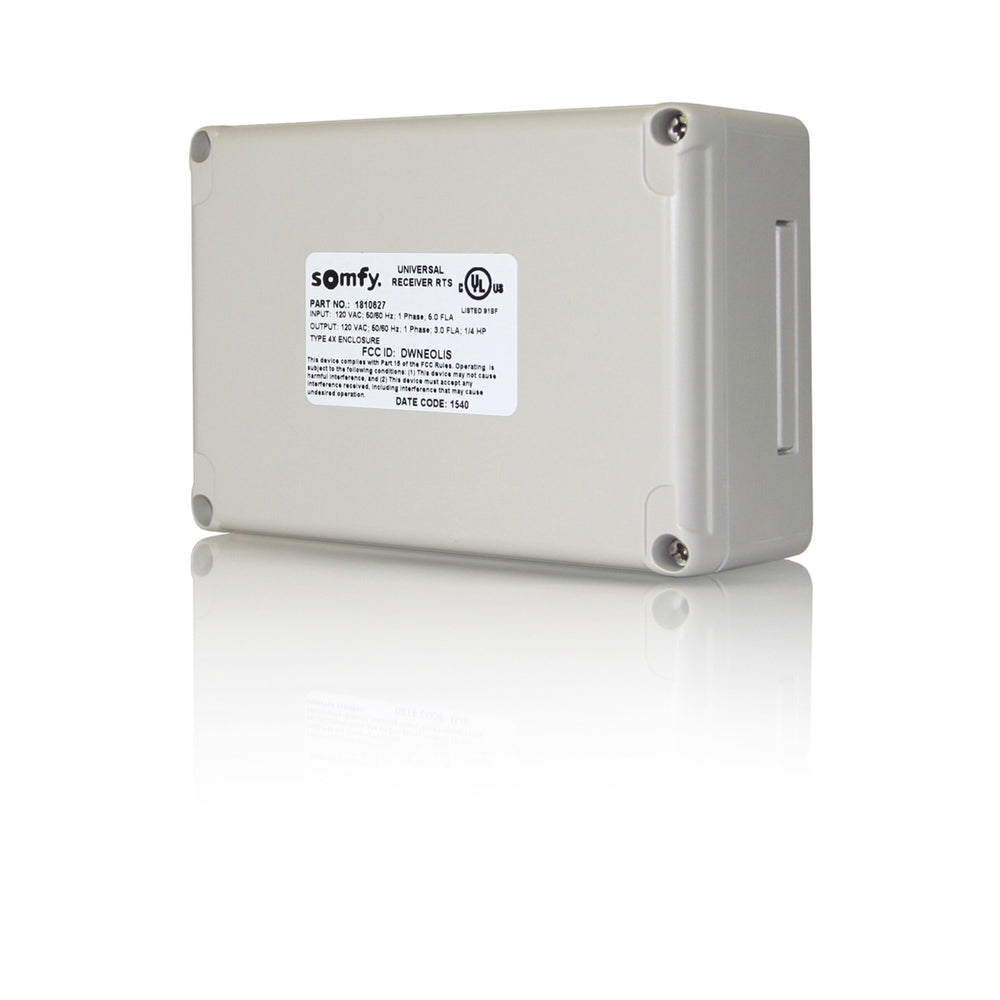
Somfy names part 1810627 the Universal RTS Receiver, a receiver control for 110V AC motors. It provides RTS capability to Somfy's standard motors, so a wired motor can answer an RTS remote.
On the jobA client with a wired 120V shade wants a remote. You quote the receiver and leave the motor in the tube.
What the receiver adds
Somfy rates the receiver IP 66 and Class II on RTS at 433.420 MHz. It runs on 120V 60Hz, accepts 108 to 132 V, and rates the output contact 115V AC, 0.5A max.
Watch forConfirm motor fit with Somfy before you quote.
What the receiver adds
Somfy lists the receiver for awnings, exterior solar screens, pergolas, rolling shutters, and interior blinds, draperies and shades. It works from -4 to 140 °F.
ExampleAn IP 66 box suits a facade mount beside a patio awning.
Check yourself
Hint: The motor has no radio of its own.
A Universal RTS Receiver 1810627. It gives RTS capability to Somfy's standard motors.
Finish every module, pass the quiz, unlock 10% off
Module 2 of 5
Know which motors Somfy describes for the receiver, where the motor leads land, and how Somfy fixes a wrong direction.
3 lessons, then a scenario check.
The motor side
Somfy says the receiver provides RTS capability to Somfy's standard motors. A wired standard motor has no radio, so the receiver adds one. An RTS motor already has its own.
Watch forSomfy names no single motor model in the receiver instructions. Confirm motor fit with Somfy before you quote.
The motor side
Somfy's wiring diagram shows the MOTOR leads landing on the receiver terminals labeled MTR COM, UP and DOWN.
On the jobLabel the motor leads at the box before you strip them, so each one finds its terminal on the first try.
The motor side
If the shade runs the wrong way, Somfy's fix is at the motor: turn off the breakers and reverse the red and black wires of the motor.
On the jobLeave slack in the red and black motor leads. A direction swap then takes minutes.
Check yourself
Hint: Which leads come from the tube?
MTR COM, UP and DOWN, the motor side of Somfy's diagram.
Finish every module, pass the quiz, unlock 10% off
Module 3 of 5
Land the motor and the 120V supply on the labeled terminals and prove the motor runs before any remote is involved.
4 lessons, then a scenario check.
Wire the receiver safely
Somfy's first set up step: with power off, wire the Universal Receiver as the diagram shows. Then turn on the breakers. The motor should not move.
Watch forTurn the power off at the breaker and follow local electrical code. A licensed electrician makes 120V connections.
Wire the receiver safely
The receiver's terminals carry Somfy's labels: UP, DOWN, MTR COM, HOT, NEUT and GROUND. Somfy's diagram color codes the wires black, red, green and white.
On the jobKeep Somfy's printed diagram open at the box and land each conductor where it shows.
Wire the receiver safely
Somfy prints one caution beside the diagram: mount the control with its fittings facing downward.
ExampleOn a facade beside an awning, the cable fittings point at the ground.
Wire the receiver safely
The Sequence button on the receiver board runs the motor before any remote is paired. Press 1 is UP, press 2 STOP, press 3 DOWN, press 4 STOP.
On the jobIf the Sequence button runs the motor, your wiring and power work. A remote problem after that is programming.
Check yourself
Hint: Read the end of the first set up step.
No. Somfy says the motor should not move when the breakers come on. Turn the power off and check the wiring against the diagram.
Finish every module, pass the quiz, unlock 10% off
Module 4 of 5
Memorize the first RTS transmitter in the receiver and confirm the shade runs the right way before you leave.
3 lessons, then a scenario check.
Pair the first remote
Press the receiver's programming button until the LED lights, about 2 seconds. The motor jogs to show programming mode.
Watch forNo jog means no programming mode. Hold the button again until the LED lights.
Pair the first remote
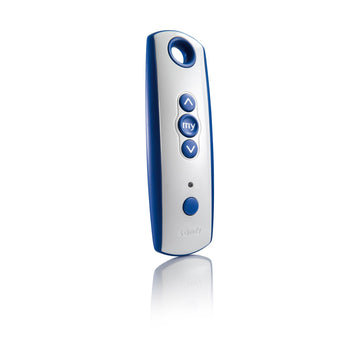
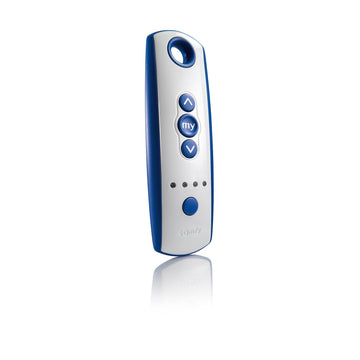
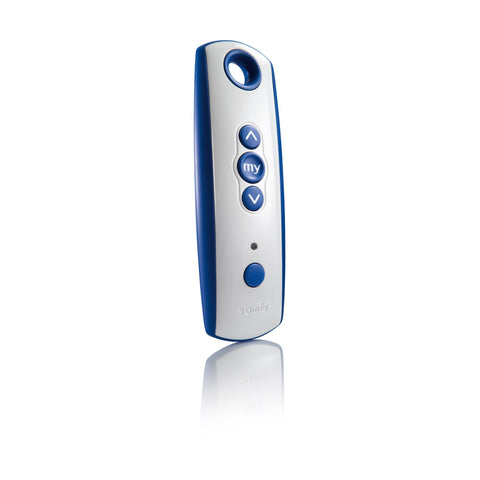
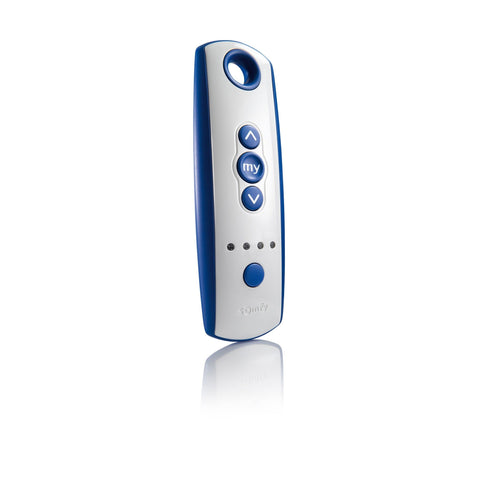
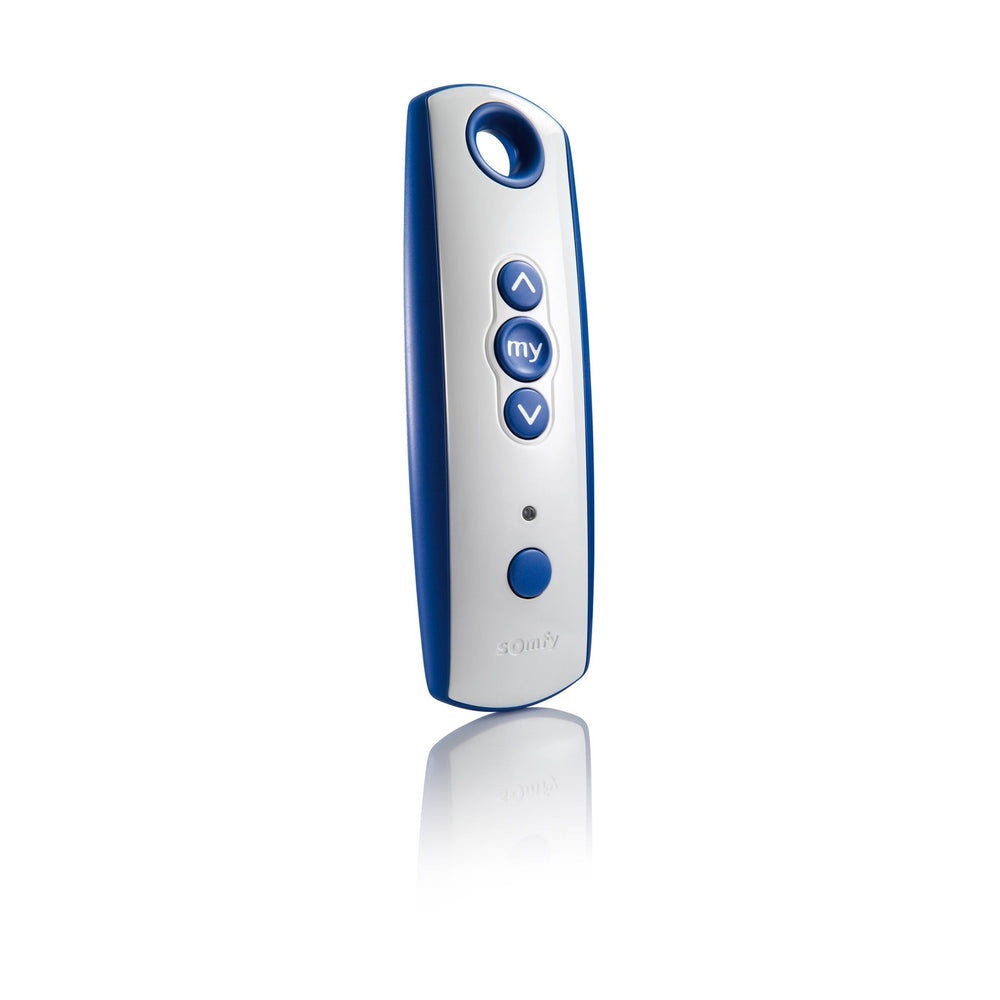
Press the programming button on the Telis transmitter, such as the Telis 1 RTS Patio Transmitter (1810643). The LED blinks and the motor jogs: the receiver has memorized it.
On the jobHave the remote in hand before you start. The steps run back to back.
Pair the first remote
Run the motor DOWN with the remote. The shade should move down or out. If it moves the other way, turn off the breakers and reverse the red and black motor wires.
Watch forSomfy warns that an uncorrected direction can damage an awning in wind. Fix it before you leave.
Step by step
Somfy's system set up for the Universal RTS Receiver, from wiring to the first DOWN test. Turn the power off at the breaker and follow local electrical code.
6 steps, one per screen.
Step 1 of 6
Each conductor sits on its labeled terminal.
Step 2 of 6
The motor does not move.
Step 3 of 6
Press 1 UP, press 2 STOP, press 3 DOWN, press 4 STOP.
Step 4 of 6
The motor jogs.
Step 5 of 6
The LED blinks and the motor jogs.
Step 6 of 6
The shade moves down or out. If not, turn off the breakers and reverse the red and black motor wires.
Check yourself
Hint: Re-pairing will not change direction.
Turn off the breakers and reverse the red and black motor wires, as Somfy's set up says.
Finish every module, pass the quiz, unlock 10% off
Module 5 of 5
Manage the receiver memory, save two favorite positions and know which RTS sensors it accepts.
5 lessons, then a scenario check.
Add, remove and save positions
The receiver memorizes up to 12 transmitters or channels and up to 3 sensors.
ExampleSomfy counts transmitters or channels toward the 12.
Add, remove and save positions
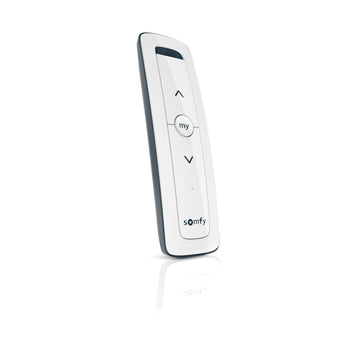
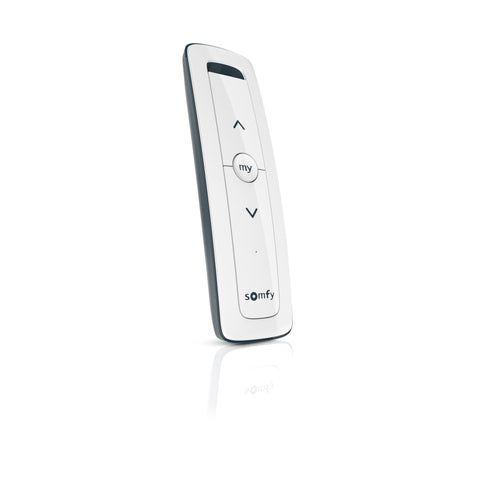
Hold PROG on a memorized transmitter for more than 2 seconds. Then press PROG on the new one, such as a Situo 1 RTS Pure II (1870571). The LED lights and the motor jogs.
On the jobSomfy's add step starts from a memorized transmitter, so leave the first remote with the client.

Add, remove and save positions
Wake the receiver the same way, then press PROG on the device to remove. To erase all, hold the receiver's programming button more than 7 seconds. The LED blinks and the motor jogs twice.
Watch forErase all clears every transmitter and sensor. Pair the remotes again afterward.
Add, remove and save positions
MY stops the shade at any time. The receiver holds two intermediate positions: from a limit press DOWN plus MY or UP plus MY, stop at the spot, then hold MY 2 seconds.
ExampleA client wants the awning half out in the afternoon. You save it from the upper limit with DOWN plus MY.
Add, remove and save positions
For wind, Somfy pairs an Eolis Sensor RTS or Eolis WireFree. For sun and wind, a Soliris Sensor RTS, or an Eolis WireFree with a Sunis.
On the jobPair the remote first. The sensor uses the same add step from a memorized transmitter.
Check yourself
Hint: Start at the receiver, not a remote.
Hold the receiver's programming button more than 7 seconds to erase all, then enter programming mode and memorize the new Telis.
Final quiz
Each question is a real job scenario, one per screen. Stuck? Tap the hint. You see the right answer and why right after you choose. Pass and you get a printable certificate.
Score 80% to unlock 10% off your first ShadeMotorsDirect order.
Question 1 of 10
On the job: A client wants an RTS remote for a wired 120V Somfy shade motor.
Hint: The wired motor has no radio.
Somfy says the receiver provides RTS capability to its standard motors.
Question 2 of 10
On the job: You check the supply circuit before you mount the receiver.
Hint: The ratings slide in module 1 lists it.
Somfy lists 108 V minimum and 132 V maximum.
Question 3 of 10
On the job: You land the motor leads in the receiver box.
Hint: Which leads come from the tube?
Somfy's diagram lands the MOTOR leads on MTR COM, UP and DOWN.
Question 4 of 10
On the job: A client wants the receiver mounted outdoors on the facade beside an awning.
Hint: Which rating describes the enclosure itself?
Somfy rates the receiver IP 66, and it works from -4 to 140 °F.
Question 5 of 10
On the job: The receiver is wired and the breakers just came on.
Hint: Nothing is paired yet.
Somfy's set up says the motor should not move.
Question 6 of 10
On the job: You want to prove the wiring before you pair a remote.
Hint: You want a test that needs no remote paired yet.
The Sequence button runs the motor with no remote paired.
Question 7 of 10
On the job: You mount the receiver on a wall beside an awning.
Hint: Somfy prints one caution.
Somfy says mount the control with fittings facing downward.
Question 8 of 10
On the job: You pair a new Telis and press DOWN, and the awning retracts.
Hint: Re-pairing will not change direction.
Somfy's set up says to reverse the red and black motor wires.
Question 9 of 10
On the job: A client has one remote paired and wants to add a Situo 1.
Hint: Somfy's add step starts somewhere other than the receiver.
Somfy adds a transmitter from one already memorized.
Question 10 of 10
On the job: A busy house keeps adding remotes to one receiver.
Hint: Sensors have a separate count.
Somfy lists up to 12 transmitters or channels and up to 3 sensors.
Almost done
Your score shows on the next screen. If you pass, your certificate and 10% code go to this email. They come from Shade Motors School (school@shademotorsdirect.com). Check Promotions, Updates or Spam if you don't see them.
Parts used in this course
Parts used in this course
Your cart is currently empty.
Not sure where to start? Try these collections: