Finish every module, pass the quiz, unlock 10% off
Module 1 of 5
What the CL32 lifts
You will be able to say which shades Somfy lists for the CL32 and quote the figures that define it.
3 lessons, then a scenario check.

Shade Motors School · Pick the Motor · 201
The Somfy CL32 lifts cellular, pleated and roman shades from inside the headrail and runs on external 12V DC power. Learn the headrail adaptors, three power options and Somfy's RTS programming steps for this motor.
Pass the quiz to unlock 10% off your first ShadeMotorsDirect order. Your code and certificate arrive by email from Shade Motors School.
You will be able to: Fit a Somfy CL32 in a cord lift headrail, power it and program it with an RTS remote.
Inside this course
Finish every module, pass the quiz, unlock 10% off
Module 1 of 5
You will be able to say which shades Somfy lists for the CL32 and quote the figures that define it.
3 lessons, then a scenario check.
What the CL32 lifts
Somfy's Cord Lift WireFree CL32 RTS (External Battery), ref 1002422, is a battery powered motor. Somfy's WireFree Databook shows it in cord lift headrail systems, and Somfy pitches it for hard-to-reach shades and rooms where wiring is a challenge.
On the jobA cellular shade over a tall stairwell is the kind of hard-to-reach shade Somfy has in mind for the CL32.

What the CL32 lifts
Somfy's product record, WireFree Databook and RTS Pocket Guide all list the CL32 for cellular, pleated and roman shades. The Pocket Guide pairs roller shades with tube motors such as the R28 Roll Up WireFree.
Watch forA client asks for the CL32 on a roller shade. Somfy does not list roller shades for it, so steer them to a tube motor.
What the CL32 lifts
Somfy rates the CL32 at 0.34 Nm with electronic limits and 180 turns of limit capacity. Its RTS radio works at 433.42 MHz with a 65.62 ft open field range, and its IP 20 rating fits interior shades.
ExampleWhen a fabricator asks what the motor delivers, quote 0.34 Nm and the electronic limits from Somfy's record.
Check yourself
Hint: Compare the shade type with Somfy's list, then think about power.
Yes. Somfy lists the CL32 for pleated, cellular and roman shades and pitches it for hard-to-reach shades where wiring is a challenge.
Finish every module, pass the quiz, unlock 10% off
Module 2 of 5
You will be able to identify the headrail system and pick the Somfy adaptors that seat the CL32 in it.
4 lessons, then a scenario check.
Fit the CL32 in the headrail
Somfy's WireFree Databook shows the CL32 in three hardware systems: traversing shaft, CTS cone and CTS take-up reel. The headrail you open tells you which one you have.
On the jobOpen the headrail and look for a traversing shaft, cones or take-up reels before you order any adaptor.
Fit the CL32 in the headrail
| Headrail | Somfy adaptors for the CL32 |
|---|---|
| Rollease 1.5 in VersaRail | Spears shaft adaptor 9013283; no headrail adaptor |
| Graber/Bali EasyUp | Headrail adaptor 9013288 |
| Kensington Deluxe | Headrail adaptor 9013443 |
| Comfortex/Turnils Global | Headrail adaptor 9015900 with V notch shaft adaptor 9015899 |
| Blinds To Go (Smartlift), HT Window Fashions (Clutch) | Headrail adaptor 9017148 with 4mm square shaft adaptor 9013269 |
Watch forA VersaRail headrail needs only the Spears shaft adaptor. A headrail adaptor for it is a part Somfy says you do not need.
Fit the CL32 in the headrail
Somfy describes 9013288 as an optional headrail adapter that lets Somfy components fit inside Graber EasyUp cord loop headrails. Somfy names it CL32 Only.
On the jobMotorizing a Graber or Bali EasyUp cord loop shade? Order 9013288 with the CL32 so the motor seats in the rail.

Fit the CL32 in the headrail
Somfy's product record lists the CL32 at 4.51 in long, 1.22 in wide and 0.91 in high. The WireFree Databook says its 15 cm antenna wire must not be cut or lengthened.
Watch forLay the antenna wire along the rail. Somfy says not to cut it or lengthen it, even when it looks long for the headrail.
Check yourself
Hint: Find that headrail's row in the adaptor table.
Headrail adaptor 9015900 with the V notch shaft adaptor 9015899.
Finish every module, pass the quiz, unlock 10% off
Module 3 of 5
You will be able to choose between the battery wand, the Li-ion pack and the plug-in supply Somfy lists for the CL32.
4 lessons, then a scenario check.
Power the CL32
The CL32 is an external battery motor. Somfy lists a 12V DC supply with a 9 V minimum and 14 V maximum. Its power accessories include a battery wand, a Li-ion pack and a plug-in supply.
ExampleSettle the power source with the client before install day, since the CL32 needs an external 12V DC supply to run.
Power the CL32
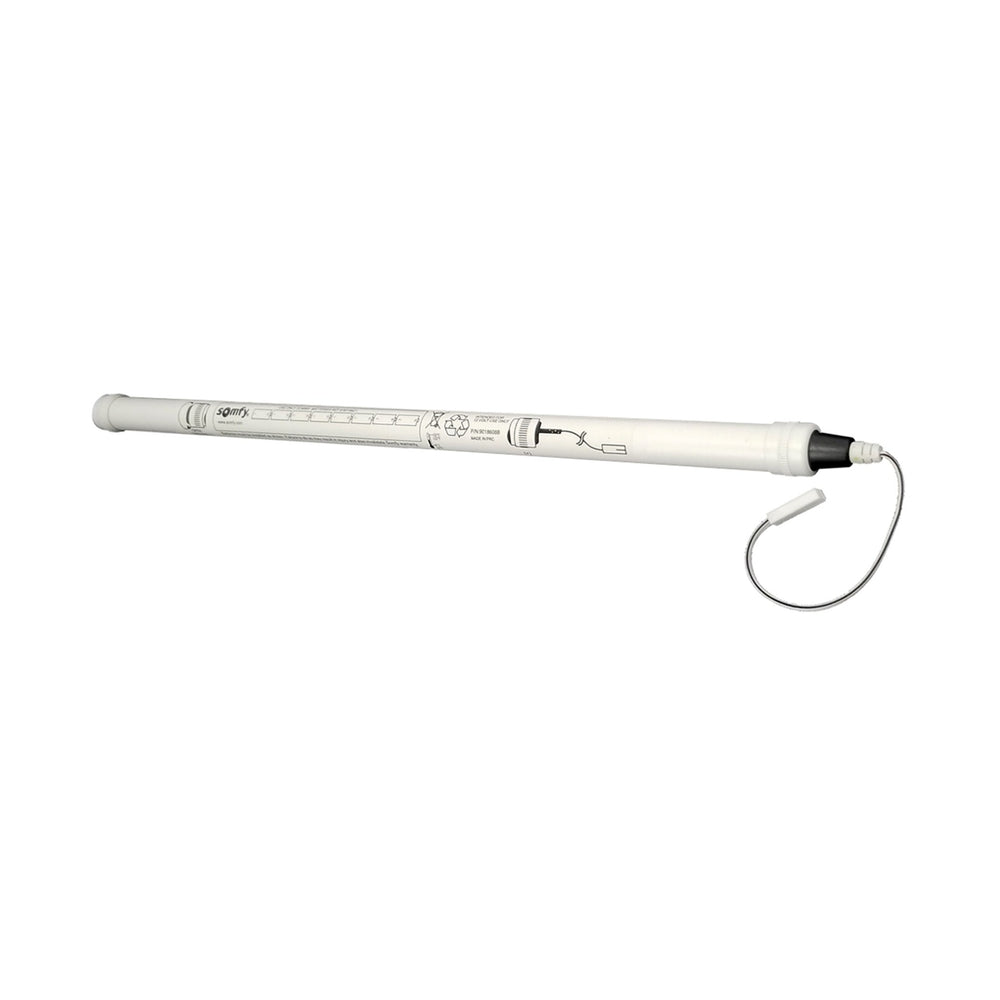
Somfy's 12V DC Reloadable Battery Tube (9018685) lists the CL32 as compatible. It takes 8 AA lithium batteries, sold separately, and Somfy does not approve alkaline or rechargeable cells for it.
Watch forA homeowner loads the wand with alkaline AAs. Swap them for 8 AA lithium cells, the type Somfy specifies.
Power the CL32
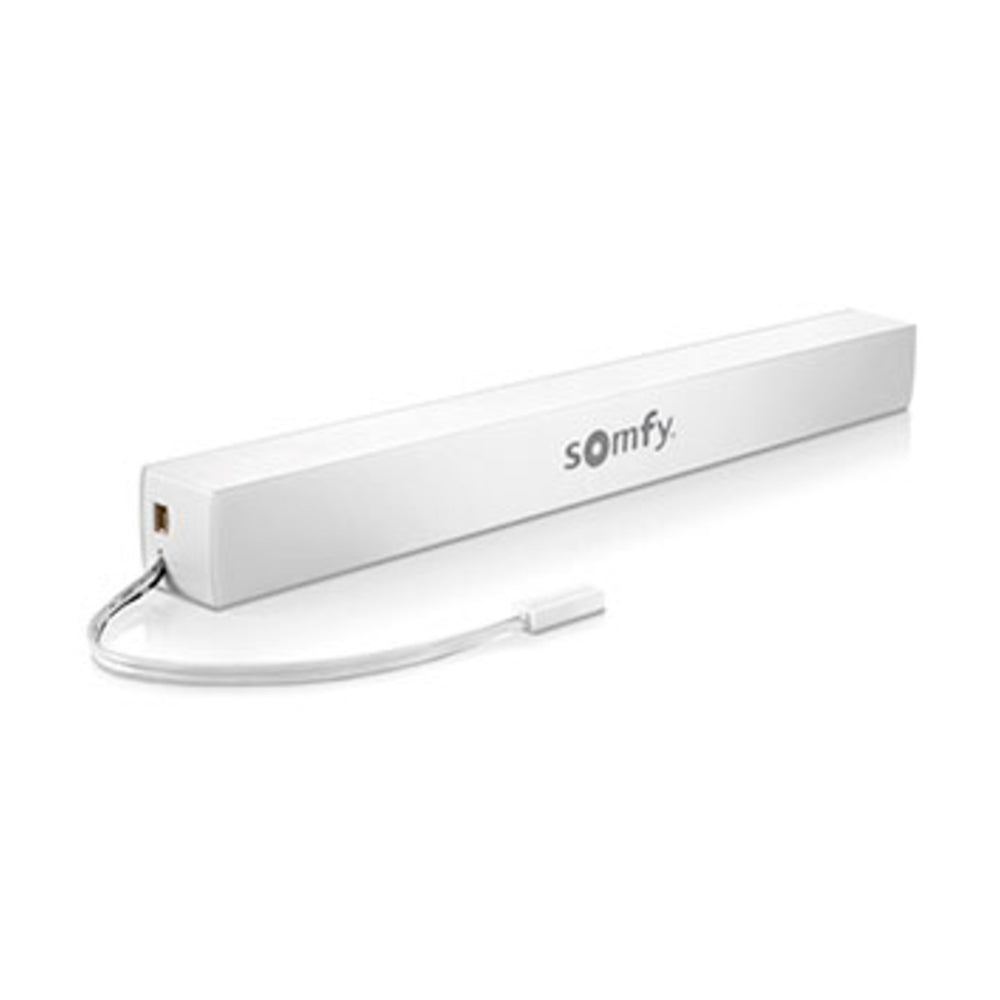
Somfy's Li-ion pack 9021217 fits the CL32 and charges with charger 9025166. The WireFree Databook's CL32 page gives a 4.5 hour charge time and one recharge a year, based on average shade size and one cycle a day.
On the jobCharge the pack before install day so the shade can run while you program it.
Power the CL32
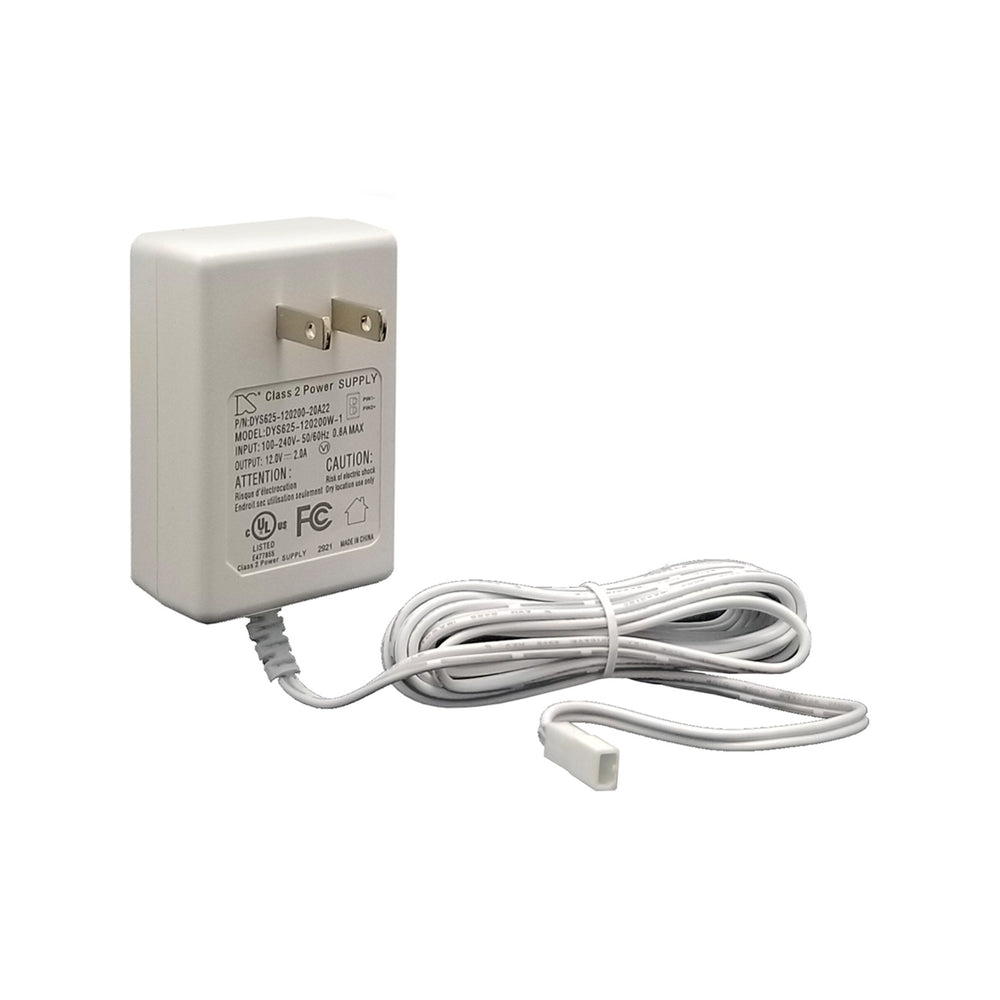
With an outlet in reach, Somfy's 12V DC Plug-in Power Supply (1870940) runs the CL32 with no batteries. Somfy lists the CL32 among its compatible motors.
On the jobOffer the plug-in supply to a client who never wants to change cells or recharge a pack.
Check yourself
Hint: Think about what each power option asks the client to do over the years.
The 12V DC Plug-in Power Supply 1870940, which Somfy lists for the CL32 and which runs it with no batteries.
Finish every module, pass the quiz, unlock 10% off
Module 4 of 5
You will be able to pair an RTS remote to a CL32, set direction and limits, and reach user mode with Somfy's standard steps.
5 lessons, then a scenario check.
Program the CL32 with an RTS remote
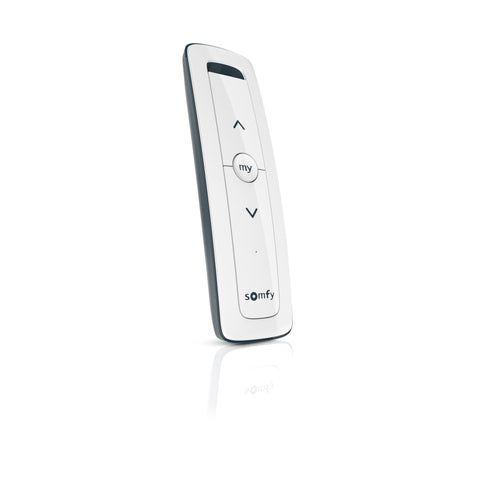
The CL32 has a built-in RTS receiver at 433.42 MHz. Somfy's Situo 1 RTS Pure II runs on a CR2032 cell and Somfy lists it as compatible with all RTS-powered systems.
On the jobCheck that the remote you hand over is an RTS model.

Program the CL32 with an RTS remote
Somfy's RTS Pocket Guide lists the CL32 under Standard RTS Quick Programming. Press and hold UP and DOWN together until the motor jogs. In programming mode the shade moves only while you hold UP or DOWN.
Watch forLet go of UP or DOWN and the shade stops. Keep the remote in hand.
Program the CL32 with an RTS remote
Press and hold DOWN; the shade should go down. If it goes up, press and hold MY until the shade jogs to reverse it. The motor leaves programming mode after 2 minutes idle.
On the jobConfirm the direction before you touch the limits.
Program the CL32 with an RTS remote
At the upper limit, hold MY and DOWN until the shade moves, then release. Stop it at the lower limit. Hold MY and UP until it moves; it stops at the upper limit. Hold MY until it jogs to confirm.
Watch forIf the shade stops when you release MY and DOWN, take it back to the upper limit and repeat.
Program the CL32 with an RTS remote
Briefly press the PROG button on the back of the remote. The shade jogs and is now in user mode.
On the jobRun the shade up and down once to check both limits before you leave.
Step by step
Somfy's RTS Pocket Guide lists the CL32 under Standard RTS Quick Programming. Power the motor, hold the new remote, and work through these screens in order.
7 steps, one per screen.
Step 1 of 7
The motor jogs. In programming mode the shade moves only while you hold UP or DOWN.
Step 2 of 7
The shade goes down. If it goes up, press and hold MY until the shade jogs to reverse the direction, then check again.
Step 3 of 7
The shade keeps moving down. If it stops when you release, take it back to the upper limit and repeat this screen.
Step 4 of 7
The shade rests at your lower limit.
Step 5 of 7
The shade travels up and stops at the upper limit you set on screen 3.
Step 6 of 7
The jog confirms both limit settings.
Step 7 of 7
The shade jogs and is now in user mode.
Check yourself
Hint: Think about what the guide expects once you let go.
Take the shade back to the upper limit and repeat the step.
Finish every module, pass the quiz, unlock 10% off
Module 5 of 5
You will be able to add or delete a remote, set and clear the my position, and return a CL32 to factory mode at the motor head.
4 lessons, then a scenario check.
Remotes, my position and reset
Press and hold PROG on a remote that already works until the shade jogs. Then briefly press PROG on the new remote; the shade jogs. Somfy uses the same steps to delete a remote.
Watch forTo delete a remote, run step one from a different working remote, never the one you plan to delete.
Remotes, my position and reset
Run the shade to the spot you want with UP or DOWN. Briefly press MY to stop, then press and hold MY until the shade jogs. Press MY from any position to return there, twice if the shade is moving.
ExampleA client wants the pleated shade half down every afternoon. Set that spot as my.
Remotes, my position and reset
Briefly press MY to send the shade to its my position. Press and hold MY for 5 seconds. The shade jogs to confirm the delete.
On the jobTo move the my position, clear it first, then set the new spot.
Remotes, my position and reset
Somfy's Pocket Guide shows the CL32 among motors reset at the motor head. Press and hold the motor head PROG button about 15 seconds until the shade jogs 3 times. All remotes and limits are erased.
Watch forAfter a reset, start programming again from step one.
Check yourself
Hint: Adding a remote needs a working remote. Think about what Somfy lets you do without one.
Reset the motor at the head by holding PROG about 15 seconds until 3 jogs, then program the new remote from the start.
Final quiz
Each question is a real job scenario, one per screen. Stuck? Tap the hint. You see the right answer and why right after you choose. Pass and you get a printable certificate.
Score 80% to unlock 10% off your first ShadeMotorsDirect order.
Question 1 of 10
On the job: A homeowner wants several window coverings motorized and asks where the CL32 fits.
Hint: Think about where the CL32 sits and which shade families Somfy lists.
Somfy lists the CL32 for cellular, pleated and roman shades.
Question 2 of 10
On the job: You take over a CL32 job and do not know which remotes the last installer paired.
Hint: No working remote is needed for this one.
The guide resets the CL32 at the motor head, erasing all remotes and limits.
Question 3 of 10
On the job: You open a Rollease 1.5 in VersaRail headrail for a CL32 retrofit.
Hint: Find the VersaRail row in the adaptor table.
Somfy lists the Spears shaft adaptor for VersaRail and marks the headrail adaptor not required.
Question 4 of 10
On the job: A client has Graber EasyUp cord loop cellular shades.
Hint: Pick the part that seats the motor in the rail, not one that powers it.
Somfy describes 9013288 as the headrail adapter for Graber EasyUp cord loop units.
Question 5 of 10
On the job: The CL32 antenna wire looks long for the headrail you are fitting.
Hint: Somfy's databook gives one rule for this wire.
The databook says the antenna wire must not be cut or lengthened.
Question 6 of 10
On the job: A homeowner reloads the 9018685 battery wand on their CL32.
Hint: Go by what Somfy approves for the wand, not by what is easiest to buy.
Somfy requires 8 AA lithium batteries and does not approve alkaline or rechargeable cells.
Question 7 of 10
On the job: A client with an outlet near the shade never wants to change or charge batteries.
Hint: Check what each option asks of the client over time.
Somfy lists the 12V DC Plug-in Power Supply for the CL32, and it runs the motor with no batteries.
Question 8 of 10
On the job: You power a new CL32 and pick up a new RTS remote to program it.
Hint: Step 1 of Somfy's standard RTS programming uses two buttons on the front.
The Pocket Guide starts programming by holding UP and DOWN together until the motor jogs.
Question 9 of 10
On the job: In programming mode you hold DOWN and the shade goes up.
Hint: Somfy's fix for a reversed shade happens from the remote while you stay in programming mode.
Holding MY until the shade jogs reverses the direction during programming.
Question 10 of 10
On the job: A client already uses one paired remote and wants a second remote for another room.
Hint: Adding a remote does not erase anything already paired.
Somfy adds a remote by holding PROG on a working control, then briefly pressing PROG on the new one.
Almost done
Your score shows on the next screen. If you pass, your certificate and 10% code go to this email. They come from Shade Motors School (school@shademotorsdirect.com). Check Promotions, Updates or Spam if you don't see them.
Parts used in this course
 Somfy Cord Lift WireFree CL32 RTS (External Battery) (1002422)
 Somfy Headrail Adaptor (for Graber/Bali EasyUp Cord Loop) (CL32 Only) (9013288)
 Somfy Reloadable 12V DC-Volt Battery Wand (9018685)
 Somfy Rechargeable Lithium-ion Battery Pack (9021217)
 Somfy 12V DC Plug-in Power Supply (1870940)
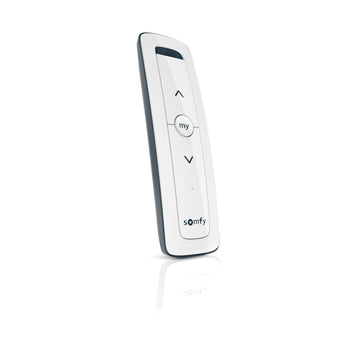 Somfy Situo 1 Channel RTS Pure Remote (1870571)
Parts used in this course
Your cart is currently empty.
Not sure where to start? Try these collections: