

Finish every module, pass the quiz, unlock 10% off
Module 1 of 5
What the UAI Plus does
Explain what the Somfy Connect UAI Plus does on an SDN job and which control systems Somfy names for it.
3 lessons, then a scenario check.

Shade Motors School · Wired and Networked · 301
The Somfy Connect UAI Plus commissions Somfy Digital Network motors and links them to Control4, Crestron or Savant over IP. Learn the motors it runs, how to wire and power it, how to commission and group motors, and how to hand off to the control system.
Pass the quiz to unlock 10% off your first ShadeMotorsDirect order. Your code and certificate arrive by email from Shade Motors School.
You will be able to: Wire, commission and integrate a Somfy UAI Plus on an SDN shade job.
Inside this course
Finish every module, pass the quiz, unlock 10% off
Module 1 of 5
Explain what the Somfy Connect UAI Plus does on an SDN job and which control systems Somfy names for it.
3 lessons, then a scenario check.
What the UAI Plus does
The Somfy Connect UAI Plus (1870272) commissions and integrates Somfy Digital Network (SDN) motors over IP. Somfy builds SDN on industry-standard RS485 as a bidirectional system.
On the jobTreat the UAI Plus as the one point where the control system meets the SDN bus.

What the UAI Plus does
Somfy rates one UAI Plus to commission and integrate up to 250 motors over IP. The programming software is built in, so you need no pinouts and no converters.
Watch forCount every SDN motor on the drawings before you quote. Somfy rates one UAI Plus for up to 250.
What the UAI Plus does
Somfy lists the UAI Plus as compatible with Control4, Crestron and Savant automation systems and with the Somfy Synergy API. It connects to the controller over IP or RS232.
On the jobAsk the integrator which platform runs the house before you order. Somfy names Control4, Crestron and Savant.
Check yourself
Hint: One interface sits between the bus and the network.
Through the Somfy Connect UAI Plus, which links the SDN motors to the control system over IP or RS232.
Finish every module, pass the quiz, unlock 10% off
Module 2 of 5
Match the right SDN motor to the UAI Plus by tube size and power supply, using the motors Somfy lists.
4 lessons, then a scenario check.
Motors it controls
Somfy lists the Sonesse 30 RS485, the Sonesse 50 ULTRA AC and DC RS485, and Glydea ULTRA for the UAI Plus. Irismo 35 joins with the SDN Enclosure Kit.
Watch forA radio Sonesse 30 is a different motor. Order the RS485 version for an SDN job.
Motors it controls
The Sonesse 30 RS485 24V DC (1241144) delivers 2 Nm at 25 rpm. Somfy lists a round head and a 1.13 in minimum tube inside diameter.
On the jobPick it when the tube is smaller than the 1.85 in the Sonesse ULTRA 50 motors need.

Motors it controls
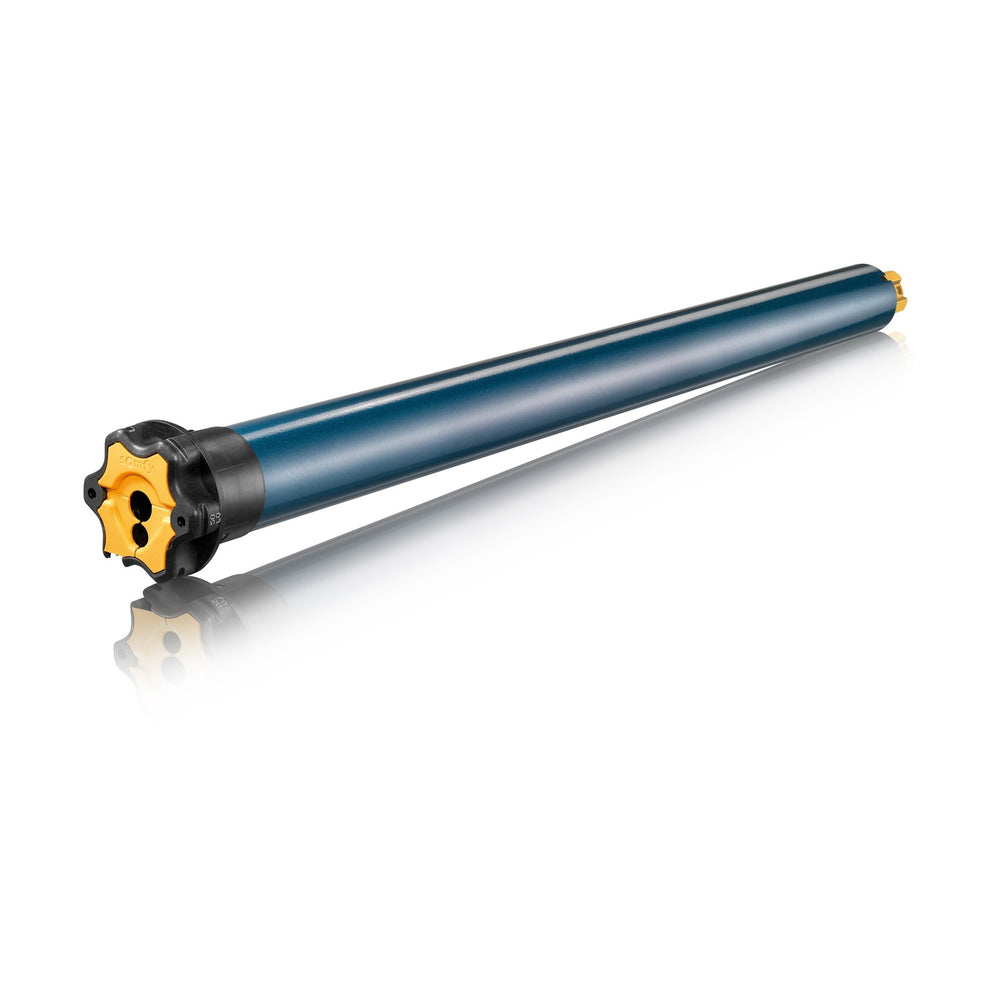
The Sonesse ULTRA 506A2 RS485 (1002566) runs on 120V AC and delivers 6 Nm at 24 rpm. Somfy publishes 38 dB, a star head and a 1.85 in minimum tube.
ExampleA bedroom shade on a 120V circuit gets the 506A2 for its 38 dB rating.
Motors it controls
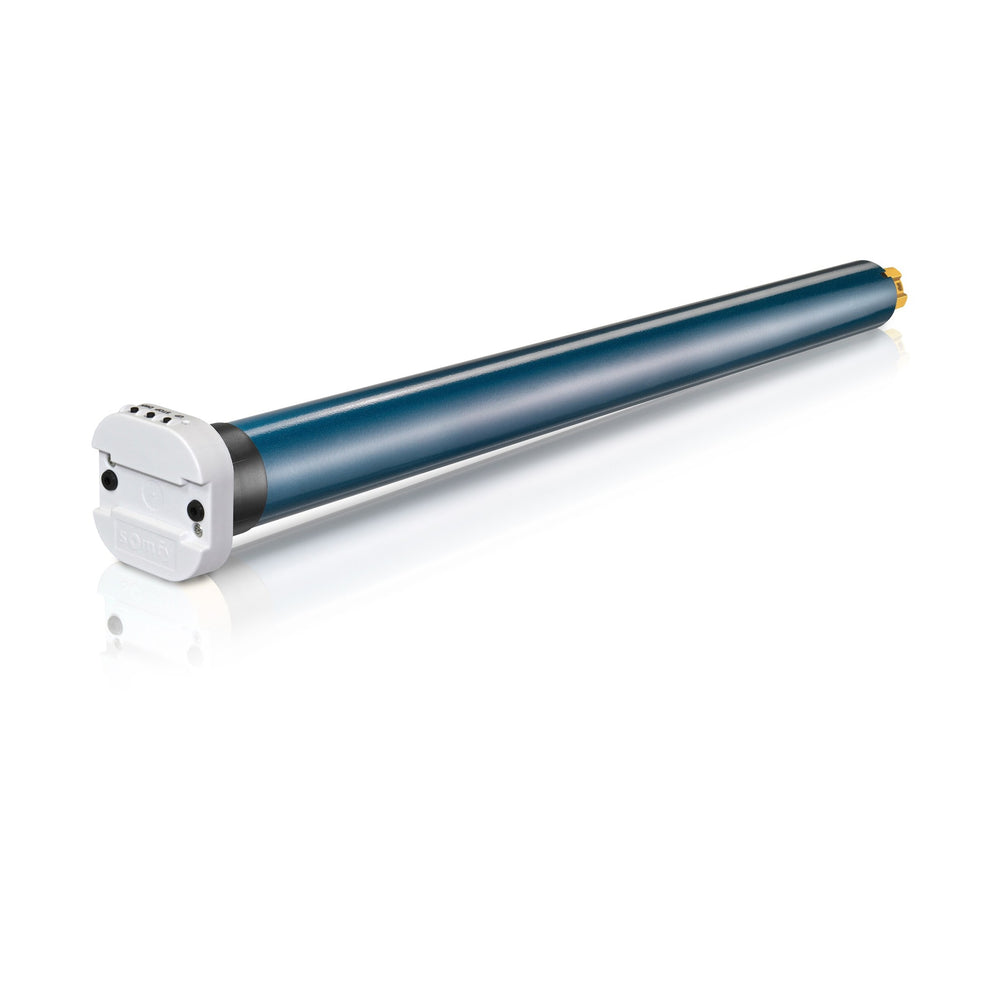
The Sonesse ULTRA 504 A8 DC RS485 (1134022) runs on 24V DC and delivers 4 Nm at 25 rpm. Somfy lists 35 dB, a square head and a 1.85 in minimum tube.
Watch forMatch the bracket to the square head before you mount the motor.
Check yourself
Hint: The Sonesse ULTRA 50 motors need 1.85 in.
The Sonesse 30 RS485 24V DC (1241144), which Somfy lists for a 1.13 in minimum tube.
Finish every module, pass the quiz, unlock 10% off
Module 3 of 5
Plan the ports, cable lengths and bus power for a UAI Plus before rough-in.
5 lessons, then a scenario check.
Wire and power it
Somfy labels Port 0 not used, Port 1 for RS232 or RS485 input, and Port 2 for SDN. The Ethernet port goes to the site router or network switch.
On the jobLand the SDN wire on Port 2. Leave Port 0 empty.
Wire and power it
Keep the SDN wire to a device port at 50 ft or less, and use a Data Hub Plus (1870263) beyond that. Ethernet runs up to 328 ft (100 m) on 22 to 24 AWG Cat5 or higher.
Watch forMeasure the run from the UAI Plus to its device port. Past 50 ft, Somfy calls for a Data Hub Plus.
Wire and power it
The UAI Plus draws its power from the SDN bus and needs 6 SDN power units. The Bus and Sensor Station Power Supply (1822440) feeds 24V DC to the SDN bus.
On the jobCount the UAI Plus as 6 power units when you total the bus load.

Wire and power it
The SDN Data Hub V2 (1870951) adds 5 device ports to an SDN bus line. Somfy draws it in the UAI Plus system on its launch flyer.
ExamplePut a Data Hub V2 where you need more device ports than the bus line gives you.

Wire and power it
Somfy rates the UAI Plus IP 20 for indoor use only. It ships with a DIN rail, and supply wires must be rated for at least 167°F (75°C).
Watch forPlan a rack or panel inside the building. Somfy rates the UAI Plus for indoor use only.
Check yourself
Hint: Check the limit Somfy sets for that run.
A Data Hub Plus (1870263), since Somfy caps the run to a device port at 50 ft.
Finish every module, pass the quiz, unlock 10% off
Module 4 of 5
Follow Somfy's quick start order for firmware, a motor test, discovery, limits and groups.
4 lessons, then a scenario check.
Commission the motors
Somfy calls for a Windows 7 or later PC on the same network and Chrome 59 or later. The default password is ADMIN, case sensitive. Firmware updates need internet on the site network.
Watch forConfirm the site network has an active internet connection before you try a firmware update.
Commission the motors
Before you commission, select Troubleshoot and press up or down. Every motor with limits programmed should run to its upper or lower limit.
On the jobA motor that sits still points to its wiring, power or communication. Fix it before you commission.
Commission the motors
Open the Motors tab and click the spyglass icon to discover every SDN motor. For each motor, set the label, limits, intermediate positions and direction.
ExampleLabel each motor with its room and window, so the control system shows names the client knows.
Commission the motors
Every motor must belong to at least one group, and each motor can belong to up to 16 groups. You build groups by drag and drop on the Groups tab.
Watch forA motor left out of every group breaks the rule. Assign it before you hand off to the integrator.
Step by step
These steps follow the order of the Somfy Connect UAI Plus quick start guide. They assume every motor already has its limits programmed.
10 steps, one per screen.
Step 1 of 10
With one DIN mounting ear extended by a small screwdriver, the unit snaps onto the rail.
Step 2 of 10
The run is 50 ft or less, or it goes through a Data Hub Plus (1870263).
Step 3 of 10
The run is 328 ft (100 m) or less.
Step 4 of 10
You double click the Somfy logo and enter the default password ADMIN.
Step 5 of 10
The UAI Plus reboots when the firmware update is complete. Return to the home screen.
Step 6 of 10
All motors on the system move to their upper or lower limit.
Step 7 of 10
The UAI Plus discovers the SDN motors on the network.
Step 8 of 10
You repeat the steps for every motor on the system.
Step 9 of 10
Each motor operates properly from its virtual keypad.
Step 10 of 10
Every motor sits in at least one group, and none in more than 16.
Check yourself
Hint: Somfy sets a minimum.
Every motor must be assigned to at least one group.
Finish every module, pass the quiz, unlock 10% off
Module 5 of 5
Connect the UAI Plus to Control4, Crestron or Savant, plan remote access, and know the stand-alone option.
4 lessons, then a scenario check.
Hand off to the control system
Somfy posts drivers for popular third-party control systems on its UAI Plus page at somfysystems.com. It also posts a Control4 to SDN guide and a Crestron Home for UAI Plus guide.
On the jobDownload the integration guide for the client's platform before commissioning day.
Hand off to the control system
The UAI Plus connects to the controller over IP or RS232. An RS232 connection needs the DB9 to RJ45 adaptor (9015029).
Watch forOrder the 9015029 adaptor when the processor offers a DB9 serial port.
Hand off to the control system
On site, you reach the UAI Plus by typing its IP address into Chrome. Somfy says remote access needs port forwarding on the site network.
ExampleAsk the network admin to set port forwarding if you plan to support the job from the office.
Hand off to the control system
Without a control system, you can add DecoFlex SDN Keypads or RTS receivers with Somfy's software tools. That completes a stand-alone SDN system.
On the jobA client who drops the automation system can still get DecoFlex SDN Keypads on the same bus.
Check yourself
Hint: Look at the connector the processor offers.
Over RS232 with the DB9 to RJ45 adaptor (9015029).
Final quiz
Each question is a real job scenario, one per screen. Stuck? Tap the hint. You see the right answer and why right after you choose. Pass and you get a printable certificate.
Score 80% to unlock 10% off your first ShadeMotorsDirect order.
Question 1 of 10
On the job: A homeowner's Savant system must run 30 SDN shades.
Hint: Think about which device links SDN to IP.
Somfy lists the UAI Plus as compatible with Control4, Crestron and Savant.
Question 2 of 10
On the job: A hotel wing has 300 SDN motors on the drawings.
Hint: Look at the motor count Somfy publishes.
Somfy rates one UAI Plus to commission and integrate up to 250 motors over IP.
Question 3 of 10
On the job: The shade tube measures 1.13 in inside and the job runs on SDN.
Hint: Compare minimum tube sizes.
Somfy lists the Sonesse 30 RS485 for a 1.13 in minimum tube; the ULTRA 50 motors need 1.85 in.
Question 4 of 10
On the job: A shade needs 4 Nm on a 24V DC SDN system with a 1.85 in tube.
Hint: Match the torque and the supply.
The 504 A8 DC RS485 runs on 24V DC and delivers 4 Nm.
Question 5 of 10
On the job: You are landing the SDN wire on the UAI Plus.
Hint: One port is not used and one takes serial.
Somfy labels Port 2 for SDN.
Question 6 of 10
On the job: The UAI Plus sits 80 ft from the nearest SDN device port.
Hint: Somfy sets a limit for that run.
Somfy caps the run to a device port at 50 ft and calls for a Data Hub Plus beyond that.
Question 7 of 10
On the job: You total the power budget on the SDN bus.
Hint: It draws from the bus.
Somfy says the UAI Plus requires 6 SDN power units.
Question 8 of 10
On the job: You press down in Troubleshoot and one motor stays still.
Hint: The motor test checks the network.
Somfy says a motor that does not move needs its wiring, power and communication checked.
Question 9 of 10
On the job: You finished setting limits and one motor sits in no group.
Hint: Somfy sets a minimum.
Every motor must belong to at least one group, up to 16.
Question 10 of 10
On the job: The control processor offers only a DB9 serial port.
Hint: Look at the connector the processor offers.
An RS232 connection needs the DB9 to RJ45 adaptor 9015029.
Almost done
Your score shows on the next screen. If you pass, your certificate and 10% code go to this email. They come from Shade Motors School (school@shademotorsdirect.com). Check Promotions, Updates or Spam if you don't see them.
Parts used in this course
 Somfy Connect Universal Automation Interface (UAI) Plus (1870272)
 Somfy Sonesse 30 RS485 24V DC (1241144)
 Somfy Sonesse Ultra 50 506A2 RS485 120V Motor (6Nm, 24rpm) (1002566)
 Somfy Sonesse Ultra 50 504A8 RS485 24V DC Motor (2-6Nm, 10-25rpm adjustable) (1134022)
 Somfy Bus and Station Power Supply (1822440)
 Somfy Data Hub V2 (1870951)
Parts used in this course
Your cart is currently empty.
Not sure where to start? Try these collections:


