Skip to content
Genuine Somfy Motors & Parts for Roller Shades

Shade Motors School · Program It · 201

How to Program a Somfy Sonesse 30 RTS 24V DC Motor

The Sonesse 30 RTS 24V DC (1241142) has its own RTS receiver, so you program it from the remote in your hand. Power one motor, set direction and limits, pair your controls, then adjust or reset it on a service call.

  • 5 modules
  • 15 min
  • 10-question quiz
  • Free certificate
  • Unlocks 10% off
10% OFF

Pass the quiz to unlock 10% off your first ShadeMotorsDirect order. Your code and certificate arrive by email from Shade Motors School.

You will be able to: Program a Sonesse 30 RTS from factory mode, then add controls, adjust limits and reset it.

Start the course

Inside this course

5 modules, one idea at a time

  1. Know the motor you are programmingConfirm the 1241142 on the bench is the RTS version and learn the figures that matter for setup. After this module you can tell what controls it takes and whether it fits the tube.3 lessons · scenario check
  2. Power one motor on the benchFeed the motor the 24V DC supply Somfy lists and keep the other motors asleep while you work. After this module you can power up one Sonesse 30 RTS without pairing the wrong shade.4 lessons · scenario check
  3. First programming and limitsTake a new motor from factory mode to a working shade with set limits and a first paired control. After this module you can commission a Sonesse 30 RTS in one pass.4 lessons · 7-step walkthrough · scenario check
  4. Everyday settingsSave a My position and move one limit without starting over. After this module you can adjust a finished shade on a service call.4 lessons · scenario check
  5. Add controls and resetAdd a remote or wall switch, remove a control, and return the motor to factory mode. After this module you can finish a handover and recover an inherited shade.5 lessons · scenario check
  6. Final quiz10 real job scenarios, one per screen, each with a hint if you need it. Score 80% to pass and get your certificate.

Pass = 10% off

Finish every module, pass the quiz, unlock 10% off

Module 1 of 5

Know the motor you are programming

Confirm the 1241142 on the bench is the RTS version and learn the figures that matter for setup. After this module you can tell what controls it takes and whether it fits the tube.

3 lessons, then a scenario check.

Know the motor you are programming

A built-in RTS receiver

The Sonesse 30 RTS 24V DC (1241142) carries its own RTS receiver at 433.420 MHz. You program it from an RTS control, with no hub or receiver box in between.

On the jobA label reading 1241142 tells you to bring an RTS remote to the job.

Somfy Sonesse 30 RTS 24V DC Motor (1241142)
Sonesse 30 RTS 24V DC (1241142)

Know the motor you are programming

A memory capacity of 12

Somfy lists 12 channels and a memory capacity of 12 for this motor, with 656.2 ft of range in open field.

ExampleA remote in each of three rooms plus a wall switch by the door uses four of the 12 memory spots.

RADIOProtocolRTS, 433.420 MHzChannels12Memory capacity12Range, open field656.2 ft

Know the motor you are programming

Small tube, round head

Somfy lists 2 Nm at 25 rpm, a 1.13 in minimum tube inside diameter and a round head. It runs at 47 dB, rated IP 30 for interior shades, blinds and projection screens.

Watch forMeasure the tube inside diameter before you order. A tube under 1.13 in will not take this motor.

MECHANICSTorque / speed2 Nm / 25 rpmMin tube inside diameter1.13 inHeadRoundNoise47 dBProtectionIP 30, interior

Check yourself

A shade label reads 1241142 and the client hands you a dry contact keypad to program it with. Will that work?

Finish every module, pass the quiz, unlock 10% off

Module 2 of 5

Power one motor on the bench

Feed the motor the 24V DC supply Somfy lists and keep the other motors asleep while you work. After this module you can power up one Sonesse 30 RTS without pairing the wrong shade.

4 lessons, then a scenario check.

Power one motor on the bench

24V DC only

Somfy rates the 1241142 at 21.6 to 26.4 V DC, 0.625 A and 15 W in operation, with 0.2 W in standby.

Watch forRead the supply label before you plug in. It must say 24V DC.

POWERVoltage21.6 to 26.4 V DCRated current0.625 AIn operation15 WStandby0.2 W

Power one motor on the bench

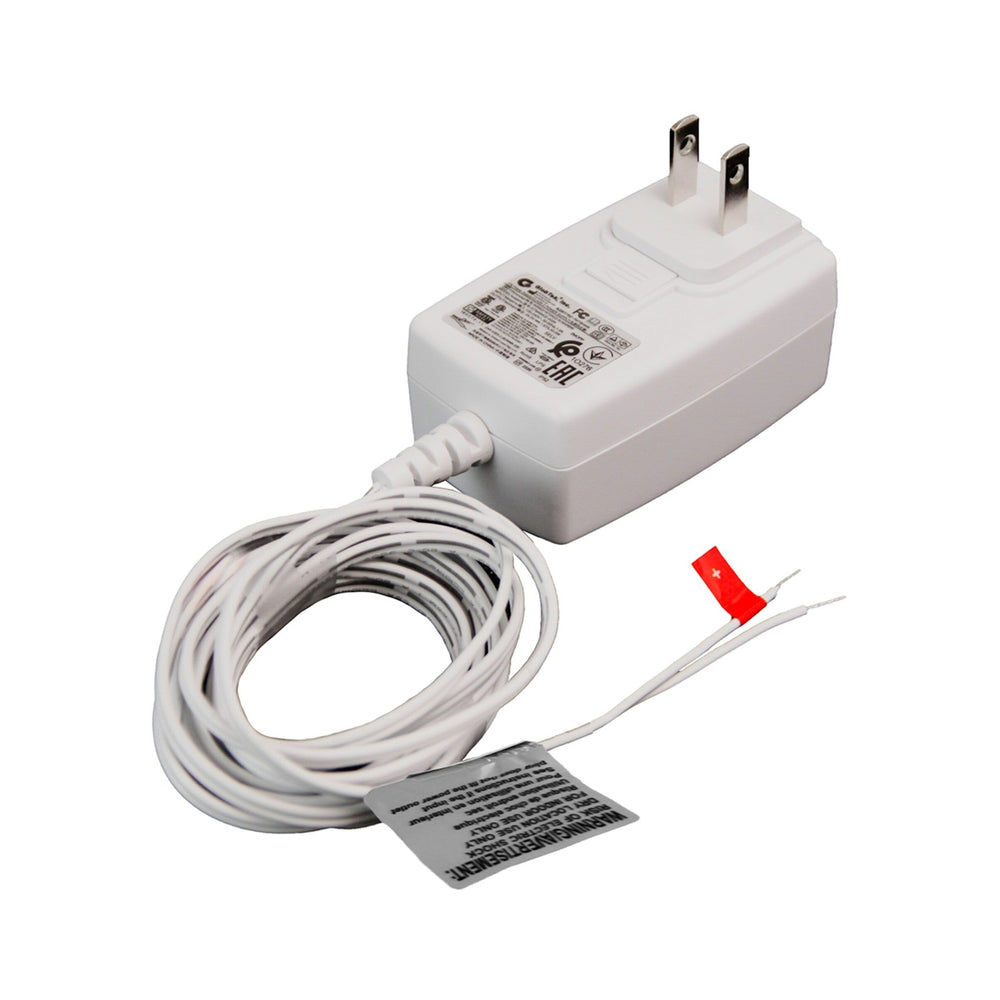
One shade, one plug-in supply

For a single shade, Somfy lists the 24V DC 1.67 A wall mount power supply (1822209) as a compatible accessory for the 1241142.

ExampleA single bedroom shade next to an outlet runs from one 1822209.

Somfy 24V DC 1.67 Amp Plug-in Wall Mount Transformer (1822209)
24V DC 1.67 A wall mount power supply (1822209)

Power one motor on the bench

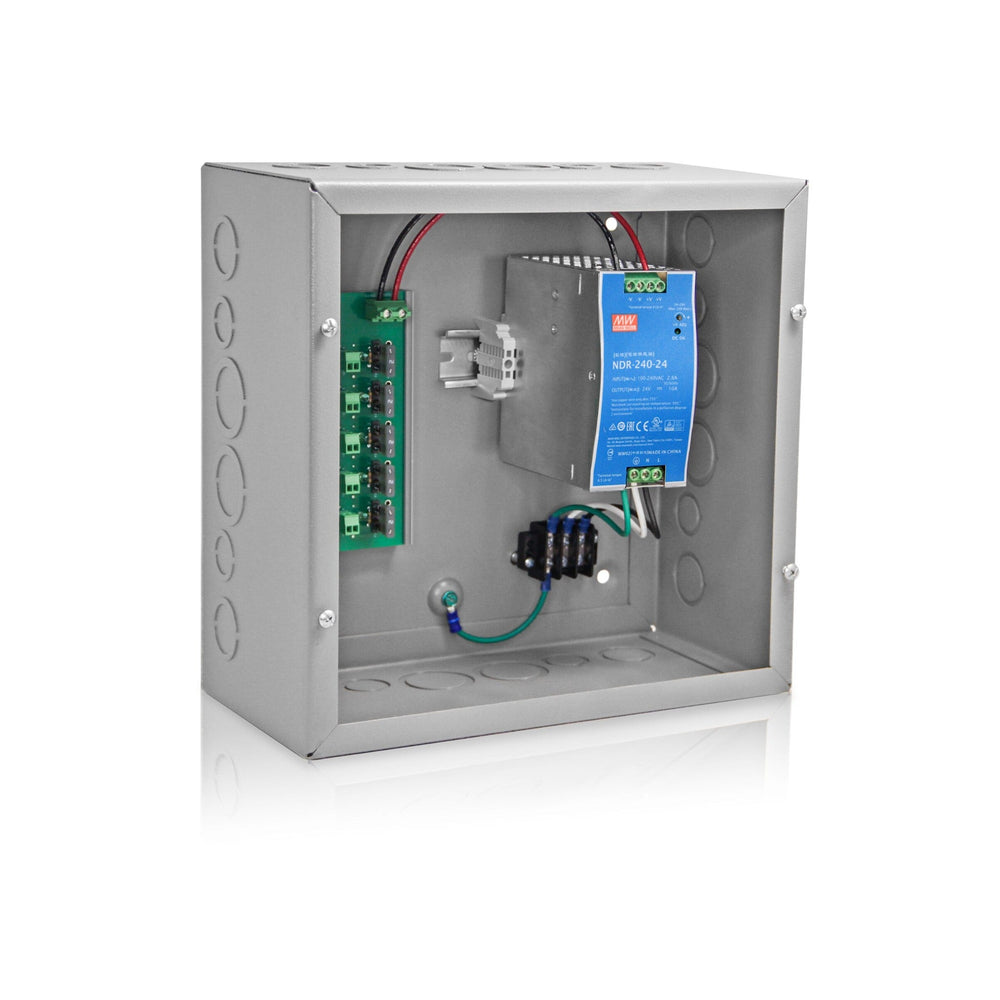
A room of motors

For several shades, Somfy lists Power Distribution Enclosure Kits for 5, 10, 15 and 20 motors: 1870196, 1870192, 1870197 and 1870198.

On the jobCount the motors on the plan and pick the kit size that covers them.

Somfy 24V Power Distribution Enclosure 5 Motors (1870196)
Power Distribution Enclosure Kit, 5 motors (1870196)

Power one motor on the bench

Power only the motor you program

Somfy's RTS Pocket Guide tells you to connect power only to the motor you are programming. Leave the other shades unplugged until their turn.

On the jobOn an enclosure kit run, unplug every motor lead except the one on the shade you are programming.

ONE AT A TIMEMotor 1Poweredprogram nowMotor 2Unpluggedwait your turnMotor 3Unpluggedwait your turnConnect power only to the motor you program

Check yourself

Five Sonesse 30 RTS shades share one enclosure kit and you are programming the first. What do you do with the other four?

Finish every module, pass the quiz, unlock 10% off

Module 3 of 5

First programming and limits

Take a new motor from factory mode to a working shade with set limits and a first paired control. After this module you can commission a Sonesse 30 RTS in one pass.

4 lessons, then a scenario check.
First programming and limits

Enter programming mode

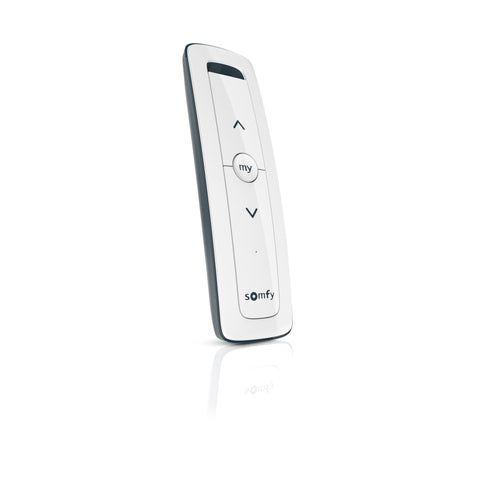
Hold UP and DOWN together on the RTS control until the shade jogs. In programming mode the shade moves only while you hold UP or DOWN.

Watch forSomfy's guide says the motor leaves programming mode after 2 minutes idle. Keep moving through the steps.

PROGRAMMING MODEUPMYDOWNHold UP and DOWNtogether untilthe shade jogs

First programming and limits

Check the direction

Hold DOWN. If the shade rises instead, hold MY until it jogs to reverse the direction, then check again.

On the jobSomfy has you confirm the direction before you touch the limits, so settle it here.

DIRECTIONUPMYDOWNHold DOWNShade rises?Hold MY untilit jogs

First programming and limits

Set both limits

At the top, hold MY and DOWN until the shade moves, then stop it at the bottom. Hold MY and UP until it moves, and it stops at the top. Hold MY until it jogs to save.

Watch forIf the shade stops the moment you release MY and DOWN, go back to the top and repeat. If the limits still will not take, Somfy says to cut power for 2 seconds and start again.

LIMITS1At the top: MY + DOWNshade travels down2Stop at the bottomadjust with UP or DOWN3MY + UPstops at the top4Hold MYjogs, limits saved

First programming and limits

Pair the first control

Briefly press PROG on the back of the control. The shade jogs and the motor enters user mode, where a brief press of UP or DOWN runs the shade.

On the jobUse the control you will leave with the owner for this first pairing.

FINISHBACKPROGBrief presson PROGShade jogs:user mode

Step by step

Program a new Sonesse 30 RTS from factory mode

Power only this motor and keep one RTS control in hand. These steps follow Somfy's RTS Pocket Guide for the ST30 Sonesse 30.

7 steps, one per screen.

PROCEDURE1UP + DOWNjog2Hold DOWNcheck direction3MY + DOWN, MY + UPset limits4Hold MY, then brief PROGuser mode

Step 1 of 7

Hold UP and DOWN together on the control

The shade jogs. The motor is in programming mode.

Step 2 of 7

Hold DOWN

The shade lowers. If it rises, hold MY until it jogs, then check again.

Step 3 of 7

Hold UP to bring the shade to the top position you want

The shade moves only while you hold the button.

Step 4 of 7

Hold MY and DOWN together, and release when the shade moves

The shade travels down. Stop it at the bottom position you want, and fine tune with UP or DOWN.

Step 5 of 7

Hold MY and UP together, and release when the shade moves

The shade travels up and stops at the top position.

Step 6 of 7

Hold MY

The shade jogs. Both limits are saved.

Step 7 of 7

Briefly press PROG on the back of the control

The shade jogs. The motor is in user mode and the control is paired.

Check yourself

You saved the limits, but the shade still moves only while you hold a button. What did you skip?

Finish every module, pass the quiz, unlock 10% off

Module 4 of 5

Everyday settings

Save a My position and move one limit without starting over. After this module you can adjust a finished shade on a service call.

4 lessons, then a scenario check.
Everyday settings

Save a My position

Run the shade to the height you want, briefly press MY to stop it, then hold MY until the shade jogs.

ExampleAn owner wants the shade at mid height for afternoon glare. Save that height as My.

MY POSITIONUPMYDOWNStop at heightwith MYHold MY untilthe shade jogs

Everyday settings

Use or delete My

Press MY from a stop and the shade goes to My. To delete it, go to My, then hold MY for 5 seconds until the shade jogs.

Watch forIf the shade is moving, the guide says to press MY twice to reach My.

USE AND DELETEShade stoppedpress MYShade movingpress MY twiceDelete Myhold MY for 5 s

Everyday settings

Adjust the lower limit

Run the shade to its lower limit. Hold UP and DOWN until it jogs, move it with UP or DOWN, then hold MY until it jogs to save.

On the jobA shade that stops short of the sill gets fixed here, with no reset and no re-pairing.

LOWER LIMIT1Press DOWNreach lower limit2Hold UP + DOWNshade jogs3AdjustUP or DOWN4Hold MYjogs, saved

Everyday settings

Adjust the upper limit

Briefly press UP to reach the upper limit. Hold UP and DOWN until the shade jogs, adjust it, then hold MY until it jogs.

ExampleYou can move the top stop on a service call and leave the bottom stop as it was.

UPPER LIMIT1Press UPreach upper limit2Hold UP + DOWNshade jogs3AdjustUP or DOWN4Hold MYjogs, saved

Check yourself

An owner says the shade now stops short of the sill. You want to keep the top limit and the paired remote. What do you do?

Finish every module, pass the quiz, unlock 10% off

Module 5 of 5

Add controls and reset

Add a remote or wall switch, remove a control, and return the motor to factory mode. After this module you can finish a handover and recover an inherited shade.

5 lessons, then a scenario check.

Add controls and reset

Add a control

Hold PROG on a control already paired until the shade jogs. Then briefly press PROG on the new control, and the shade jogs again.

On the jobPair the owner's wall switch before you leave, using your paired remote as the first control.

ADD OR DELETEPaired controlHold PROGuntil the shade jogsNew controlBriefly press PROGthe shade jogs againThe same two steps delete a control

Add controls and reset

Delete a control

Somfy uses the same two steps to delete. Hold PROG on a paired control you are keeping, then briefly press PROG on the control you want gone.

Watch forTest the removed control. The shade should ignore it.

DELETEPaired controlHold PROGuntil the shade jogsControl to removeBriefly press PROGthe shade jogs againHold PROG on a control you are keeping

Add controls and reset

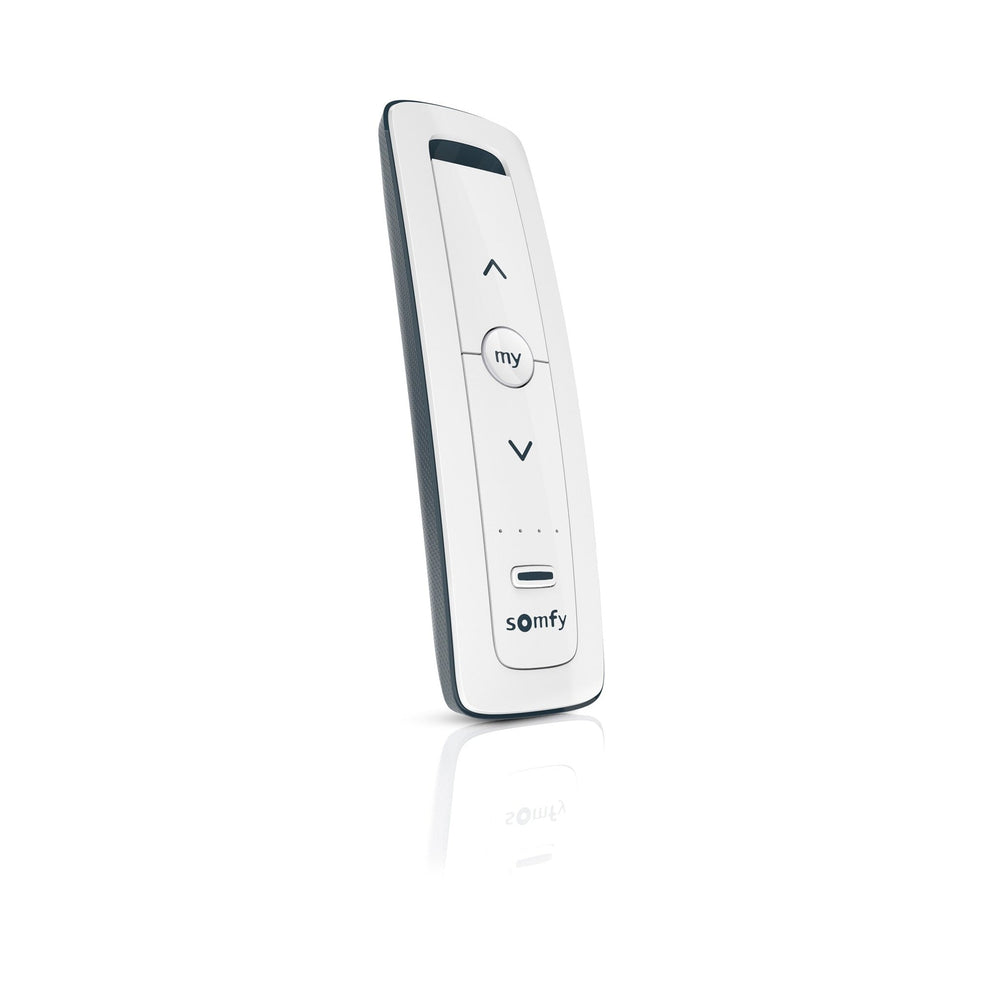
Remotes that pair

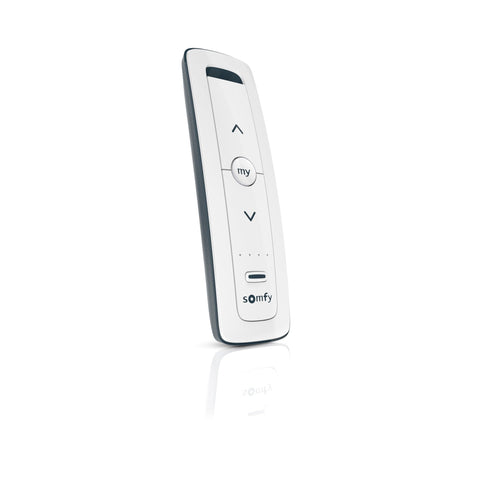
RTS remotes such as the Situo 1 RTS Pure II (1870571) and Situo 5 RTS Pure II (1870575) send RTS at 433.420 MHz, the same radio the motor listens to.

ExamplePair a Situo for each room with the add steps.

Somfy Situo 5 Channel RTS Pure Remote (1870575)
Situo 5 RTS Pure II (1870575)

Add controls and reset

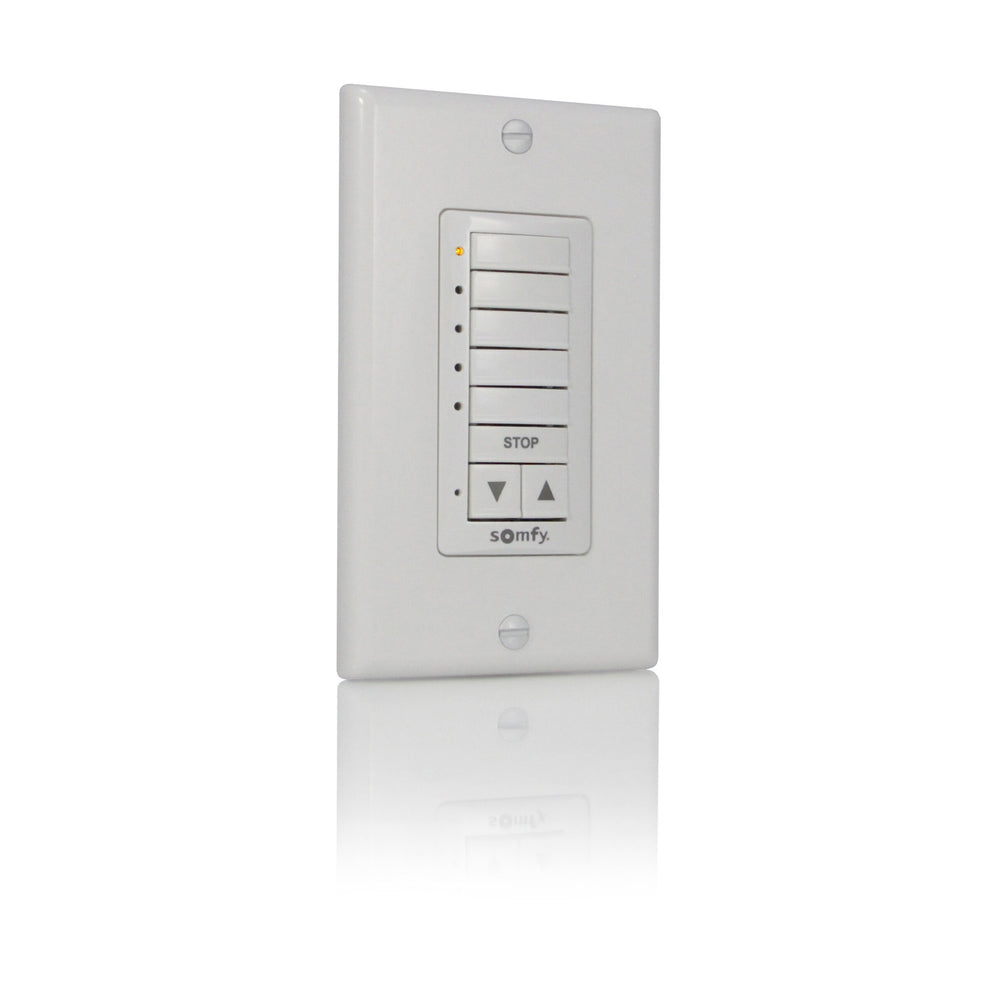
A wall switch with no wiring

The DecoFlex WireFree RTS 5 channel switch (1810813) is battery powered and sends RTS at 433.420 MHz, so it pairs like any other RTS control.

On the jobMount the DecoFlex where the owner reaches for a light switch, then pair it with the add steps.

Somfy DecoFlex 5 Channel RTS WireFree Wall Switch White (1810813)
DecoFlex WireFree RTS 5 channel (1810813)

Add controls and reset

Reset to factory mode

Hold the PROG button on the motor head with a paper clip for about 15 seconds, until the shade jogs 3 times. The reset erases every control and both limits.

Watch forAfter a reset you set the limits again from programming mode, then pair the controls.

FACTORY RESETSonesse 30 RTS bodyMotor headPROGHold about 15 secondsThe shade jogs 3 times. Controls and limits are erased.

Check yourself

You inherit a shade with unknown settings and no working remote. How do you start over?

Final quiz

10 questions. Score 80% to pass.

Each question is a real job scenario, one per screen. Stuck? Tap the hint. You see the right answer and why right after you choose. Pass and you get a printable certificate.

10% OFF

Score 80% to unlock 10% off your first ShadeMotorsDirect order.

Question 1 of 10

On the job: A client orders an RTS remote for a shade whose motor label reads 1241142.

Will the remote run the motor?

Question 2 of 10

On the job: A new Sonesse 30 RTS goes on a shade by the only outlet in the room.

Which power part does Somfy list for one motor?

Question 3 of 10

On the job: Eight Sonesse 30 RTS shades share one enclosure kit and you are about to program the first.

What do you do before you start?

Question 4 of 10

On the job: You held UP and DOWN and the shade jogged. Now you hold DOWN and the shade rises.

What is your next move?

Question 5 of 10

On the job: At the top position you hold MY and DOWN, and the shade stops the moment you let go.

What does Somfy say to do?

Question 6 of 10

On the job: The limits are saved, but the shade still moves only while you hold a button.

What step is missing?

Question 7 of 10

On the job: An owner wants the shade to stop at mid height every afternoon.

How do you save that height?

Question 8 of 10

On the job: On a service call the shade stops short of the sill. The owner wants to keep the top stop and the remotes.

What do you do?

Question 9 of 10

On the job: The owner bought a DecoFlex WireFree RTS switch for the bedroom door.

How do you add it?

Question 10 of 10

On the job: You take over a shade with unknown settings and no remote that works.

How do you bring the motor back to factory mode?

Almost done

Where should we send your certificate?

Your score shows on the next screen. If you pass, your certificate and 10% code go to this email. They come from Shade Motors School (school@shademotorsdirect.com). Check Promotions, Updates or Spam if you don't see them.

Your name prints on the certificate. You'll also get new course alerts and Somfy tips from ShadeMotorsDirect. Unsubscribe any time.

Parts used in this course

Genuine Somfy parts, 5-year warranty