Skip to content
Genuine Somfy Motors & Parts for Roller Shades

Shade Motors School · Program It · 201

How to Program a Somfy Sonesse 40 RTS Motor

The Sonesse 40 RTS 404S2 has its own RTS receiver, so you program it from the remote in your hand. Power one motor safely, set direction and limits, pair your controls, then adjust limits and the My position on a service call.

  • 5 modules
  • 15 min
  • 10-question quiz
  • Free certificate
  • Unlocks 10% off
10% OFF

Pass the quiz to unlock 10% off your first ShadeMotorsDirect order. Your code and certificate arrive by email from Shade Motors School.

You will be able to: Program a Sonesse 40 RTS from factory mode, then add controls and adjust limits and the My position.

Start the course

Line-voltage work. 120V motors, switches and wiring must be installed by a licensed electrician, with power off at the breaker. The course explains what to ask for and how to check it.

Inside this course

5 modules, one idea at a time

  1. Know the Sonesse 40 RTS on your benchTell the two 404S2 RTS versions apart and learn the figures that shape setup. After this module you know which controls the motor takes and which tube it needs.4 lessons · scenario check
  2. Power it the Somfy wayConnect 120V power so only the motor you are programming listens, and keep the antenna clear of metal. After this module you can power a Sonesse 40 RTS for programming with no call back.5 lessons · scenario check
  3. Program it from factory modeTake a new Sonesse 40 RTS from factory mode to a working shade with set limits and a paired control. After this module you can commission one in a single pass.4 lessons · 8-step walkthrough · scenario check
  4. Adjust limits and the My positionChange one limit or the favorite position without erasing anything else. After this module you can handle the service call where a shade stops short.4 lessons · scenario check
  5. Add, remove and recover controlsPair extra remotes and wall switches, remove an old one, and know where to turn when a motor needs a full reset. After this module you can hand over a shade with every control the owner needs.4 lessons · scenario check
  6. Final quiz10 real job scenarios, one per screen, each with a hint if you need it. Score 80% to pass and get your certificate.

Pass = 10% off

Finish every module, pass the quiz, unlock 10% off

Module 1 of 5

Know the Sonesse 40 RTS on your bench

Tell the two 404S2 RTS versions apart and learn the figures that shape setup. After this module you know which controls the motor takes and which tube it needs.

4 lessons, then a scenario check.
Know the Sonesse 40 RTS on your bench

A built-in RTS receiver

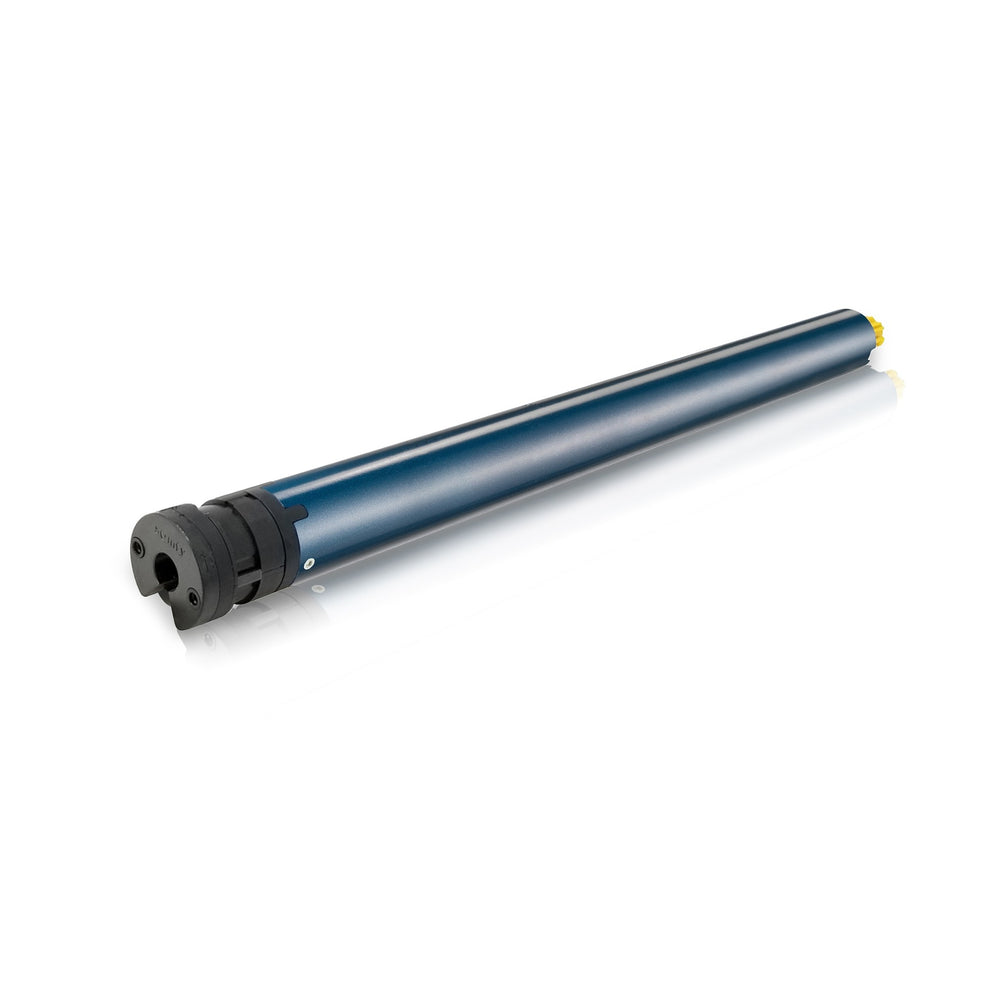
The Sonesse 40 RTS 404S2 RH carries its own RTS receiver at 433.420 MHz. You program it from an RTS remote or wall switch, with no receiver box between the control and the motor.

On the jobA motor marked 1240380 or 1001636 tells you to bring an RTS control to the job.

Somfy Sonesse 404S2 RTS Motor with Fast Connector (1240380)
Sonesse 40 RTS 404S2 RH with Fast Connector (1240380)

Know the Sonesse 40 RTS on your bench

Two versions, one motor

Somfy sells the 404S2 RTS as 1240380, with a Fast Connector on a 1.64 ft cable, and as 1001636, with stripped ends on a 9.84 ft cable. Both run at 4 Nm and 36 rpm.

ExamplePick the 1240380 when you plan to run a Fast Connector extension cable. Pick the 1001636 when you want stripped leads on a 9.84 ft cable.

TWO VERSIONS1240380Fast Connector1.64 ft cableType 2464, 3 wires1001636Stripped ends9.84 ft cableType VVF, 3 wiresSame 4 Nm, 36 rpm motor

Know the Sonesse 40 RTS on your bench

4 Nm at 36 rpm in a 1.46 in tube

Somfy rates the 404S2 at 4 Nm and 36 rpm with a round head. It needs a tube with an inside diameter of at least 1.46 in, and Somfy lists 42 dB and IP 44 for interior shades.

Watch forMeasure the tube before you program anything. A tube under 1.46 in inside diameter will not take this motor.

SONESSE 40 RTS 404S2Torque4 NmSpeed36 rpmMin tube inside diameter1.46 inHead typeRoundNoise / protection42 dB / IP 44

Know the Sonesse 40 RTS on your bench

Memory for 12 controls

Somfy lists a memory capacity of 12 on this motor, so it can learn up to 12 RTS controls. The 1001636 record adds a range of 164.05 ft in open field.

On the jobTest each control from the spot where the owner will use it before you leave the job.

RTS RADIORadioRTS 433.420 MHzMemory capacity12Range in open field (1001636)164.05 ftCodingRolling code

Check yourself

A client hands you a Zigbee remote for a new 1240380 shade. What do you tell them?

Finish every module, pass the quiz, unlock 10% off

Module 2 of 5

Power it the Somfy way

Connect 120V power so only the motor you are programming listens, and keep the antenna clear of metal. After this module you can power a Sonesse 40 RTS for programming with no call back.

5 lessons, then a scenario check.

Power it the Somfy way

120V AC, plug-in or hardwired

Somfy's pocket guide lists the ST40 Sonesse 40 RTS as hardwired or plug-in at 120V AC. The Somfy record gives a supply window of 108 to 132 V at 0.95 A.

On the jobFor a plug-in job, a Fast Connector extension cable with a NEMA plug runs the 1240380 from an outlet.

Somfy 3 Wire Fast Connector Cable SJTW 3C with Plug 10.4 ft (9020791)
Fast Connector extension cable 3C SJTW with NEMA plug, 10.4 ft (9020791)

Power it the Somfy way

Fast Connector extension lengths

Somfy sells 3-conductor Fast Connector extension cables with a NEMA plug in 1.4, 4.4, 8.4, 10.4, 18 and 24 ft lengths. Somfy also lists an 8.4 ft cable without a plug and a panel mount connector for a junction box.

ExampleMeasure from the motor end of the headrail to the outlet, then pick the next length up on Somfy's list.

FAST CONNECTOR EXTENSIONS90211131.4 ft90211144.4 ft90211158.4 ft902079110.4 ft902079218 ft902079324 ft

Power it the Somfy way

Wire colors on the motor cable

Somfy's spec sheet shows three conductors on the 1240380 motor cable: green is ground, black is hot and white is neutral. Treat any hardwired connection as 120V electrical work.

Watch forSomfy's guide says to contact an electrician if a 120V hardwired motor cannot be disconnected.

MOTOR CABLE COLORSGreenGroundBlackHotWhiteNeutral120V AC: hardwired work is for a qualified electrician

Power it the Somfy way

The antenna lives in the cord

Somfy builds the antenna into the power cord. The cord must be at least 12 inches long and must not touch metal.

On the jobBefore you close the headrail, check that the power cord runs clear of the metal rail.

ANTENNA IN THE CORDSonesse 40 RTSCord at least12 inchesAntenna runsinside the cordKeep it off metal

Power it the Somfy way

Power one motor at a time

Somfy's pocket guide says to connect power only to the motor you are programming, with the motor already installed in the shade.

ExampleOn a wall of three shades, unplug two, program the first, then move the power to the next motor.

ONE MOTOR AT A TIMEMotor 1PoweredMotor 2UnpluggedMotor 3UnpluggedProgram motor 1, then move the power to the next

Check yourself

You need to program three Sonesse 40 RTS shades on one wall. What do you do before you pick up the remote?

Finish every module, pass the quiz, unlock 10% off

Module 3 of 5

Program it from factory mode

Take a new Sonesse 40 RTS from factory mode to a working shade with set limits and a paired control. After this module you can commission one in a single pass.

4 lessons, then a scenario check.

Program it from factory mode

Enter programming mode

Hold UP and DOWN together on the RTS control until the shade jogs. In programming mode the shade moves only while you hold UP or DOWN.

Watch forSomfy's guide says the motor leaves programming mode after 2 minutes idle. Keep moving through the steps.

PROGRAMMING MODEUPMYDOWNHold UP and DOWNtogether untilthe shade jogs

Program it from factory mode

Check the direction

Hold DOWN. The shade should go down. If it goes up, hold MY until the shade jogs to reverse the direction, then check again.

On the jobSomfy calls this check mandatory, because sensors will not work as intended on a reversed shade.

DIRECTIONUPMYDOWNDOWN made it rise?Hold MY untilthe shade jogs

Program it from factory mode

Set both limits

At the top, hold MY and DOWN until the shade moves, then stop it at the bottom. Hold MY and UP until it moves; it stops at the top. Hold MY until the shade jogs to save.

Watch forIf the shade stops when you release MY and DOWN, take it back to the top and repeat. If limits still fail, cut power for 2 seconds, then enter programming mode again.

SET THE LIMITSAt the top: hold MY + DOWNshade runs downStop at the bottomadjust with UP or DOWNHold MY + UPstops at the topHold MYjog saves limits

Program it from factory mode

Pair and finish

Briefly press PROG on the back of the control. The shade jogs and the motor enters user mode, where a brief press of UP or DOWN runs the shade.

On the jobUse the control you will leave with the owner for this first pairing.

USER MODEPROGBACKBrief press of PROGThe shade jogsUser mode: a briefUP or DOWN runs it

Step by step

Program a new Sonesse 40 RTS from factory mode

Install the motor in the shade and keep one RTS control in hand. These steps follow the standard RTS section of Somfy's pocket guide, which covers the ST40 Sonesse 40.

8 steps, one per screen.

COMMISSIONING1 Programming modeUP + DOWN2 Directionhold DOWN3 LimitsMY + DOWN, MY + UP4 Pairbrief PROG

Step 1 of 8

Connect power only to this motor

The motor you are programming is the only one with power.

Step 2 of 8

Hold UP and DOWN together

The shade jogs. It now moves only while you hold UP or DOWN.

Step 3 of 8

Hold DOWN

The shade goes down. If it rises, hold MY until it jogs to reverse it.

Step 4 of 8

At the top, hold MY and DOWN until the shade moves, then release

The shade keeps running down. If it stops on release, go back to the top and repeat.

Step 5 of 8

Stop the shade at the bottom

Fine tune with UP or DOWN until the shade sits where you want the lower limit.

Step 6 of 8

Hold MY and UP until the shade moves, then release

The shade rises and stops at the upper limit.

Step 7 of 8

Hold MY until the shade jogs

The jog confirms both limits.

Step 8 of 8

Briefly press PROG on the back of the control

The shade jogs. The control is paired and the motor is in user mode.

Check yourself

You saved the limits with MY, but the shade still runs only while you hold a button. What is missing?

Finish every module, pass the quiz, unlock 10% off

Module 4 of 5

Adjust limits and the My position

Change one limit or the favorite position without erasing anything else. After this module you can handle the service call where a shade stops short.

4 lessons, then a scenario check.

Adjust limits and the My position

Change the lower limit

Press DOWN to send the shade to its lower limit. Hold UP and DOWN until it jogs, move to the new position, then hold MY until it jogs to save.

On the jobUse this when an owner says the shade stops short of the sill. The top limit and the paired controls stay as they were.

NEW LOWER LIMITPress DOWNgoes to lower limitHold UP + DOWNshade jogsMove to the new bottomUP or DOWNHold MYjog saves it

Adjust limits and the My position

Change the upper limit

Briefly press UP to send the shade to its upper limit. Hold UP and DOWN until it jogs, move to the new top, then hold MY until it jogs.

ExampleIf the owner wants the shade to roll up higher, raise the top stop this way and leave the bottom alone.

NEW UPPER LIMITBrief press UPgoes to upper limitHold UP + DOWNshade jogsMove to the new topUP or DOWNHold MYjog saves it

Adjust limits and the My position

Save a My position

Run the shade to the height you want and briefly press MY to stop it. Then hold MY until the shade jogs. A brief MY press from any position sends the shade back there.

Watch forIf the shade is moving, press MY twice to reach the My position.

MY POSITIONUPMYDOWNStop at the heightwith a brief MY,then hold MYuntil the shade jogs

Adjust limits and the My position

Delete or move My

Briefly press MY to send the shade to the current My position. Then hold MY for 5 seconds until the shade jogs to delete it.

On the jobTo move My, delete the old position first, then save a new one at the height the owner wants.

DELETE MYUPMYDOWNBrief MY: go to MyThen hold MYfor 5 secondsuntil the shade jogs

Check yourself

An owner wants the shade to stop halfway down every afternoon. How do you set that?

Finish every module, pass the quiz, unlock 10% off

Module 5 of 5

Add, remove and recover controls

Pair extra remotes and wall switches, remove an old one, and know where to turn when a motor needs a full reset. After this module you can hand over a shade with every control the owner needs.

4 lessons, then a scenario check.

Add, remove and recover controls

Add a control in two steps

Hold PROG on a paired control until the shade jogs. Then briefly press PROG on the new control. The shade jogs and the new control is paired.

On the jobPair the owner's DecoFlex WireFree RTS switch this way, using the owner's paired remote as the first control.

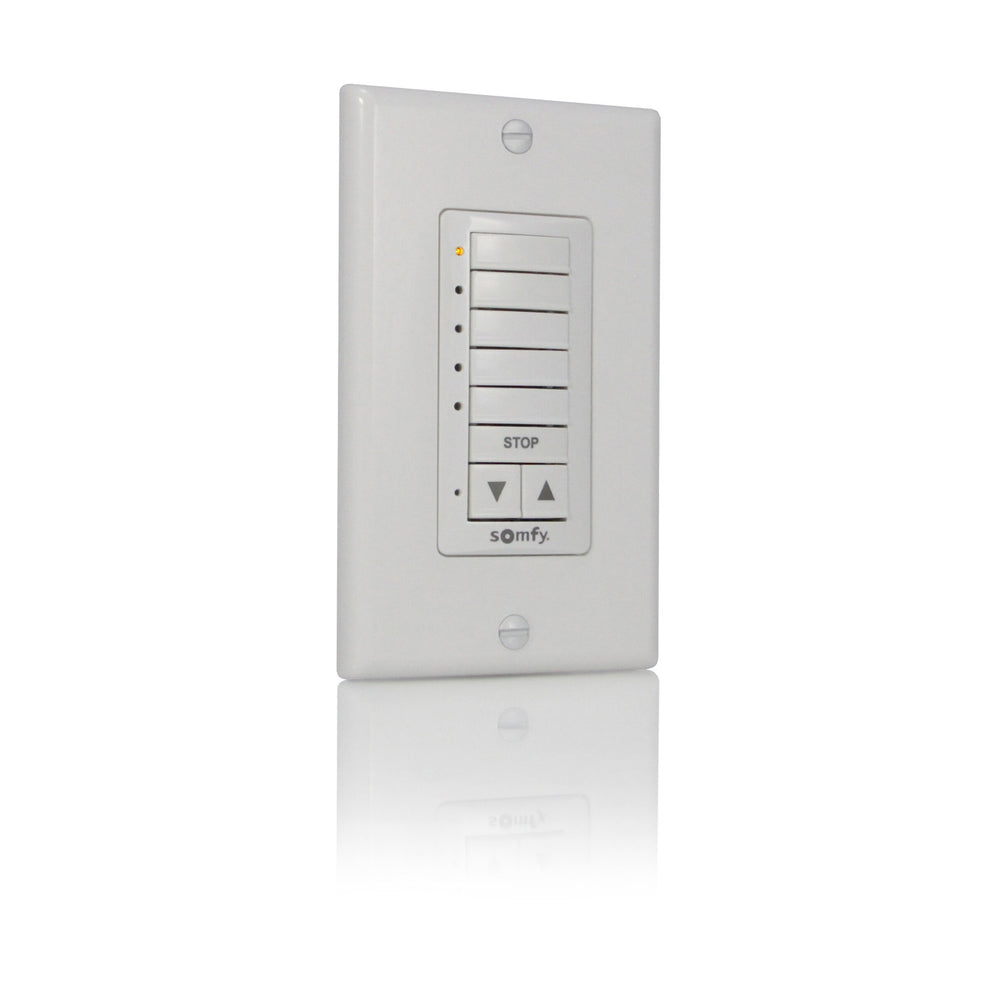
Somfy DecoFlex 5 Channel RTS WireFree Wall Switch White (1810813)
DecoFlex WireFree RTS 5 Channel Wall Switch (1810813)

Add, remove and recover controls

Remove an old control

Somfy uses the same two steps to delete a control. The control you hold in step 1 must not be the one you are deleting.

Watch forDo step 2 with the control you want removed, and do step 1 with one that stays.

ADD OR DELETE A CONTROLControl 1already pairedPROGHold until jogControl 2to add or deletePROGBrief press

Add, remove and recover controls

Match the control to RTS

Somfy's Situo 1 RTS Pure II and Situo 5 RTS Pure II remotes and the DecoFlex WireFree RTS 5 Channel switch all run on RTS at 433.420 MHz. Each channel of a multi-channel control pairs on its own.

ExampleA Situo 5 can run five shades, one per channel, when you pair each channel to its own motor.

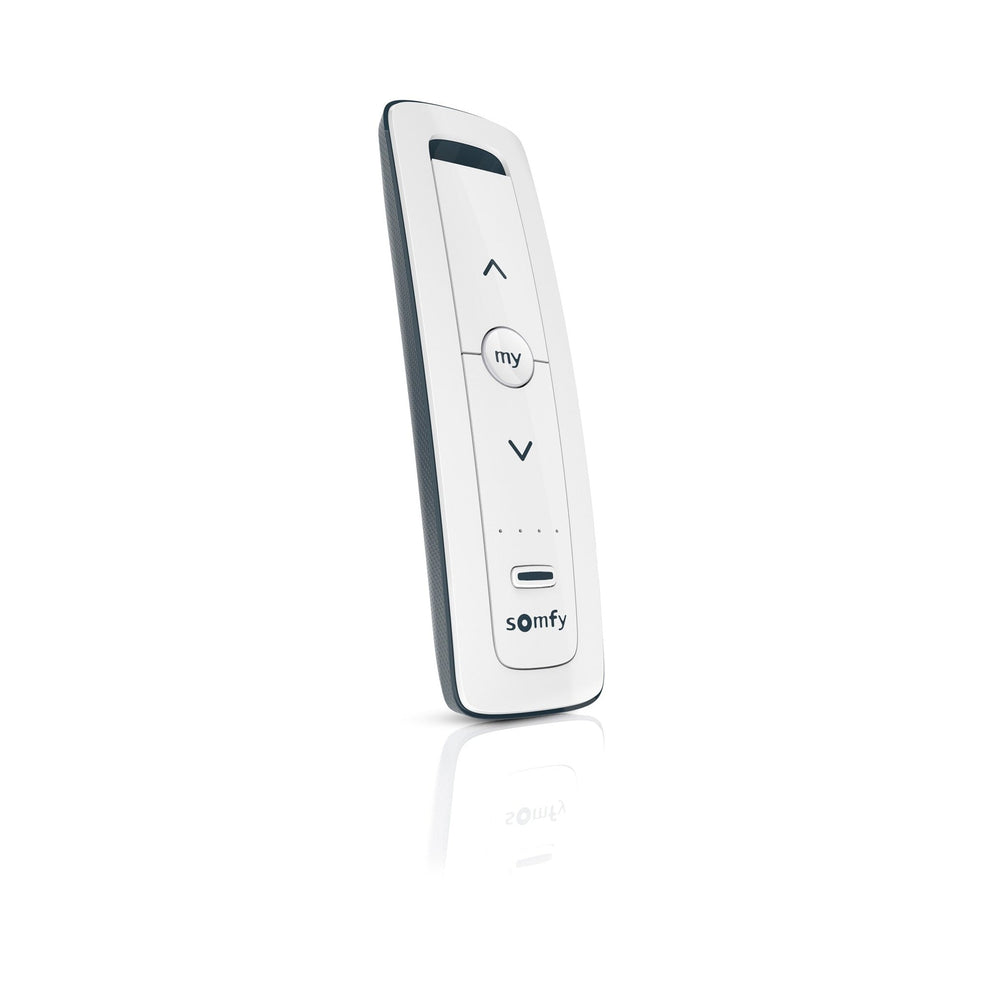
Somfy Situo 5 Channel RTS Pure Remote (1870575)
Situo 5 RTS Pure II remote (1870575)

Add, remove and recover controls

Factory reset: check first

The reset pages in Somfy's pocket guide name other motors, such as the ST30 head button and the Altus RTS dual power cut. For a Sonesse 40 RTS, watch Somfy's Factory Reset AC Motors video (R-18) on its product record, or call 877-22 SOMFY.

Watch forTry the user mode fixes in module 4 before any reset. They keep the paired controls and the other limit.

FACTORY RESETST30 Sonesse 30motor head buttonAltus RTS 110V ACdual power cutST40 Sonesse 40 RTSSomfy video R-18Not sure?877-22 SOMFY

Check yourself

The owner replaced a worn Situo 1 with a new paired remote and wants the old one off the motor. What do you do?

Final quiz

10 questions. Score 80% to pass.

Each question is a real job scenario, one per screen. Stuck? Tap the hint. You see the right answer and why right after you choose. Pass and you get a printable certificate.

10% OFF

Score 80% to unlock 10% off your first ShadeMotorsDirect order.

Question 1 of 10

On the job: A homeowner orders a Zigbee remote for a shade with a 1240380 motor.

Will that remote run the motor?

Question 2 of 10

On the job: The roller tube on the job measures 1.38 in inside diameter.

Can a Sonesse 40 RTS 404S2 go in it?

Question 3 of 10

On the job: Three new Sonesse 40 RTS shades hang on one wall.

What do you do before programming the first?

Question 4 of 10

On the job: You tuck the 1240380's power cord tight against a metal headrail.

What does Somfy's spec sheet say about that?

Question 5 of 10

On the job: An electrician reads the 1240380 motor cable before connecting it.

Which color does Somfy mark as hot?

Question 6 of 10

On the job: You held UP and DOWN and the shade jogged. Now DOWN makes the shade rise.

What is your next move?

Question 7 of 10

On the job: You saved the limits, but the shade still moves only while you hold a button.

What step is missing?

Question 8 of 10

On the job: On a service call the shade stops short of the sill. The owner wants to keep the top stop and both remotes.

What do you do?

Question 9 of 10

On the job: The shade is running down and the owner wants it at the My position.

What should the owner press?

Question 10 of 10

On the job: The owner bought a DecoFlex WireFree RTS 5 Channel switch for the hallway.

How do you add it?

Almost done

Where should we send your certificate?

Your score shows on the next screen. If you pass, your certificate and 10% code go to this email. They come from Shade Motors School (school@shademotorsdirect.com). Check Promotions, Updates or Spam if you don't see them.

Your name prints on the certificate. You'll also get new course alerts and Somfy tips from ShadeMotorsDirect. Unsubscribe any time.

Parts used in this course

Genuine Somfy parts, 5-year warranty