Skip to content
Genuine Somfy Motors & Parts for Roller Shades

Shade Motors School · Program It · 201

How to Control Patio Lights From a Somfy RTS Remote

Somfy's Outdoor RTS Lighting Receiver puts patio or deck lights on the same RTS remote as the awning. Learn its 500 W rating, the controls that pair with it, the terminal labels, and Somfy's steps to memorize, add and clear transmitters.

  • 5 modules
  • 12 min
  • 10-question quiz
  • Free certificate
  • Unlocks 10% off
10% OFF

Pass the quiz to unlock 10% off your first ShadeMotorsDirect order. Your code and certificate arrive by email from Shade Motors School.

You will be able to: Set up a Somfy Outdoor RTS Lighting Receiver so the awning remote also runs the patio light.

Start the course

Line-voltage work. 120V motors, switches and wiring must be installed by a licensed electrician, with power off at the breaker. The course explains what to ask for and how to check it.

Inside this course

5 modules, one idea at a time

  1. What the lighting receiver doesKnow what the Outdoor RTS Lighting Receiver switches, what load and supply Somfy rates it for, and where it fits, so you can answer a client before you quote.4 lessons · scenario check
  2. Pick the control that runs the lightChoose the RTS remote or wall switch that will run the light, and where it lives, from what Somfy says each control is built for.4 lessons · scenario check
  3. Mount and wire it to Somfy's drawingKnow what Somfy builds into the receiver for outdoor use, which terminals and buttons its drawing labels, and how to keep the 120 V work safe.4 lessons · scenario check
  4. Memorize the first transmitterPair the first RTS remote or switch to a new receiver with Somfy's two-step sequence, and read what the LED and the lamp tell you at each step.3 lessons · 2-step walkthrough · scenario check
  5. Add more controls, or clear them allAdd a second remote or wall switch from one that already works, and wipe the receiver's memory when a job calls for a fresh start.4 lessons · scenario check
  6. Final quiz10 real job scenarios, one per screen, each with a hint if you need it. Score 80% to pass and get your certificate.

Pass = 10% off

Finish every module, pass the quiz, unlock 10% off

Module 1 of 5

What the lighting receiver does

Know what the Outdoor RTS Lighting Receiver switches, what load and supply Somfy rates it for, and where it fits, so you can answer a client before you quote.

4 lessons, then a scenario check.
What the lighting receiver does

Lights on the awning remote

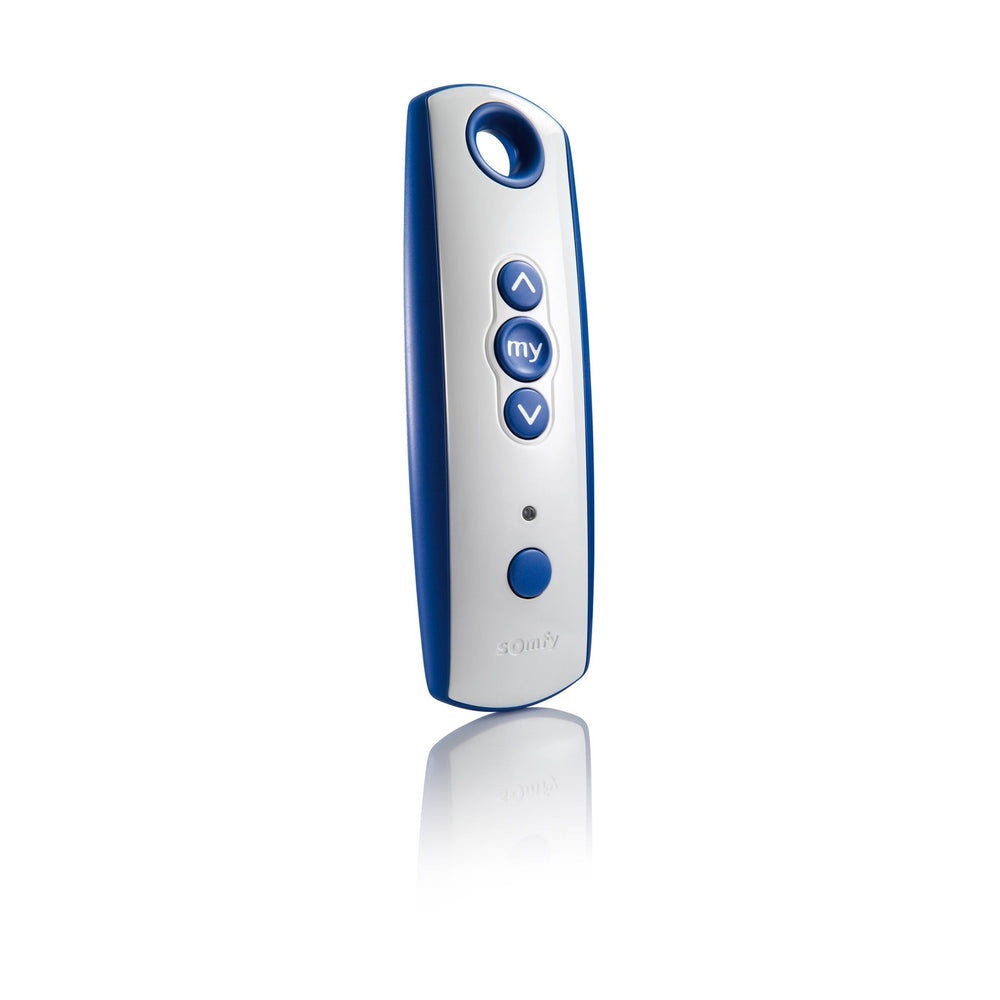
Somfy's Outdoor RTS Lighting Receiver lets you control patio or deck lights with the same RTS remote used for the awning.

On the jobA client runs the awning from a Telis RTS remote and wants the deck light on it too. This receiver lets that one remote do both.

ONE REMOTE, TWO JOBSRTS remoteTelis or DecoFlexAwning motorRTSLighting receiver1810875 runs the light

What the lighting receiver does

Rated for 500 W

Somfy rates the receiver for an incandescent or halogen lamp up to 500 W. The Pocket Guide also lists any outdoor device up to 500W.

Watch forAdd up the wattage of every lamp on the circuit before you quote. Somfy sets the ceiling at 500 W per receiver.

RATED LOADIncandescent or halogen lampSomfy product page, ref. 1810875Up to 500 Wper receiver

What the lighting receiver does

It runs on 120 V AC

The receiver takes a 120 V, 60 Hz AC supply, so it wires into line voltage at the patio.

Watch forLine voltage means the breaker goes off before anyone opens a box or a fitting.

SUPPLY120 V AC60 HzReceiver1810875Line voltage: power off at the breaker before wiring.

What the lighting receiver does

Where Somfy uses it

Somfy lists awnings, exterior solar screens, pergolas, roller shutters and interior window coverings as applications for this receiver.

ExampleA pergola with an RTS motor and halogen floodlights follows the same plan as an awning job: one remote, two products.

WHERE SOMFY USES ITAwningsSolar screensPergolasRoller shuttersInterior coverings

Check yourself

A client wants a 650 W bank of halogen floodlights on the awning remote through one receiver. Does one 1810875 cover it?

Finish every module, pass the quiz, unlock 10% off

Module 2 of 5

Pick the control that runs the light

Choose the RTS remote or wall switch that will run the light, and where it lives, from what Somfy says each control is built for.

4 lessons, then a scenario check.

Pick the control that runs the light

Two control families

The Pocket Guide calls the receiver fully compatible with the Telis RTS range of transmitters and the DecoFlex WireFree RTS wall switches.

On the jobCheck for RTS on the label of the client's current remote before you plan to add the light to it.

WHAT TALKS TO ITTelis RTS rangehand-held remotesDecoFlex WireFreeRTS wall switchesLighting receiver1810875

Pick the control that runs the light

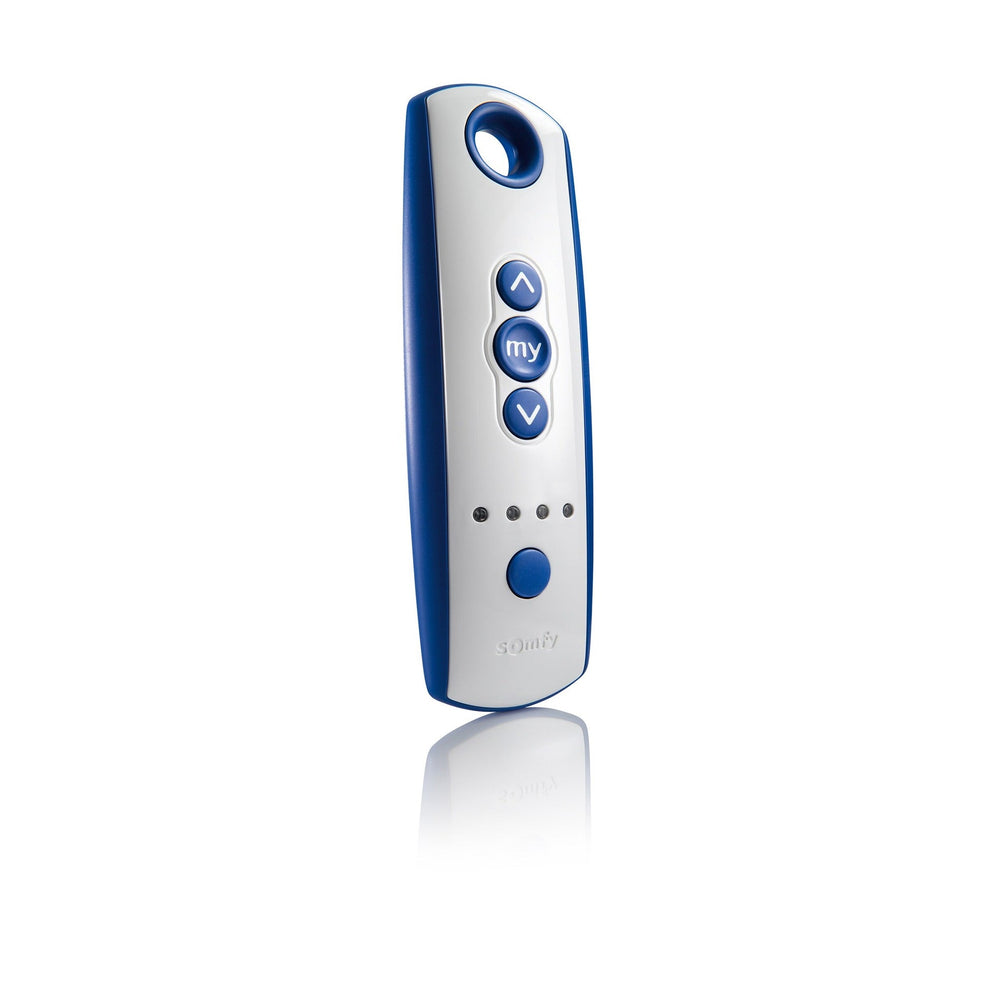
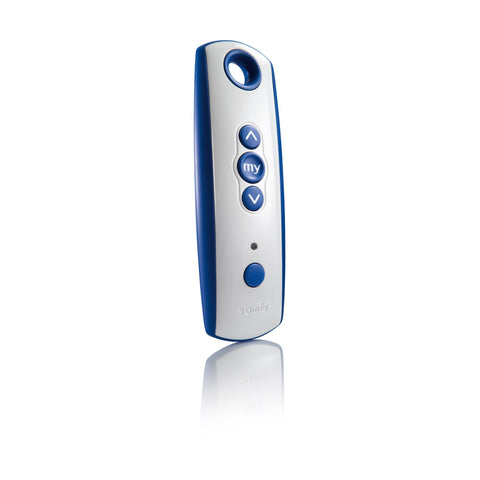
Telis 1 RTS Patio

The Telis 1 RTS Patio is a single-channel remote, water and shock resistant and rated IP 44. It runs on a CR2430 battery.

ExampleA client with a deck light and no awning gets a Telis 1 RTS Patio that stays out on the deck.

Somfy Telis 1 Channel RTS Patio Remote (1810643)
Telis 1 RTS Patio (1810643), single channel, IP 44

Pick the control that runs the light

Telis 4 RTS Patio

The Telis 4 RTS Patio has five channels and the same IP 44 rating. Each channel runs its own product, so the awning and the light can sit on separate channels.

On the jobWrite the channel plan on the job sheet: which channel runs the awning and which runs the light.

Somfy Telis 4 RTS Multi-Channel Patio Remote (1810645)
Telis 4 RTS Patio (1810645), five channels, IP 44

Pick the control that runs the light

DecoFlex WireFree by the door

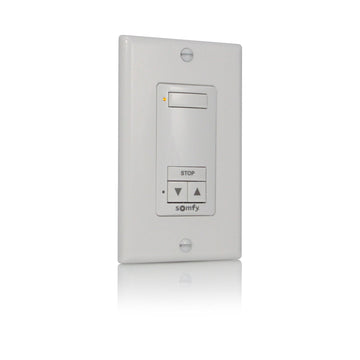
The DecoFlex WireFree RTS 1 channel switch is battery powered and wireless. Somfy rates it IP 20 for 41 to 104 °F and suggests it next to an existing light switch.

Watch forMount the DecoFlex inside by the patio door. Its IP 20 rating suits an indoor wall, and the Telis Patio remotes cover the deck.

Somfy DecoFlex 1 Channel RTS Wireless Wall Switch White (1810897)
DecoFlex WireFree RTS 1 channel (1810897), IP 20

Check yourself

The client wants a switch inside by the patio door and a remote out on the deck. Which controls fit?

Finish every module, pass the quiz, unlock 10% off

Module 3 of 5

Mount and wire it to Somfy's drawing

Know what Somfy builds into the receiver for outdoor use, which terminals and buttons its drawing labels, and how to keep the 120 V work safe.

4 lessons, then a scenario check.

Mount and wire it to Somfy's drawing

Built for outside

Somfy fits the receiver with a weatherproof cover and watertight strain-relief fittings for the wires.

On the jobRun each cable through its fitting and close the cover before the breaker goes back on.

BUILT FOR OUTSIDEWeatherproof coverWatertight strain-relief fittings for the wires

Mount and wire it to Somfy's drawing

Read the terminal labels

Somfy's drawing labels the terminals HOT, NEUTRAL, GROUND, NEUT and LAMP, and marks 500W max lighting output. It shows labels, not wire colors.

Watch forWire to Somfy's installation instructions and to local code. Do not guess a color from another product.

TERMINAL LABELSHOTNEUTRALGROUNDNEUTLAMPLabels from the Somfy RTS Pocket Guide drawing.500W max lighting output.Wire to the diagram and local code.

Mount and wire it to Somfy's drawing

Power off first

The receiver runs on 120 V AC. Turn the circuit off at the breaker before wiring, and have a licensed electrician make the connections where code calls for one.

ExampleThe electrician lands the line voltage wires. You pair the remotes once power is back on.

SUPPLY120 V AC60 HzReceiver1810875Line voltage: power off at the breaker before wiring.

Mount and wire it to Somfy's drawing

Know the buttons

The drawing shows a programming button, a programming LED and a sequential control button. Every pairing step in this course uses the programming button and the LED.

Watch forThe Pocket Guide does not explain the sequential control button. Leave it alone while you pair.

ON THE RECEIVERProgrammingbuttonProgrammingLEDSequentialcontrol button

Check yourself

The electrician asks you for wire colors from the Pocket Guide drawing. What do you give them?

Finish every module, pass the quiz, unlock 10% off

Module 4 of 5

Memorize the first transmitter

Pair the first RTS remote or switch to a new receiver with Somfy's two-step sequence, and read what the LED and the lamp tell you at each step.

3 lessons, then a scenario check.

Memorize the first transmitter

Enter programming mode

With the receiver powered up, press its programming button for more than 2 seconds. The programming LED lights and the lamp lights for 2 seconds.

On the jobStand where you can see the LED and the lamp. Both confirm each step.

PROGRAMMING MODEPower onreceiver liveReceiver PROGmore than 2 sLED lightslamp on for 2 s

Memorize the first transmitter

Memorize the transmitter

Press the programming button on the new transmitter. The receiver's LED blinks and the lamp lights, which tells you the transmitter is memorized.

ExampleYou press PROG on a new Telis 1 RTS Patio and the lamp lights. The receiver now knows that remote.

MEMORIZEReceiver readyLED and lamp onNew transmitterpress PROGLED blinkslamp lights

Memorize the first transmitter

Pick the channel first

On a multi-channel Telis, select the light's channel first. Somfy's Pocket Guide names the channel (1-5) of a multi-channel control as the control you pair.

Watch forCheck the LEDs before you press PROG. On a Telis 4, all four LEDs lit means channel 5.

PICK THE CHANNEL FIRSTChannel 1Channel 2Channel 3Channel 4Channel 5All four lit:channel 5

Step by step

Memorize the first transmitter

Somfy's RTS Pocket Programming Guide gives these steps for the Outdoor Lighting Receiver RTS. Use them on a receiver with no transmitter in memory.

2 steps, one per screen.

Step 1 of 2

Power up the receiver and press its programming button for more than 2 seconds.

The programming LED lights and the lamp lights for 2 seconds.

Step 2 of 2

Press the programming button on the new transmitter.

The receiver's LED blinks and the lamp lights. The transmitter is memorized.

Check yourself

You pressed the receiver's programming button for one second and the LED stayed dark. What do you do?

Finish every module, pass the quiz, unlock 10% off

Module 5 of 5

Add more controls, or clear them all

Add a second remote or wall switch from one that already works, and wipe the receiver's memory when a job calls for a fresh start.

4 lessons, then a scenario check.
Add more controls, or clear them all

Add from a known transmitter

Press and hold the programming button on a transmitter the receiver already knows for more than 2 seconds. The receiver's LED lights and the lamp lights for 2 seconds.

On the jobUse the client's existing remote to add the new switch. An add never needs the receiver cover open.

ADD ANOTHER CONTROLKnown transmitterhold PROG over 2 sNew transmitterpress PROGLED blinkslamp lights

Add more controls, or clear them all

Then press PROG on the new one

Press the programming button on the new transmitter. The LED blinks and the lamp lights to confirm the receiver memorized it.

ExampleHold PROG on the Telis 1 RTS Patio, then press PROG on the new DecoFlex. The lamp lights and both now run the light.

Somfy DecoFlex 1 Channel RTS Wireless Wall Switch White (1810897)
DecoFlex WireFree RTS 1 channel (1810897)

Add more controls, or clear them all

Clear the memory

Press and hold the receiver's programming button for more than 7 seconds, until the LED blinks and the light flashes twice. That removes every memorized transmitter and sensor.

Watch forA clear wipes every control at once. Have the controls you want to keep in hand before you start.

CLEAR THE MEMORYReceiver PROGmore than 7 sLED blinkslight flashes twiceAll transmitters andsensors removed

Add more controls, or clear them all

Then start again

After a clear, memorize the first transmitter at the receiver, then add the others from that transmitter.

On the jobA tenant moves out with a remote. Clear the receiver, then memorize the remotes and switches that stay.

AFTER A CLEARClearover 7 sFirst transmitterreceiver PROGAdd the restfrom a known one

Check yourself

A client lost one of two remotes that run the patio light. How do you stop the lost one from working?

Final quiz

10 questions. Score 80% to pass.

Each question is a real job scenario, one per screen. Stuck? Tap the hint. You see the right answer and why right after you choose. Pass and you get a printable certificate.

10% OFF

Score 80% to unlock 10% off your first ShadeMotorsDirect order.

Question 1 of 10

On the job: A client's awning runs from a Telis RTS remote and they want the deck light on the same remote.

Which Somfy part do you add?

Question 2 of 10

On the job: You count 400 W of halogen floodlights on the patio circuit.

Is that within Somfy's rating for one receiver?

Question 3 of 10

On the job: The light already runs from a Telis 1 RTS Patio and the client buys a DecoFlex WireFree switch.

Where do you start the add?

Question 4 of 10

On the job: A client wants a remote that stays out on the deck table.

Which control suits that spot?

Question 5 of 10

On the job: The client wants the awning and the light on one remote, each on its own button.

Which remote fits?

Question 6 of 10

On the job: A client asks for a light control on the wall next to the indoor light switch at the patio door.

Which control does Somfy suggest for that spot?

Question 7 of 10

On the job: The electrician asks for wire colors from Somfy's Pocket Guide drawing.

What does that drawing give you?

Question 8 of 10

On the job: You are about to pair the first remote to a brand new receiver.

How long do you press the receiver's programming button?

Question 9 of 10

On the job: You pressed PROG on the new Telis. The receiver LED blinked and the lamp lit.

What does that tell you?

Question 10 of 10

On the job: A client's remote went missing and they want it to stop running the light.

Which step does Somfy publish for this receiver?

Almost done

Where should we send your certificate?

Your score shows on the next screen. If you pass, your certificate and 10% code go to this email. They come from Shade Motors School (school@shademotorsdirect.com). Check Promotions, Updates or Spam if you don't see them.

Your name prints on the certificate. You'll also get new course alerts and Somfy tips from ShadeMotorsDirect. Unsubscribe any time.