Skip to content
Genuine Somfy Motors & Parts for Roller Shades

Shade Motors School · Drapery · 201

How to Wire and Set Up a Somfy Glydea ULTRA Wired Drapery Motor

Somfy sells the Glydea ULTRA Wired Motor (No plug) in a 35 for drapery up to 77 lb and a 60 rated to 132.3 lb. Learn how to pick one, lay out the track, wire it to its own control point and set the end stops, direction and speed at the motor.

  • 4 modules
  • 15 min
  • 10-question quiz
  • Free certificate
  • Unlocks 10% off
10% OFF

Pass the quiz to unlock 10% off your first ShadeMotorsDirect order. Your code and certificate arrive by email from Shade Motors School.

You will be able to: Pick, wire and commission a Glydea ULTRA 35 or 60 wired drapery motor.

Start the course

Line-voltage work. 120V motors, switches and wiring must be installed by a licensed electrician, with power off at the breaker. The course explains what to ask for and how to check it.

Inside this course

4 modules, one idea at a time

  1. Pick the 35 or the 60Match the drapery weight to the right Glydea ULTRA wired motor and know what both share. After this module you can quote the correct wired motor for a job.4 lessons · scenario check
  2. Track limits and hardwareCheck a run against the Glydea ULTRA 60 track limits and pick the Somfy parts that build the track. After this module you can lay out a Glydea ULTRA 60 wired track that Somfy supports.5 lessons · scenario check
  3. Wire it safelyRead the four wire colors, give each motor its own control point and set up the protection Somfy asks for. After this module you can hand an electrician a correct wiring plan.4 lessons · scenario check
  4. Set limits, direction and speedRun the automatic end stop setting, then change direction, speed or reset with the motor buttons. After this module you can commission a wired Glydea and fix its settings on a service call.5 lessons · 4-step walkthrough · scenario check
  5. Final quiz10 real job scenarios, one per screen, each with a hint if you need it. Score 80% to pass and get your certificate.

Pass = 10% off

Finish every module, pass the quiz, unlock 10% off

Module 1 of 4

Pick the 35 or the 60

Match the drapery weight to the right Glydea ULTRA wired motor and know what both share. After this module you can quote the correct wired motor for a job.

4 lessons, then a scenario check.

Pick the 35 or the 60

Two wired sizes

Somfy sells the Glydea ULTRA Wired Motor (No plug) as the 35 (1003153) and the 60 (1003160). Both take 100 to 240 V AC through a stripped 4-wire cable.

On the jobA client with a hardwired switch box at the header and no outlet points you to a wired motor.

Somfy Glydea Ultra 35 Wired Drapery Motor, No Plug (1003153)
Glydea ULTRA 35 Wired Motor, No Plug (1003153)

Pick the 35 or the 60

Size by drapery weight

Somfy lists a traction force of 35 kg (77 lb) for the 35 and 132.3 lb for the 60. Torque runs 0.6 Nm on the 35 and 1.1 Nm on the 60.

ExampleA heavy blackout drapery over 77 lb rules out the 35 and calls for the 60.

LOAD BY MOTOR35 traction force35 torque60 traction force60 torque35 kg (77 lb)0.6 Nm132.3 lb1.1 Nm

Pick the 35 or the 60

Electrical load

The 35 draws 0.54 A and 30 W in operation. The 60 draws 1 A and 60 W. Both use 0.5 W in standby on a 100 to 240 V supply.

On the jobAdd up the rated current of every motor on a circuit before you size the breaker.

ELECTRICAL, SOMFY E-CATSupply, both35 current and power60 current and powerStandby, both100 to 240 V AC0.54 A, 30 W1 A, 60 W0.5 W

Pick the 35 or the 60

What both share

Both list 38 dB, IP 30, Class I, a 105 rpm speed and the same 12.28 x 3.66 x 2.09 in body. Somfy lists interior draperies as the application.

Watch forIP 30 and an interior drapery rating keep these motors indoors. Quote a different product for a porch.

SHARED RECORDNoiseRatingSpeedBodyApplication38 dBIP 30, Class I105 rpm12.28 x 3.66 x 2.09 inInterior draperies

Check yourself

A designer specs a 100 lb lined drapery on a Glydea track with a wall switch by the door. Which wired motor do you order?

Finish every module, pass the quiz, unlock 10% off

Module 2 of 4

Track limits and hardware

Check a run against the Glydea ULTRA 60 track limits and pick the Somfy parts that build the track. After this module you can lay out a Glydea ULTRA 60 wired track that Somfy supports.

5 lessons, then a scenario check.

Track limits and hardware

Length and splices

The Glydea ULTRA 60 spec sheet allows up to 36 ft (10.9 m) of track and up to 2 splices on one motor.

On the jobMeasure the full run before you quote, so the track length stays inside the 36 ft limit.

GLYDEA ULTRA 60 TRACK LIMITSMax track lengthMax splicesMin bending radiusMin curving radius36 ft (10.9 m)211.8 in (30 cm)118 in (300 cm)

Track limits and hardware

Bends and curves

On the Glydea ULTRA 60, bends need a radius of at least 11.8 in (30 cm). Curves need a radius of at least 118 in (300 cm).

ExampleA bay window with tight corners needs a bend radius of 11.8 in or more before you commit to one track.

BEND AND CURVEBend radius, minimumCurve radius, minimum11.8 in (30 cm)118 in (300 cm)

Track limits and hardware

Load and tandem

Side and center openings each carry up to 132 lbs (60 kg). The spec sheet lists a tandem alternative rated to 264 lbs (120 kg) and 72 ft (21.8 m).

On the jobA ballroom run longer than 36 ft sends you to the tandem layout on the spec sheet.

LOAD, 60 SPEC SHEETSide openingCenter openingTandem alternative132 lbs (60 kg)132 lbs (60 kg)264 lbs, 72 ft

Track limits and hardware

Drive pulley and belt

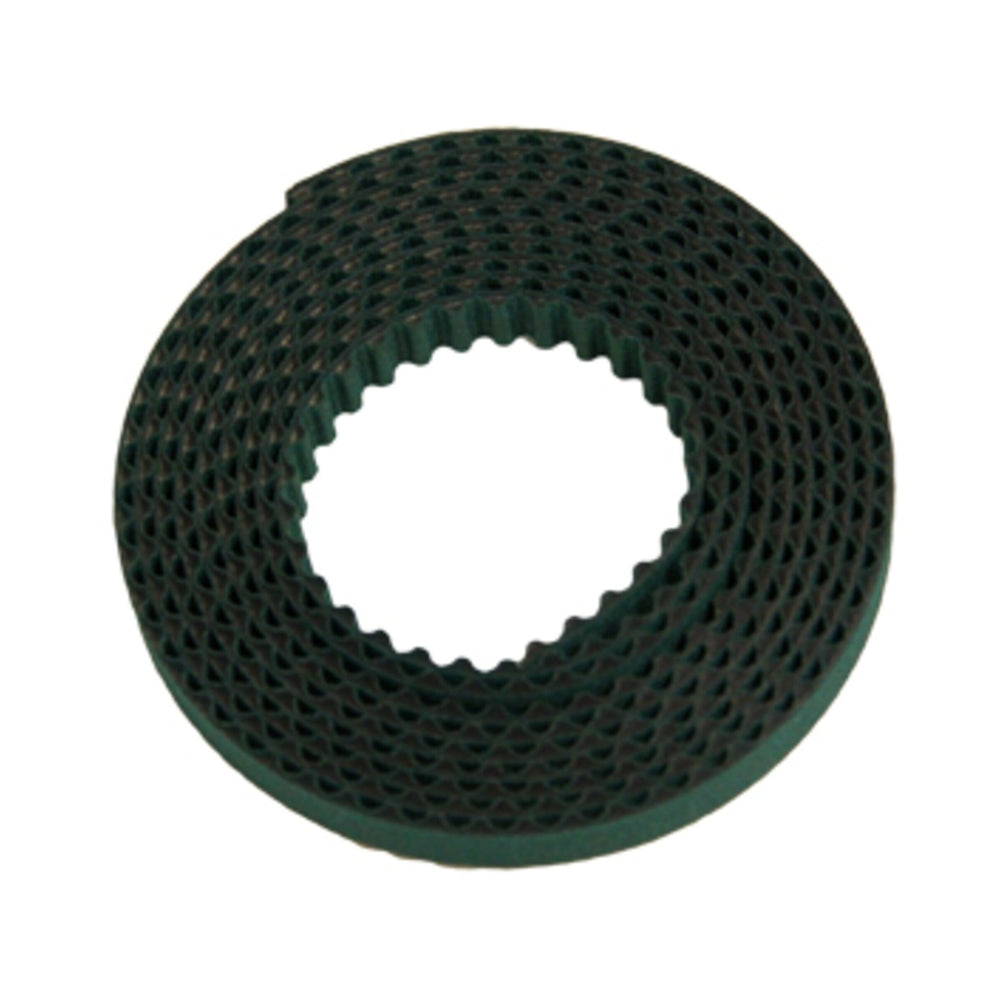
Somfy lists the Drive Pulley (1780945) and the High Performance Belt for Drapery Tracks (1782084) on both wired motor records.

ExampleCheck the belt length against the measured track before you order.

Somfy Glydea High Performance 10mm Belt - Roll Size 198 ft (1782084)
High Performance Belt for Drapery Tracks (1782084)

Track limits and hardware

Brackets and master carrier

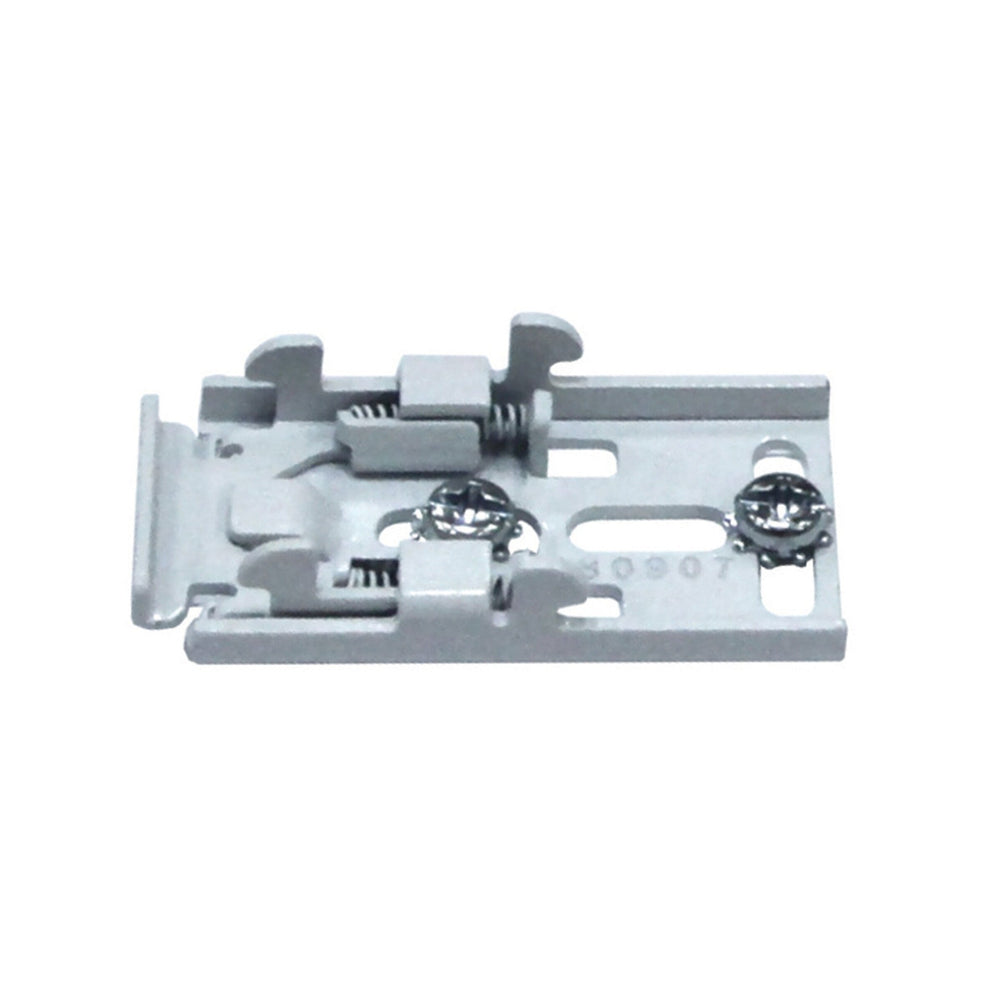
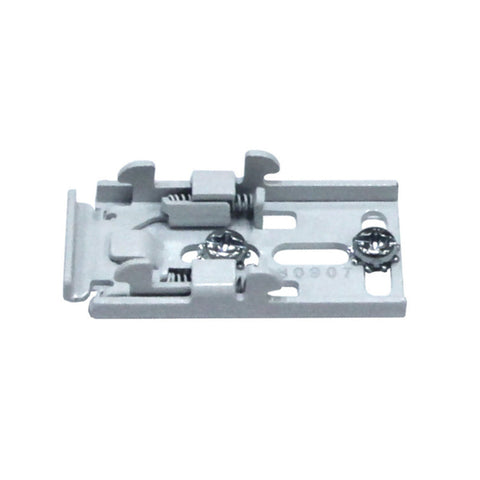
Somfy lists the One Touch Ceiling Bracket (1780907) and the Heavy Duty Master Carrier (1781344) for both motors.

On the jobOn a ceiling mount, count brackets along the full run before you leave for the job.

Somfy Glydea One Touch Ceiling Bracket (1780907)
One Touch Ceiling Bracket (1780907)

Check yourself

A client wants one Glydea ULTRA 60 to drive a straight 40 ft drapery run. What do you tell them?

Finish every module, pass the quiz, unlock 10% off

Module 3 of 4

Wire it safely

Read the four wire colors, give each motor its own control point and set up the protection Somfy asks for. After this module you can hand an electrician a correct wiring plan.

4 lessons, then a scenario check.

Wire it safely

Four wire colors

Somfy's WT instructions list blue as neutral, brown and black as live, and yellow/green as earth.

Watch forTwo conductors are live. Label brown and black at the box before the cover goes on.

WT CABLE, 100 TO 240 VBlueBrownBlackYellow/GreenNeutralLiveLiveEarth

Wire it safely

One control point per drive

Somfy says to install a separate control point for each drive and never to connect 2 control points to a single drive.

On the jobTwo curtains on one wall still need two switches, one for each motor.

CONTROL POINTSEach driveOne driveIts own control pointNever 2 control points

Wire it safely

Protection upstream

A suitable multi-pole switching device must sit upstream in the fixed wiring. A qualified installer installs the drive, and power comes off before any maintenance.

On the jobShow the electrician where the upstream disconnect goes before rough-in.

BEFORE YOU WIRE1234Qualified installer onlyMulti-pole device upstreamPower off before maintenanceKeep the supply cable accessible

Wire it safely

US wiring detail

Somfy publishes a wiring detail for the Glydea WT motor with a maintained switch (GLY-WIRING-01) on its US product pages for both motors.

ExamplePrint the wiring detail and leave it in the box for the electrician.

SOMFY US DOCUMENTSWiring detailSwitch shownInstructionsGLY-WIRING-01Maintained switchGlydea Ultra WT

Check yourself

A contractor wants one wall switch to run two Glydea wired motors in the same room. What do Somfy's instructions say?

Finish every module, pass the quiz, unlock 10% off

Module 4 of 4

Set limits, direction and speed

Run the automatic end stop setting, then change direction, speed or reset with the motor buttons. After this module you can commission a wired Glydea and fix its settings on a service call.

5 lessons, then a scenario check.

Set limits, direction and speed

Mode and Set buttons

The motor has a Mode (M) and a Set (S) button, pressed with a small paper clip. Press M until the green LED switches on to enter setting mode.

On the jobKeep a small paper clip in the install kit for the M and S buttons.

SETTING MODE1234Use a small paper clipPress M: green LED onMake your settingPress M: LED off to exit

Set limits, direction and speed

Automatic end stops

With one live wire powered, the curtain runs at low speed to one end, then returns to set both end stops. Leave it powered in that direction until it finishes.

Watch forSwitching the power off mid run leaves the end stops unfinished. Let the cycle complete.

END STOP SETTING1234Power the drive in one directionCurtain runs slowly to one endIt returns to set both end stopsStay powered until it finishes

Set limits, direction and speed

Change direction

In setting mode, press S to switch the opening direction, then press M to confirm.

ExampleA center opening pair hung on the wrong side gets fixed with S and M at the motor, with no rewiring.

DIRECTION123Enter setting mode with MPress S to switch directionPress M to confirm

Set limits, direction and speed

Silent or Hi-SPEED

A selector slides between SILENT at 7.5 cm/s and Hi-SPEED. In Hi-SPEED, S steps through 12.5, 15, 17.5 and 20 cm/s; 15 is the default. Press M to confirm.

ExampleUse SILENT in a bedroom where the curtain runs while someone sleeps.

SPEED SETTINGSSILENTHi-SPEEDHi-SPEED, defaultHi-SPEEDHi-SPEED7.5 cm/s12.5 cm/s15 cm/s17.5 cm/s20 cm/s

Set limits, direction and speed

Reset and thermal stop

Press S until the product moves three times to erase all settings. If the motor stops working, it may be in thermal protection, so let it cool. The e-cat lists a thermal time of 7 min (35) and 5 min (60).

On the jobRule out a hot motor before you reset an inherited curtain.

RESET AND THERMAL TIMEResetAfter resetThermal time, 35Thermal time, 60Hold S: moves 3 timesAll settings erased7 min5 min

Step by step

Set the end stops on a Glydea ULTRA wired motor

Wire the motor to its own control point first. These steps follow the end stop part of Somfy's Glydea Ultra WT instructions (5037611B).

4 steps, one per screen.

Step 1 of 4

With a small paper clip, press the M button until the green LED switches on

The motor is in setting mode.

Step 2 of 4

Power the drive in one direction through one live wire and keep it powered

The curtain runs at low speed to one end, then returns to set both end stop positions.

Step 3 of 4

Leave the drive powered in the same direction until it has finished

The curtain completes the cycle and the end stops are set.

Step 4 of 4

Press the M button until the LED switches off

The motor leaves setting mode.

Check yourself

During a long commissioning day, a wired Glydea stops responding after several runs back and forth. What do you check first?

Final quiz

10 questions. Score 80% to pass.

Each question is a real job scenario, one per screen. Stuck? Tap the hint. You see the right answer and why right after you choose. Pass and you get a printable certificate.

10% OFF

Score 80% to unlock 10% off your first ShadeMotorsDirect order.

Question 1 of 10

On the job: A client wants to motorize a 60 lb pinch pleat drapery with a wall switch and no outlet at the header.

Which motor fits the job at the lowest load class?

Question 2 of 10

On the job: An electrician asks how much current one Glydea ULTRA 60 wired motor draws.

What figure do you give from the Somfy e-cat?

Question 3 of 10

On the job: A homeowner asks for a wired Glydea on a covered porch.

What does the Somfy record tell you?

Question 4 of 10

On the job: You are laying out a curved Glydea ULTRA 60 track around a rounded wall.

What is the smallest curve radius the spec sheet allows?

Question 5 of 10

On the job: A run needs three track splices to reach the far wall on one Glydea ULTRA 60.

What does the spec sheet say?

Question 6 of 10

On the job: You build the track for a 1003153 and are writing up the drive end of the parts list.

Which part number do both wired motor records list for the drive pulley?

Question 7 of 10

On the job: The electrician finds brown, black, blue and yellow/green conductors on the motor cable.

Which conductor is the neutral?

Question 8 of 10

On the job: The owner wants a second wall switch at the far end of the room on the same wired motor.

What do Somfy's instructions say?

Question 9 of 10

On the job: You power a new wired Glydea in one direction to set it up, and it starts moving slowly.

What should you do?

Question 10 of 10

On the job: An inherited wired Glydea has unknown settings and the owner wants a clean start.

How do you erase every setting?

Almost done

Where should we send your certificate?

Your score shows on the next screen. If you pass, your certificate and 10% code go to this email. They come from Shade Motors School (school@shademotorsdirect.com). Check Promotions, Updates or Spam if you don't see them.

Your name prints on the certificate. You'll also get new course alerts and Somfy tips from ShadeMotorsDirect. Unsubscribe any time.

Parts used in this course

Genuine Somfy parts, 5-year warranty