Skip to content
Genuine Somfy Motors & Parts for Roller Shades

Shade Motors School · Drapery · 301

How to Upgrade a Somfy Irismo Motor to SDN With the RS485 Module

Learn what Somfy's RS485 (SDN) Module and Irismo 35 enclosure kit do, which Irismo motors take them, and what to order for the power and data run. Then wire, address and reset the module using Somfy's published pin out and bench setup.

  • 4 modules
  • 15 min
  • 10-question quiz
  • Free certificate
  • Unlocks 10% off
10% OFF

Pass the quiz to unlock 10% off your first ShadeMotorsDirect order. Your code and certificate arrive by email from Shade Motors School.

You will be able to: Spec, order and address the right SDN upgrade for an Irismo 35 drapery motor.

Start the course

Inside this course

4 modules, one idea at a time

  1. What the RS485 module does on an IrismoExplain to a client or GC how the 1811129 module turns SDN network commands into the dry contact commands an Irismo 35 motor runs on, and which head ends it plugs into.4 lessons · scenario check
  2. Which Irismo and Glydea motors take itCheck a motor against Somfy's compatibility list before you order, so you never send an SDN module to a WireFree Irismo or a Glydea ULTRA job.4 lessons · scenario check
  3. Bare module or enclosure kitChoose between the 1811129 module and the 1870282 enclosure kit for an Irismo 35, and order the right SDN power and data cable to reach it.5 lessons · scenario check
  4. Wire, address and hand offRead the module's SDN pin out, set it up on the bench for addressing, and reset it, then use the linked SDN courses for limits and full commissioning.5 lessons · scenario check
  5. Final quiz10 real job scenarios, one per screen, each with a hint if you need it. Score 80% to pass and get your certificate.

Pass = 10% off

Finish every module, pass the quiz, unlock 10% off

Module 1 of 4

What the RS485 module does on an Irismo

Explain to a client or GC how the 1811129 module turns SDN network commands into the dry contact commands an Irismo 35 motor runs on, and which head ends it plugs into.

4 lessons, then a scenario check.
What the RS485 module does on an Irismo

SDN in, dry contact out

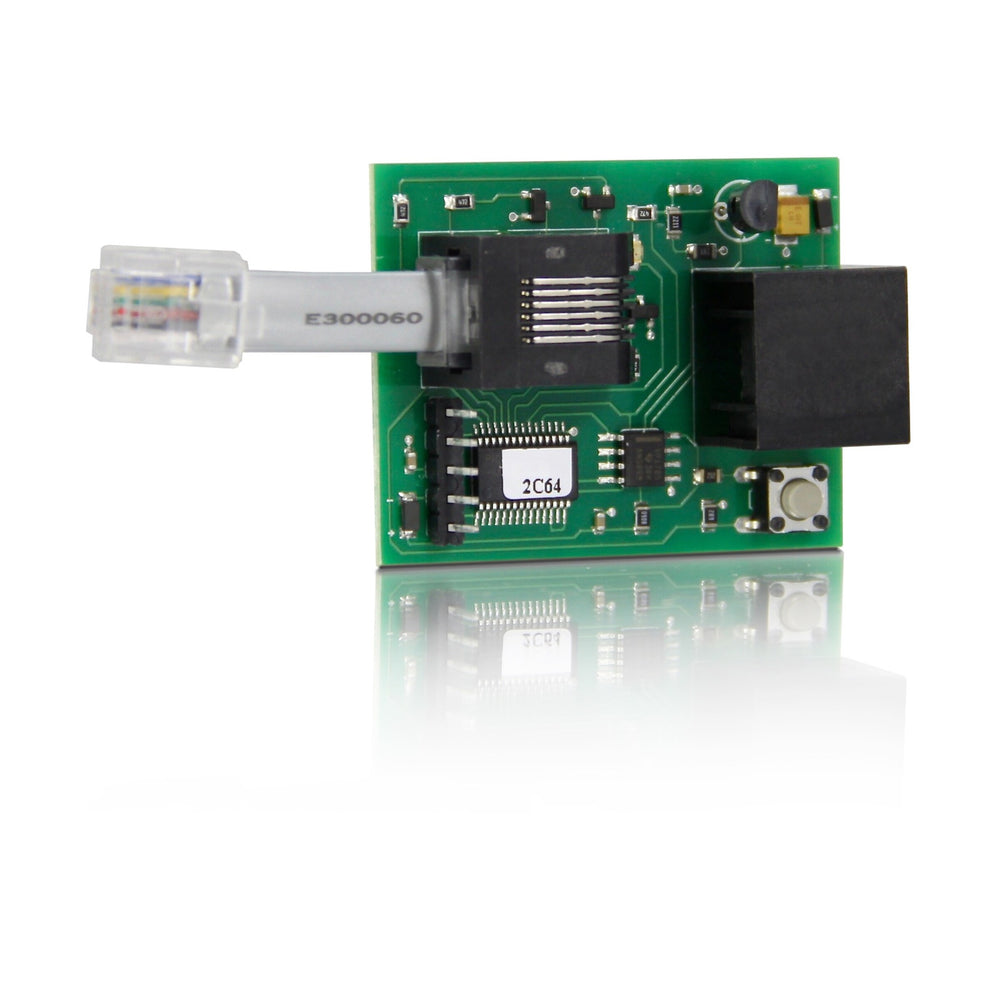
The 1811129 module receives Somfy Digital Network commands and converts them to dry contact motor control commands. The Irismo keeps running on dry contact. The module does the translating.

On the jobWhen a controls contractor asks whether the Irismo speaks RS485, tell them the module handles the SDN side and passes dry contact commands to the motor.

SDN IN, DRY CONTACT OUTSDN BUSRS485 MODULE1811129IRISMO 35Mini DC motorSDN commandsdry contact commandsThe module translates. The motor still runs on dry contact commands.

What the RS485 module does on an Irismo

Power comes from the bus

Somfy states the module requires low voltage power from the SDN bus line. Its rated supply is DC 11 to 24 V.

Watch forPlan the module at a point where the SDN bus line reaches the motor. A module with no bus power will not respond to anything.

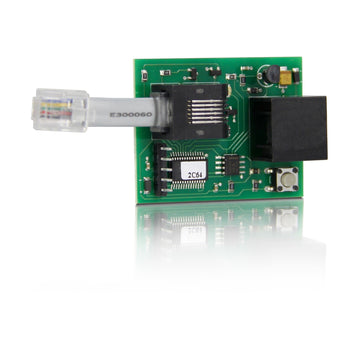
Somfy SDN RS485 Module for Irismo Motors (DCT to RS485 upgrade) (1811129)
Somfy RS485 (SDN) Module for Irismo Motors, ref 1811129

What the RS485 module does on an Irismo

Three head ends

Somfy names three systems for this drapery control: a stand-alone SDN system, a Somfy Connect UAI Plus SDN system, and a PoE network.

ExampleA lobby already on a UAI Plus can take an Irismo through the module, and so can a floor built on Somfy PoE Gateways.

THREE SYSTEMS SOMFY NAMESStand-aloneSDN systemSomfy ConnectUAI Plus SDNPoE networkPoE GatewaySame module, same motor. The head end changes.

What the RS485 module does on an Irismo

Open, close, stop and groups

The Irismo 35 enclosure kit offers open, close and stop commands and holds up to 6 SDN group addresses. Somfy's module sheet limits a Glydea to UP, STOP and DOWN.

On the jobIf the designer wants named drapery positions, check the command list first. The published commands cover open, close and stop.

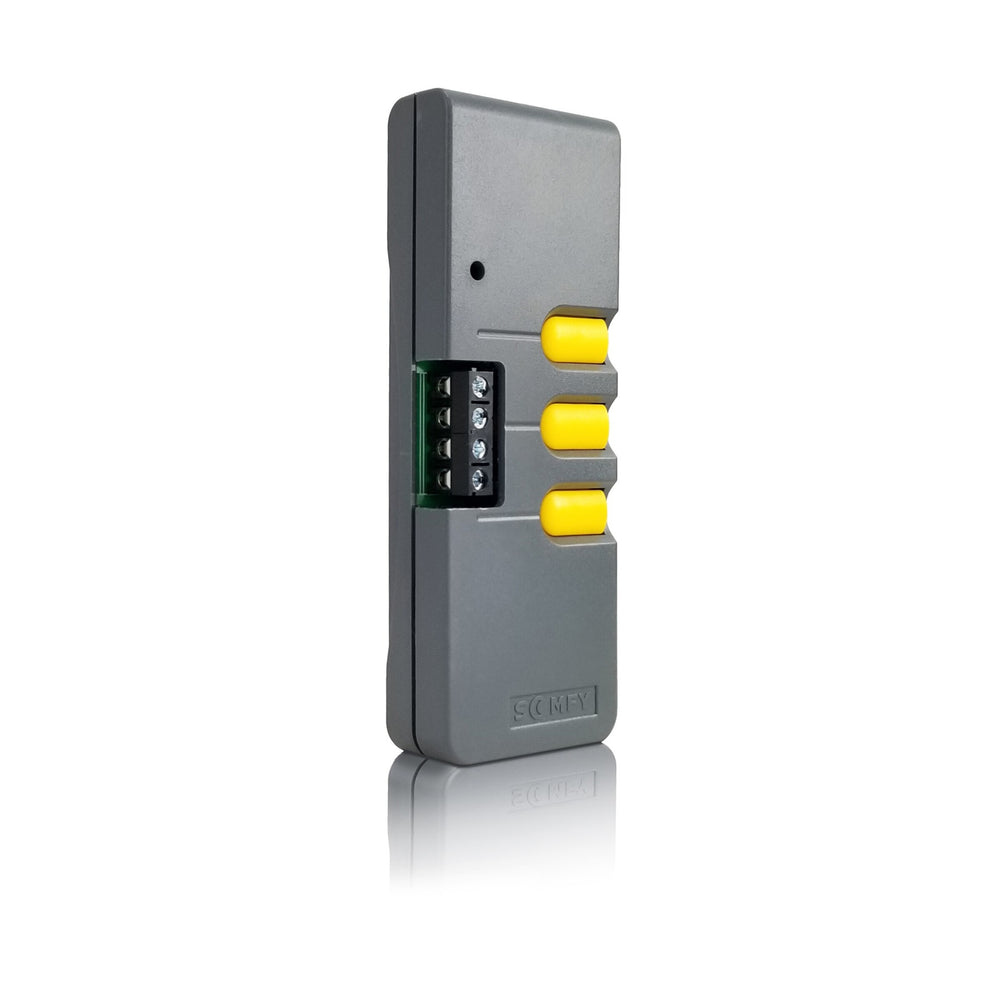
Somfy SDN Irismo 24V Mini DC Control Enclosure Kit (1870282)
Somfy RS485 (SDN) Module for Irismo Enclosure Kit, ref 1870282

Check yourself

A commercial client already runs SDN roller shades and wants the Irismo 35 draperies in the same lobby scenes. What does the RS485 module give you?

Finish every module, pass the quiz, unlock 10% off

Module 2 of 4

Which Irismo and Glydea motors take it

Check a motor against Somfy's compatibility list before you order, so you never send an SDN module to a WireFree Irismo or a Glydea ULTRA job.

4 lessons, then a scenario check.

Which Irismo and Glydea motors take it

Two Irismo refs listed

Somfy lists the Irismo 35 (Mini DC) DCT, ref 1003003, and the Irismo 35 (Mini DC) RTS, ref 1003004, as compatible with both the module and the enclosure kit.

On the jobRead the ref off the motor label or the order before you quote the upgrade. Those two refs are the ones Somfy lists.

WHICH MOTORS TAKE THE MODULEIrismo 35 (Mini DC) DCT, ref 1003003ListedIrismo 35 (Mini DC) RTS, ref 1003004ListedIrismo WireFreeExcludedGlydea ULTRAExcluded

Which Irismo and Glydea motors take it

The RTS Irismo qualifies

The Irismo 35 Mini DC RTS page lists both the 1811129 module and the 1870282 enclosure kit as compatible accessories. You can move an RTS Irismo onto SDN.

ExampleA client bought Irismo 35 RTS draperies for a conference room and later wired the floor for SDN. Somfy's accessory list covers that upgrade.

Somfy Irismo 35 Mini DC RTS Drapery Motor (1003004)
Somfy Irismo 35 (Mini DC) RTS, ref 1003004

Which Irismo and Glydea motors take it

WireFree is out

Somfy's enclosure kit features say the control works with wired Irismo motors, not Irismo WireFree. A battery Irismo stays off this upgrade path.

Watch forAsk whether the drapery motor has a charging port or a power brick before you order. The answer tells you if the module fits.

WHICH MOTORS TAKE THE MODULEIrismo 35 (Mini DC) DCT, ref 1003003ListedIrismo 35 (Mini DC) RTS, ref 1003004ListedIrismo WireFreeExcludedGlydea ULTRAExcluded

Which Irismo and Glydea motors take it

Glydea ULTRA has its own module

The kit works with Glydea but not Glydea ULTRA. Somfy makes a separate Glydea ULTRA SDN module, a plug-in design powered directly from the Glydea ULTRA motor.

On the jobOn a mixed job with Irismo 35 and Glydea ULTRA, order the Irismo module for one family and the Glydea ULTRA module for the other.

WHICH MOTORS TAKE THE MODULEIrismo 35 (Mini DC) DCT, ref 1003003ListedIrismo 35 (Mini DC) RTS, ref 1003004ListedIrismo WireFreeExcludedGlydea ULTRAExcluded

Check yourself

A property manager wants the Irismo 45 WireFree draperies in the boardroom added to the building's SDN system. Do you order the 1811129 module?

Finish every module, pass the quiz, unlock 10% off

Module 3 of 4

Bare module or enclosure kit

Choose between the 1811129 module and the 1870282 enclosure kit for an Irismo 35, and order the right SDN power and data cable to reach it.

5 lessons, then a scenario check.

Bare module or enclosure kit

Module or kit

1811129 module1870282 kit
PowerSDN bus lineSDN bus or PoE Gateway
Mounts to Irismo 35Module onlyMounting parts included
SetupMotor Configuration SoftwareSoftware or UAI Plus

On the jobWhen the head end is a Somfy PoE Gateway, the enclosure kit is the part Somfy says draws power from it.

Somfy SDN Irismo 24V Mini DC Control Enclosure Kit (1870282)
Somfy RS485 (SDN) Module for Irismo Enclosure Kit, ref 1870282

Bare module or enclosure kit

What is in the kit

Somfy says the enclosure kit includes the parts to mount to the motor, plus a cable and connector for the SDN Low-Voltage Motor Power and Data Cable. Plan one kit per drapery motor.

ExampleFour Irismo 35 draperies in a ballroom take four enclosure kits. Each kit lands on its own device port.

Somfy SDN Irismo 24V Mini DC Control Enclosure Kit (1870282)
Irismo 35 enclosure kit, ref 1870282

Bare module or enclosure kit

Node ID labels

Somfy states the updated Irismo 35 SDN module is programmed with a unique node ID and includes node ID labels.

On the jobStick a node ID label on your drawing set at each window before the ceiling closes. The integrator will thank you at commissioning.

Somfy SDN RS485 Module for Irismo Motors (DCT to RS485 upgrade) (1811129)
Somfy RS485 (SDN) Module, ref 1811129

Bare module or enclosure kit

The SDN cable

Somfy's power and data cable carries 2 x 14 AWG power, 3 x 22 AWG shielded data and a 24 AWG drain. Somfy publishes motor runs up to 240 ft.

Watch forReturn air plenum above the ceiling? Order the plenum rated 9020127. Use 9020126 where non-plenum cable is allowed.

INSIDE THE SDN POWER AND DATA CABLE2 x 14 AWGpower pair3 x 22 AWGshielded data1 x 24 AWGdrainMotor runs up to 240 ft9020127 plenum, 9020126 non-plenum

Bare module or enclosure kit

Skip the booted Cat5e

Somfy's module sheet warns that a Cat5e cable with a boot or strain relief will not fit inside the motor casing.

On the jobCarry a few unbooted patch cords in the van for module jobs. A booted cord that will not seat costs you a trip.

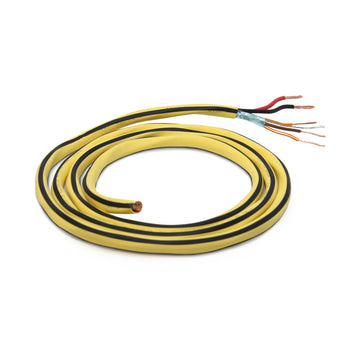
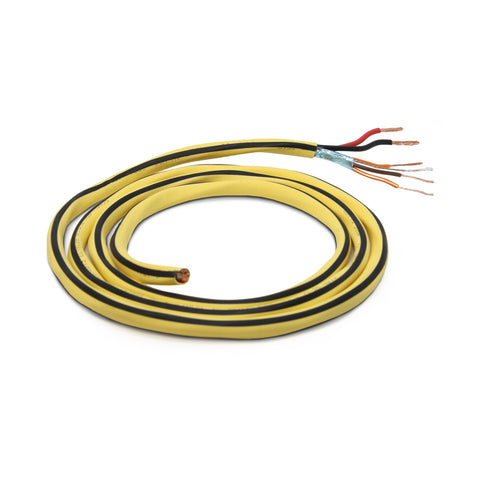
Somfy SDN Low-voltage Motor Power and Data Cable, plenum rated (spool) (9020127)
Somfy SDN Low-voltage Motor Power and Data Cable, plenum rated, ref 9020127

Check yourself

You are adding SDN to six Irismo 35 RTS draperies on a floor fed by Somfy PoE Gateways, with the motors mounted out of reach above the ceiling line. Which part do you order, and how many?

Finish every module, pass the quiz, unlock 10% off

Module 4 of 4

Wire, address and hand off

Read the module's SDN pin out, set it up on the bench for addressing, and reset it, then use the linked SDN courses for limits and full commissioning.

5 lessons, then a scenario check.

Wire, address and hand off

Read the pin out

Somfy's SDN pin out puts Data + on pin 1 and Data - on pin 2. Pins 4 and 5 carry Power +, pins 7 and 8 Ground -, and pins 3 and 6 are not used.

Watch forSwap the data pair and the module will not hear the bus. Check pins 1 and 2 first when a module stays silent.

SDN PIN OUT, RS4851Data +2Data -3N/A4Power +5Power +6N/A7Ground -8Ground -Somfy SDN pin out (RS485) for the 1811129 moduleSerial: 4800 baud, 8 data bits, odd parity, 1 stop bit

Wire, address and hand off

Bench setup first

Connect the module directly to a Bus and Sensor Station Power Supply (1822440). Connect your computer, running the SDN Motor Configuration Software, to that supply through a USB to RS485 converter (9015260).

On the jobAddress every module on the bench before the lift arrives. Once the module sits behind a valance, you do not want to be addressing it there.

BENCH SETUP BEFORE ADDRESSINGComputerMotor ConfigSoftwareUSB to RS485converter9015260Bus and SensorStation PowerSupply 1822440SDN module1811129The module plugs straight into the power supply.

Wire, address and hand off

Six group addresses

Assign a unique 6 character hex address to Group 1, using A to F and 0 to 9. You can add up to 5 more group addresses in locations 2 through 6.

ExampleGive every lobby drapery the same lobby group address, and each one its own Group 1 address for single control.

Somfy USB to RS485 Adaptor for SDN (9015260)
Somfy USB to RS485 Adaptor for SDN, ref 9015260

Wire, address and hand off

Reset the address

Press and hold the reset button until the LED turns on. The motor address returns to default: 103254, or ABCDEF with the Legacy Motor Configuration Software for ILT systems.

Watch forA reset puts the module back on its default address. Assign the project addresses again before it goes back on the bus.

RESET THE MOTOR ADDRESSHold RESETuntil the LEDturns onAddress returnsto default 103254(ABCDEF on Legacy ILT)Re-enter group addresses after a reset.

Wire, address and hand off

Hand off to limits

Somfy lists the Limit Setting Tool 9014599 for use with Sonesse 30 Dry Contact/RS485, Glydea ULTRA and Irismo DCT. The Shade Motors School limits course walks through the tool step by step.

On the jobFinish addressing on the bench, hang the drapery, then set limits with the tool. Address and limits are separate jobs.

Somfy Sonesse 30 ST30 Limit Setting Tool (9014599)
Somfy Limit Setting Tool, ref 9014599

Check yourself

A module you pulled from stock answers to an address nobody on the project assigned. What do you do before you put it on the bus?

Final quiz

10 questions. Score 80% to pass.

Each question is a real job scenario, one per screen. Stuck? Tap the hint. You see the right answer and why right after you choose. Pass and you get a printable certificate.

10% OFF

Score 80% to unlock 10% off your first ShadeMotorsDirect order.

Question 1 of 10

On the job: A GC asks why the Irismo 35 needs anything extra to join the building's SDN system.

What does the 1811129 module do?

Question 2 of 10

On the job: You are mapping the power for an Irismo 35 on a stand-alone SDN bus.

Where does the 1811129 module get its power?

Question 3 of 10

On the job: A designer asks what the Irismo 35 can do once it runs through the enclosure kit.

Which commands and addressing does Somfy publish for the kit?

Question 4 of 10

On the job: A client has Irismo 35 Mini DC RTS draperies and wants them on the new SDN system.

Does Somfy list the module for this motor?

Question 5 of 10

On the job: A boardroom has Irismo WireFree draperies and the owner wants SDN control.

What does Somfy say about the drapery SDN control and Irismo WireFree?

Question 6 of 10

On the job: A job mixes Irismo 35 draperies with Glydea ULTRA draperies, all going onto SDN.

How do you handle the Glydea ULTRA motors?

Question 7 of 10

On the job: A floor runs on Somfy PoE Gateways and you have eight Irismo 35 draperies to add.

What do you order?

Question 8 of 10

On the job: Your SDN home run to an Irismo crosses a return air plenum above the ceiling.

Which Somfy cable fits that run?

Question 9 of 10

On the job: A module on the bench will not talk to the software and you suspect the cable.

On Somfy's SDN pin out, which pins carry data?

Question 10 of 10

On the job: You need to address a new 1811129 module before it goes into a running SDN system.

What bench setup does Somfy describe?

Almost done

Where should we send your certificate?

Your score shows on the next screen. If you pass, your certificate and 10% code go to this email. They come from Shade Motors School (school@shademotorsdirect.com). Check Promotions, Updates or Spam if you don't see them.

Your name prints on the certificate. You'll also get new course alerts and Somfy tips from ShadeMotorsDirect. Unsubscribe any time.

Parts used in this course

Genuine Somfy parts, 5-year warranty