Skip to content
Genuine Somfy Motors & Parts for Roller Shades

Shade Motors School · Program It · 101

How to Set Up a Somfy Sonesse ULTRA 30 WireFree RTS Motor

The Sonesse ULTRA 30 WireFree RTS (Li-ion) runs a roller shade on a built-in rechargeable battery with an RTS receiver inside. Learn how to charge it, read its LED, run first programming and limits, add remotes and reset it, using the steps Somfy publishes.

  • 6 modules
  • 16 min
  • 10-question quiz
  • Free certificate
  • Unlocks 10% off
10% OFF

Pass the quiz to unlock 10% off your first ShadeMotorsDirect order. Your code and certificate arrive by email from Shade Motors School.

You will be able to: Charge, program and pair a Somfy Sonesse ULTRA 30 WireFree RTS motor.

Start the course

Inside this course

6 modules, one idea at a time

  1. Know the motorWhat the Sonesse ULTRA 30 WireFree RTS is and the figures Somfy publishes for it. After this module you can confirm the motor fits the shade before you set it up.3 lessons · scenario check
  2. Charge before you startHow to charge the motor and which charging parts Somfy lists for it. After this module you can start every setup on a charged battery.4 lessons · scenario check
  3. Read the LEDWhat each LED color on the motor head means. After this module you can tell a low battery from an obstacle or an overheated motor in a few seconds.3 lessons · scenario check
  4. First programming and limitsThe first programming sequence Somfy prints for Li-ion RTS motors, from waking the motor to saving the remote. After this module you can take a new motor from the box to a working shade.5 lessons · 7-step walkthrough · scenario check
  5. Remotes and the my positionHow to pair, add and delete remotes and save a favorite stop. After this module you can give a household every remote it wants on one motor.4 lessons · scenario check
  6. Adjust and resetHow to fine-tune a limit and how far each reset goes. After this module you can fix a limit or a lost remote without starting over by accident.3 lessons · scenario check
  7. Final quiz10 real job scenarios, one per screen, each with a hint if you need it. Score 80% to pass and get your certificate.

Pass = 10% off

Finish every module, pass the quiz, unlock 10% off

Module 1 of 6

Know the motor

What the Sonesse ULTRA 30 WireFree RTS is and the figures Somfy publishes for it. After this module you can confirm the motor fits the shade before you set it up.

3 lessons, then a scenario check.
Know the motor

A shade motor with its own battery

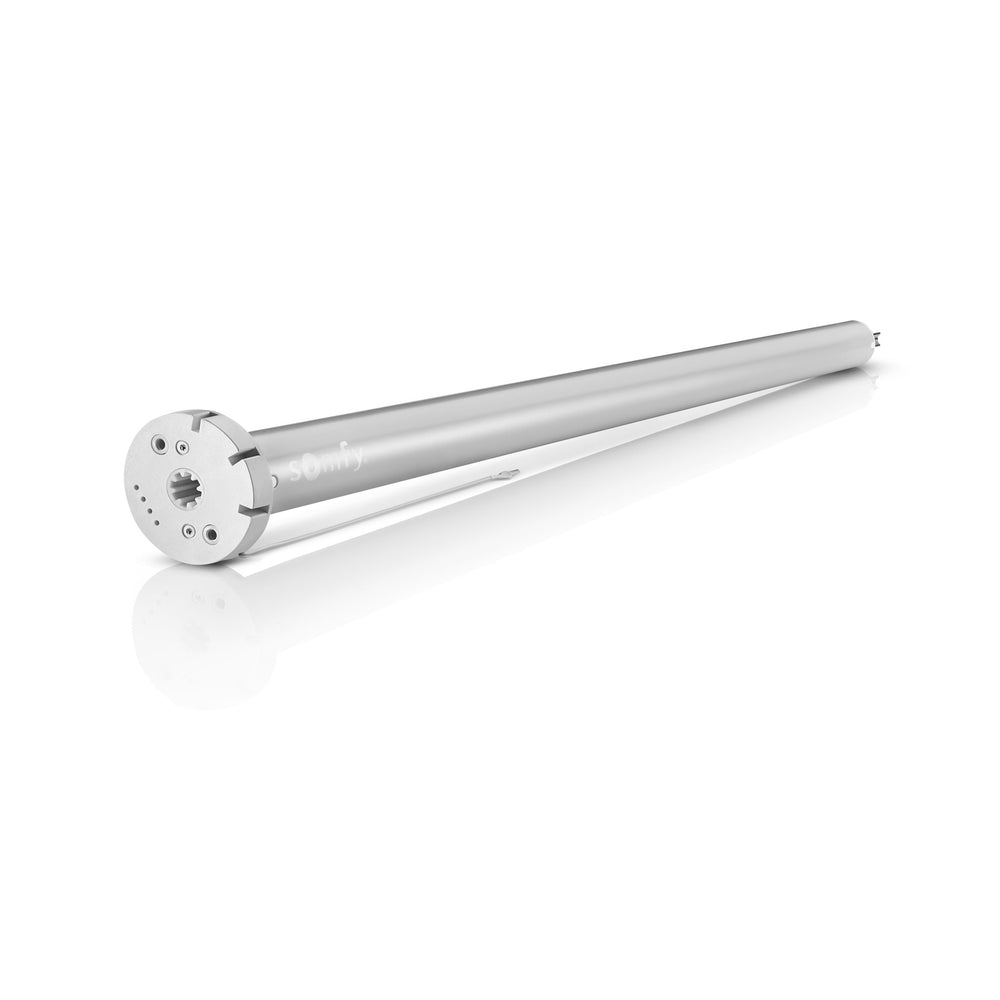
Somfy names part 1003310 the Sonesse ULTRA 30 WireFree RTS (Li-ion). It carries one built-in rechargeable lithium-ion battery and a built-in RTS receiver, so the shade needs no wiring.

On the jobA window with no outlet nearby can still take a motorized roller shade when you fit this motor.

Somfy Sonesse Ultra 30 WireFree 12V Li-ion RTS Motor (1003310)
Sonesse ULTRA 30 WireFree RTS (Li-ion), 1003310

Know the motor

The numbers Somfy publishes

Somfy lists 2 Nm at 20 rpm, a 12 V battery, 42 dB, IP 20 for interior use, a 12-slot memory, 656.2 ft open field range and a 5 year warranty.

Watch forIP 20 means interior use only. Keep this motor out of porch and patio shades.

SPEC CARDTorque / speed2 Nm / 20 rpmBattery12 V Li-ion, built inNoise42 dBProtectionIP 20, interiorMemory12 slotsRange, open field656.2 ft

Know the motor

Tube and crown kit

Somfy lists a 1.13 in minimum tube inside diameter. The crown and drive kit 9021017 fits RollEase and ZMC 2 in profiled tube, and Somfy lists 1003310 among its motors.

On the jobMatch the crown and drive to the tube before you slide the motor in, then check the fit by hand.

Somfy Sonesse 30 WireFree (ST30WF) & Ultra (ST30UWF) Crown & Drive Kit for Rollease 2" Shade Tubes (9021017)
Crown and drive kit for RollEase/ZMC 2 in tube, 9021017

Check yourself

A client wants this motor on a screened porch shade. What do you tell them?

Finish every module, pass the quiz, unlock 10% off

Module 2 of 6

Charge before you start

How to charge the motor and which charging parts Somfy lists for it. After this module you can start every setup on a charged battery.

4 lessons, then a scenario check.

Charge before you start

Charge it before you program

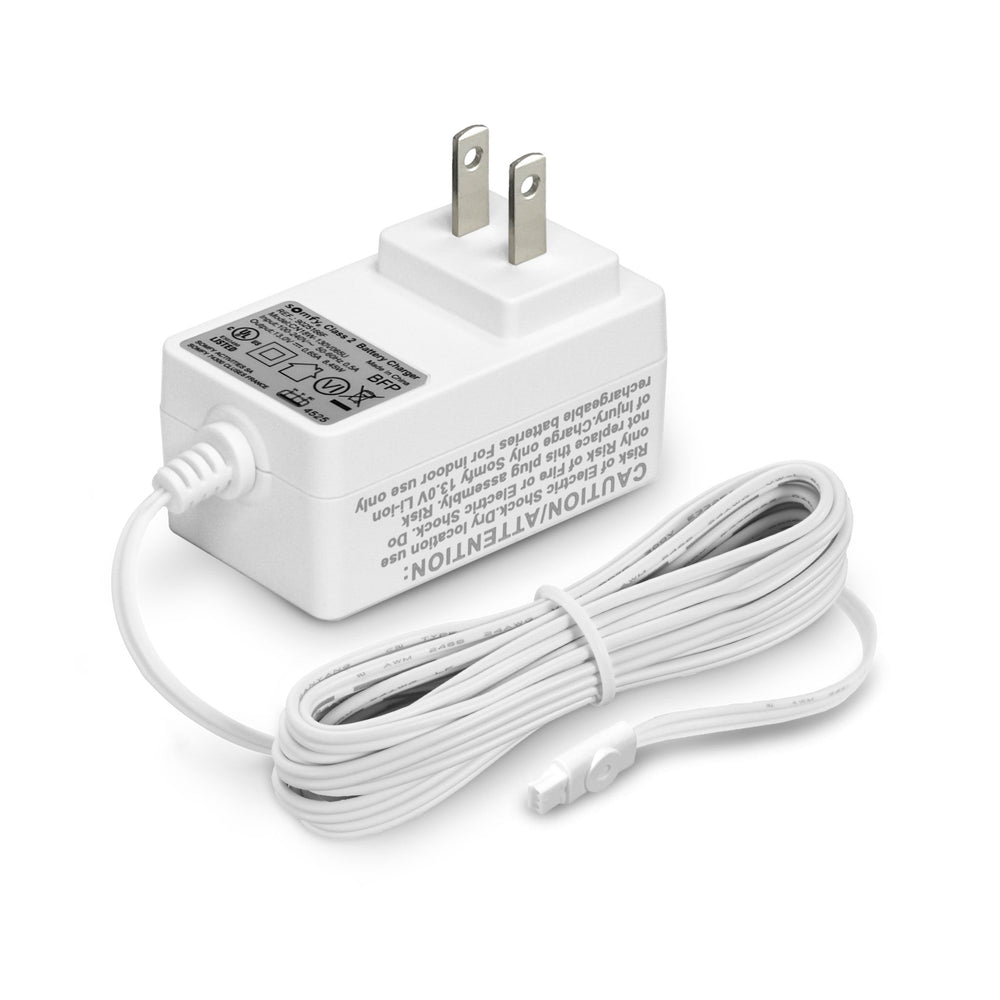
Somfy opens the Li-ion programming steps with one instruction: ensure the battery is charged before proceeding. Plug the charger into the motor head first.

On the jobPut the motor on the charger while you unpack brackets and the remote, so it is ready when you start programming.

Somfy Sonesse Ultra 30 WireFree Plug-in Charger (9025166)
Lithium-ion charger, V2 head, 9025166

Charge before you start

The charger Somfy lists

Somfy lists charger 9025166, Lithium-ion Charger (V2 Head), for this motor. It takes 100 V to 240 V input and carries a US plug.

Watch forUse the V2 head charger Somfy lists for the motor, not a charger from another product.

CHARGER 9025166Part9025166HeadV2Input100 V to 240 VPlugUSListed for1003310

Charge before you start

Charge time and battery life

The WireFree Databook lists a 12 V 2600 mAh battery, a charge time under 4.5 hours and one recharge per year, based on one up and down cycle per day.

ExampleA bedroom shade that runs once a day sits at the one cycle per day pace Somfy uses for that yearly figure.

BATTERYBattery12 V 2600 mAh Li-ionCharge timeunder 4.5 hoursRechargeonce per yearBased on1 up and down cycle a day

Charge before you start

Reach a motor in a cassette

Somfy lists the 8 in extension charging cable 9021131 (V2 head) for cassette applications. Somfy also lists a solar charging option for this motor.

On the jobOn a cassette shade, route the extension cable where the owner can reach it without taking the shade down.

Somfy 8" Extension Ultra Charging Cable (9021131)
Extension charging cable, 8 in, V2 head, 9021131

Check yourself

You unbox a new motor and want to start programming right away. What comes first?

Finish every module, pass the quiz, unlock 10% off

Module 3 of 6

Read the LED

What each LED color on the motor head means. After this module you can tell a low battery from an obstacle or an overheated motor in a few seconds.

3 lessons, then a scenario check.

Read the LED

Orange and green

Read the motor head LED. Orange blinking means programming mode. Green blinks once when the motor receives an order from a paired remote, and 5 times when a step is memorized.

On the jobWatch for the 5 green blinks after each programming step. They tell you the motor saved it.

LED: SETUPOrange, blinkingprogramming modeGreen, 1 blinkorder receivedGreen, 5 blinksstep memorized

Read the LED

Red means stop and check

Red blinking 5 times means low battery, so plug in the charger. Solid red means an obstacle. Continuous red blinking means thermal protection, so wait for the motor to cool down.

Watch forSolid red after the shade stops short points to an obstacle, not a flat battery.

LED: WARNINGSRed, 5 blinkslow battery: chargeRed, solidobstacleRed, blinking onthermal: let it cool

Read the LED

Battery at 5% or lower

In Somfy troubleshooting, a red LED that blinks slowly for 3 seconds before and after the motor runs means the battery is at 5% or lower. The fix is to charge the battery.

ExampleAn owner sees a slow red blink each time the shade moves. Plug in the charger before the shade stops working.

LOW BATTERYWhat you seeslow red blink3 s before andafter each runWhat to dobattery at 5%or lower:charge it

Check yourself

The LED blinks red 5 times and the shade barely moves. What do you do?

Finish every module, pass the quiz, unlock 10% off

Module 4 of 6

First programming and limits

The first programming sequence Somfy prints for Li-ion RTS motors, from waking the motor to saving the remote. After this module you can take a new motor from the box to a working shade.

5 lessons, then a scenario check.

First programming and limits

Wake it, then start programming

The Pocket Guide says a new motor comes in factory mode. Briefly press the motor head PROGRAMMING button or plug in the charger. Then press and hold UP and DOWN together until the shade jogs.

Watch forSomfy notes the motor exits programming mode after 2 minutes of inactivity, so keep moving through the steps.

STARTUPMYDOWNHold UP + DOWNuntil the shade jogsMotor head first:brief PROG press orplug in the charger

First programming and limits

Check the direction

Press and hold DOWN and confirm the shade moves down. If it goes up, press and hold MY/STOP for about 2 seconds until the shade jogs.

On the jobFix the direction now, before the limits, so UP and DOWN on the remote match the shade.

DIRECTIONShade goes downdirection is rightgo on to limitsShade goes uphold MY/STOPabout 2 secondsuntil it jogs

First programming and limits

Set the upper limit

Move the shade to the upper position you want and adjust with UP or DOWN. Press and hold MY/STOP and DOWN together until the shade begins to move, then release.

ExampleStop the top edge where the fabric still covers the tube, then press MY/STOP and DOWN together.

UPPER LIMITUPMYDOWNHold MY + DOWNat the upper positionrelease when theshade starts down

First programming and limits

Set the lower limit and confirm

Press MY/STOP when the shade reaches the lower position you want, and adjust with UP or DOWN. Press MY/STOP and UP together and release when it moves. Then hold MY/STOP until the shade jogs.

On the jobThe shade stops at the upper limit you just set. That run up is your proof the upper limit took.

LOWER LIMIT1MY/STOP at the lower position2Adjust with UP or DOWN3MY/STOP + UP: release when it moves4Hold MY/STOP until it jogs

First programming and limits

Save the remote

Briefly press the PROGRAMMING button on the back of the control. The shade jogs to confirm pairing, and the remote now runs the shade.

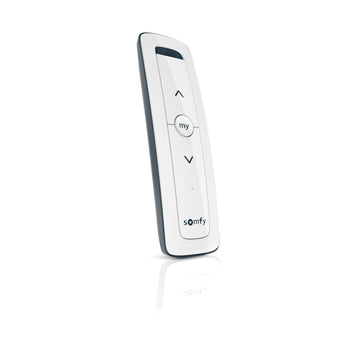
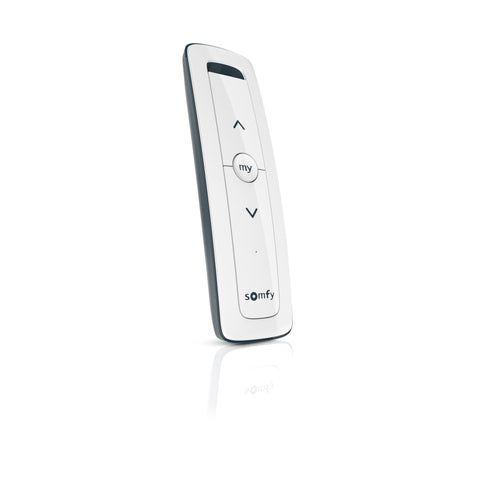
ExampleA Situo 1 RTS on the wall beside the shade becomes its first remote at this step.

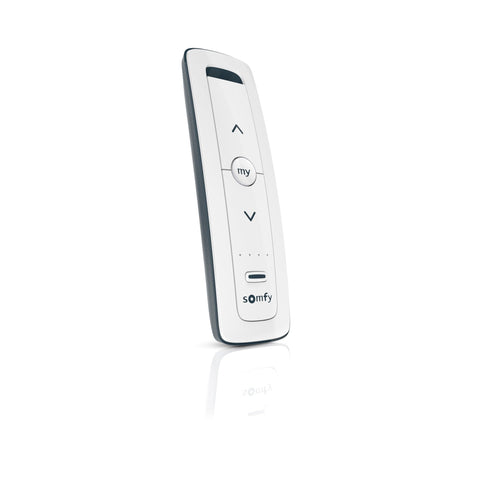
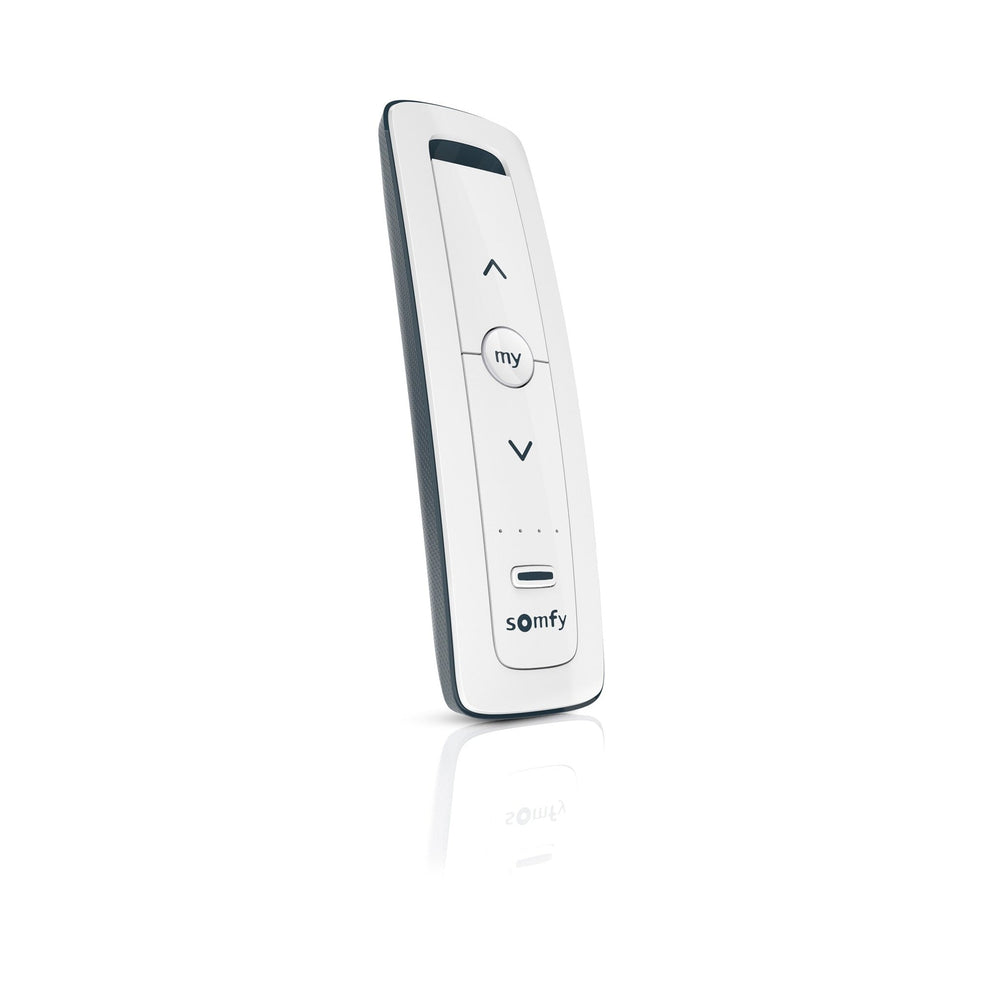
Somfy Situo 1 Channel RTS Pure Remote (1870571)
Situo 1 RTS Pure remote, 1870571

Step by step

First programming, step by step

Somfy prints these steps for RTS motors with embedded Li-ion batteries, a group that includes the Sonesse ULTRA 30 WireFree (Li-ion). Charge the battery before you begin.

7 steps, one per screen.

Step 1 of 7

Briefly press the motor head PROGRAMMING button or plug in the charger.

The shade briefly jogs. The motor is awake.

Step 2 of 7

Press and hold UP and DOWN on the remote together.

The shade jogs. You are in programming mode, which ends after 2 minutes of inactivity.

Step 3 of 7

Press and hold DOWN.

The shade moves down. If it goes up, hold MY/STOP for about 2 seconds until the shade jogs.

Step 4 of 7

Move the shade to the upper position, then press and hold MY/STOP and DOWN together.

The shade begins to move. Release the buttons.

Step 5 of 7

Press MY/STOP at the lower position, adjust with UP or DOWN, then press MY/STOP and UP together.

The shade moves and stops at the upper limit you set.

Step 6 of 7

Press and hold MY/STOP.

The shade jogs to confirm both limits.

Step 7 of 7

Briefly press the PROGRAMMING button on the back of the remote.

The shade jogs to confirm pairing.

Check yourself

You set both limits and the shade jogged, but you stop there and leave. What did you skip?

Finish every module, pass the quiz, unlock 10% off

Module 5 of 6

Remotes and the my position

How to pair, add and delete remotes and save a favorite stop. After this module you can give a household every remote it wants on one motor.

4 lessons, then a scenario check.

Remotes and the my position

Check the supplied remote

Briefly press the motor PROGRAMMING button or plug in the charger, then press UP or DOWN on the supplied remote. If the shade runs, it is already programmed.

On the jobTest each channel on a multi-channel remote before you assume the shade needs programming.

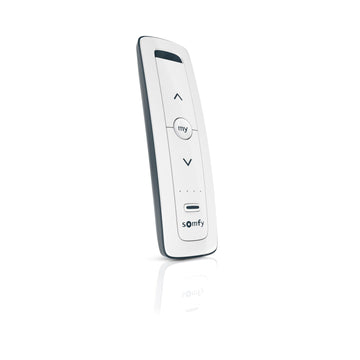
Somfy Situo 5 Channel RTS Pure Remote (1870575)
Situo 5 RTS Pure remote, 1870575

Remotes and the my position

Pair from the motor head

If the shade does not run, the Quick Guide says to choose the remote channel. Press and hold the motor PROGRAMMING button until the shade jogs once, then briefly press the PROGRAMMING button on the remote. The shade jogs once.

ExamplePick channel 3 on a Situo 5 RTS for the office shade, then pair it from the motor head.

PAIR AT THE MOTORStep 1motor head:hold PROGuntil it jogs onceStep 2remote:brief PROG pressshade jogs once

Remotes and the my position

Add a second remote

Press and hold PROGRAMMING on the back of Control 1 until the shade jogs. Then briefly press PROGRAMMING on the back of Control 2. The shade jogs. The same steps delete a control.

On the jobAdd a wall-mounted remote for the family without touching the motor head.

ADD A CONTROLControl 1already paired:hold PROGuntil it jogsControl 2new remote:brief PROG pressshade jogs

Remotes and the my position

Set a favorite position

Move the shade where you want it and briefly press MY/STOP to stop it. Press and hold MY/STOP until the shade jogs. A brief MY/STOP press later sends the shade there.

ExampleA client wants the shade half down at noon. Set that height as the my position.

MY POSITIONUPMYDOWNHold MY/STOPuntil the shade jogsTo delete: go there,hold MY/STOP until jog

Check yourself

A client has a working Situo 1 RTS and bought a Situo 5 RTS for the same shade. How do you add it?

Finish every module, pass the quiz, unlock 10% off

Module 6 of 6

Adjust and reset

How to fine-tune a limit and how far each reset goes. After this module you can fix a limit or a lost remote without starting over by accident.

3 lessons, then a scenario check.
Adjust and reset

Adjust a limit later

Move the shade to its current limit. Press and hold UP and DOWN together until the shade jogs. Adjust with UP or DOWN, then hold MY/STOP until the shade jogs.

Watch forThe green LED stays on for an upper limit adjustment and blinks slowly for a lower one.

ADJUST A LIMIT1Move the shade to its current limit2Hold UP + DOWN until it jogs3Adjust with UP or DOWN4Hold MY/STOP until it jogs

Adjust and reset

Erase remotes or reset

Hold motor PROG untilResult
Shade jogs twiceAll remotes and sensors deleted
Shade jogs 3 timesAll settings erased, set limits again

Watch forCount the jogs as you hold. Three jogs erases the limits along with the remotes.

ERASE OR RESETJogs twiceremotes andsensors deletedJogs 3 timesfactory mode:all settings erasedset limits again

Adjust and reset

Factory reset in practice

The Quick Guide says to use a paperclip and hold the motor PROGRAMMING button for about 12 seconds. The shade jogs 3 separate times and the motor returns to factory mode.

On the jobAfter a factory reset, run the full first programming sequence again, starting with the charge check.

Somfy Sonesse Ultra 30 WireFree 12V Li-ion RTS Motor (1003310)
Sonesse ULTRA 30 WireFree RTS (Li-ion), 1003310

Check yourself

A shade stops too low after a fabric change. Do you reset the motor?

Final quiz

10 questions. Score 80% to pass.

Each question is a real job scenario, one per screen. Stuck? Tap the hint. You see the right answer and why right after you choose. Pass and you get a printable certificate.

10% OFF

Score 80% to unlock 10% off your first ShadeMotorsDirect order.

Question 1 of 10

On the job: A homeowner wants a battery motor for a covered patio shade.

Is the Sonesse ULTRA 30 WireFree RTS a fit?

Question 2 of 10

On the job: You are ordering a crown and drive for a RollEase 2 in profiled tube.

Which kit does Somfy list for this motor?

Question 3 of 10

On the job: You open the box and the shade will not respond on the first try.

What does Somfy say to do before programming?

Question 4 of 10

On the job: A client asks how often the shade will need charging.

What does the WireFree Databook say?

Question 5 of 10

On the job: The motor head LED shows solid red after the shade stops short.

What is the motor telling you?

Question 6 of 10

On the job: During setup the LED blinks orange without stopping.

What does that mean?

Question 7 of 10

On the job: You hold DOWN during first programming and the shade rises.

What do you do?

Question 8 of 10

On the job: Both limits are set and confirmed with MY/STOP.

What finishes first programming?

Question 9 of 10

On the job: A family wants a second remote and the first one works.

How do you add it?

Question 10 of 10

On the job: The only remote is lost and you want to delete it from the motor.

How far do you hold the motor PROGRAMMING button?

Almost done

Where should we send your certificate?

Your score shows on the next screen. If you pass, your certificate and 10% code go to this email. They come from Shade Motors School (school@shademotorsdirect.com). Check Promotions, Updates or Spam if you don't see them.

Your name prints on the certificate. You'll also get new course alerts and Somfy tips from ShadeMotorsDirect. Unsubscribe any time.

Parts used in this course

Genuine Somfy parts, 5-year warranty