Skip to content
Genuine Somfy Motors & Parts for Roller Shades

Shade Motors School · Program It · 201

How to Set Up a Somfy Roll Up 24 WireFree RTS Motor

The Roll Up 24 WireFree RTS (1240278) is Somfy's compact battery motor for small tubes, with 0.55 Nm and an RTS receiver. Fit the tube, charge and wake it, set limits, pair controls, then adjust, sleep or reset it.

  • 5 modules
  • 15 min
  • 10-question quiz
  • Free certificate
  • Unlocks 10% off
10% OFF

Pass the quiz to unlock 10% off your first ShadeMotorsDirect order. Your code and certificate arrive by email from Shade Motors School.

You will be able to: Set up a Roll Up 24 WireFree RTS from the box, then adjust, sleep or reset it on a service call.

Start the course

Inside this course

5 modules, one idea at a time

  1. Know the motorCheck that the Roll Up 24 WireFree RTS (1240278) suits the tube, the shade and the room before you order. After this module you can qualify a small battery shade on the first visit.4 lessons · scenario check
  2. Fit the tube and chargePick the crown, drive and motor plate for the shade, charge the battery and wake the motor. After this module you can bring a boxed Roll Up 24 to life on the bench.5 lessons · scenario check
  3. First programming and limitsTake the awake motor from factory mode to saved limits and a paired control. After this module you can commission a Roll Up 24 WireFree RTS in one pass.4 lessons · 8-step walkthrough · scenario check
  4. Everyday adjustmentsMove one limit, save a My position, flip the direction and find the speed setting without starting over. After this module you can handle the common service calls on this motor.4 lessons · scenario check
  5. Controls, LEDs, sleep and resetAdd a second control, read the motor LED, park the radio for storage and clear the motor when its settings are unknown. After this module you can finish a handover and recover an inherited shade.5 lessons · scenario check
  6. Final quiz10 real job scenarios, one per screen, each with a hint if you need it. Score 80% to pass and get your certificate.

Pass = 10% off

Finish every module, pass the quiz, unlock 10% off

Module 1 of 5

Know the motor

Check that the Roll Up 24 WireFree RTS (1240278) suits the tube, the shade and the room before you order. After this module you can qualify a small battery shade on the first visit.

4 lessons, then a scenario check.

Know the motor

The smallest WireFree motor

Somfy built the Roll Up 24 WireFree RTS (1240278) for spaces with minimal room, such as narrow window openings. One built-in 12V lithium-ion battery powers it, and its RTS receiver listens at 433.42 MHz.

On the jobA bathroom window with a slim inside mount and no outlet suits this motor, since the battery rides inside the tube.

Somfy R24 12V Rechargeable Li-ion RTS Motor (0.55Nm, 20-38rpm) (1240278)
Roll Up 24 WireFree RTS, Li-ion (1240278)

Know the motor

Torque, speed and tube

Somfy lists 0.55 Nm at 38 rpm, a round head and a 0.87 in minimum tube inside diameter. The motor measures 18.5 in long and 0.94 in across.

Watch forMeasure the inside of the tube before you order. A tube under 0.87 in inside will not take this motor.

MECHANICS, REF 1240278Torque0.55 NmSpeed38 rpmHead typeRoundMin tube inside diameter0.87 inLength18.5 in

Know the motor

Made for interior shades

Somfy rates the motor IP 20 and Class III and lists interior blinds and shades as its application. It works from 32 to 140 F and runs at 60 dB.

On the jobA client asks about a patio screen. Point them to an exterior motor, since Somfy lists this one for interior coverings.

WHERE IT BELONGSProtectionIP 20InsulationClass IIIApplicationInterior blinds, shadesWorking temperature32 to 140 FNoise60 dB

Know the motor

Radio, memory and limits

Somfy lists 656.2 ft of open field range, a memory capacity of 12 and electronic limits with a 200 turn capacity. It also lists the TaHoma Switch (1871037) as compatible.

ExampleA handheld remote and a wall switch take two of the 12 memory spots and leave room for a TaHoma Switch.

RADIO AND LIMITSRadioRTS 433.42 MHzRange, open field656.2 ftMemory capacity12LimitsElectronic, 200 turns

Check yourself

A client has a narrow inside mount with a small roller tube and no outlet near the window. Which spec do you confirm before you quote the Roll Up 24 WireFree RTS?

Finish every module, pass the quiz, unlock 10% off

Module 2 of 5

Fit the tube and charge

Pick the crown, drive and motor plate for the shade, charge the battery and wake the motor. After this module you can bring a boxed Roll Up 24 to life on the bench.

5 lessons, then a scenario check.

Fit the tube and charge

Crown and drive by tube

Somfy lists five crown and drive sets for this motor: RollEase 1.125 in, 28 mm (9025712), RollEase 1.25 in (9025711), 28 mm tube (9025744), HD 31 mm tube (9025745) and Louvolite 32 (9025710).

ExampleOn a RollEase 1.125 in tube, fit the 9025712 set before the motor goes in.

Somfy R24 Crown and Drive for Rollease 1.125" (28)mm Kit (9025712)
R24 Crown and Drive for RollEase 1.125 in (28 mm) (9025712)

Fit the tube and charge

A motor plate for the bracket

Somfy lists a Motor Plate with Ears (9025735), a Starhole Motor Plate (9025713), plates for Louvolite 32 (9025736) and SkyLine (9025737), and a Motor Plate Pin (9025738).

On the jobLook at the bracket already on the window first, then pick the plate that matches it.

MOTOR PLATES SOMFY LISTSMotor Plate with Ears9025735Motor Plate, Starhole9025713Plate for Louvolite 329025736Plate for SkyLine9025737Motor Plate Pin9025738

Fit the tube and charge

Charge before you program

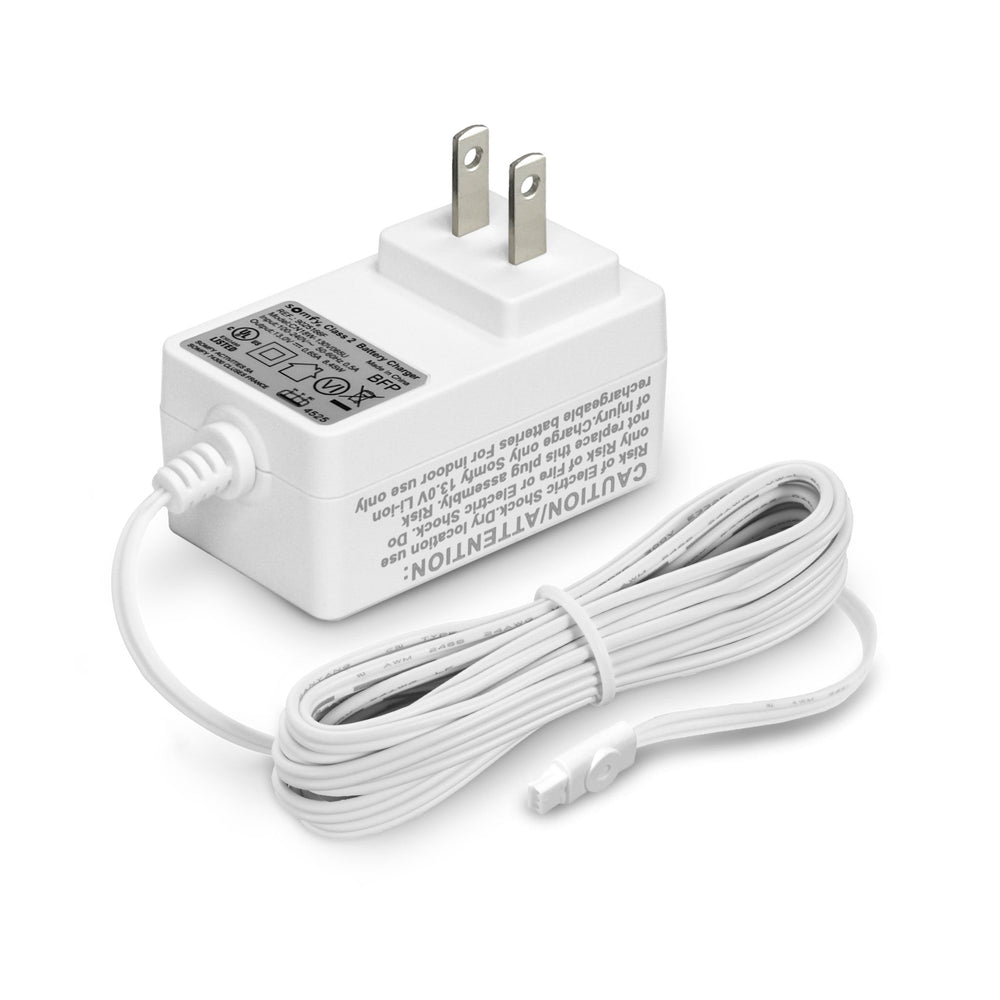
Somfy's RTS Pocket Guide says to make sure the battery is charged before you program a WireFree Li-ion motor. Somfy says to recharge about every 12 months, depending on motor usage.

On the jobPlug the motor in while you cut the fabric and fit the crown, so the battery is ready when you pick up the remote.

Somfy Sonesse Ultra 30 WireFree Plug-in Charger (9025166)
Lithium-ion Charger, V2 head (9025166)

Fit the tube and charge

Charging and solar parts

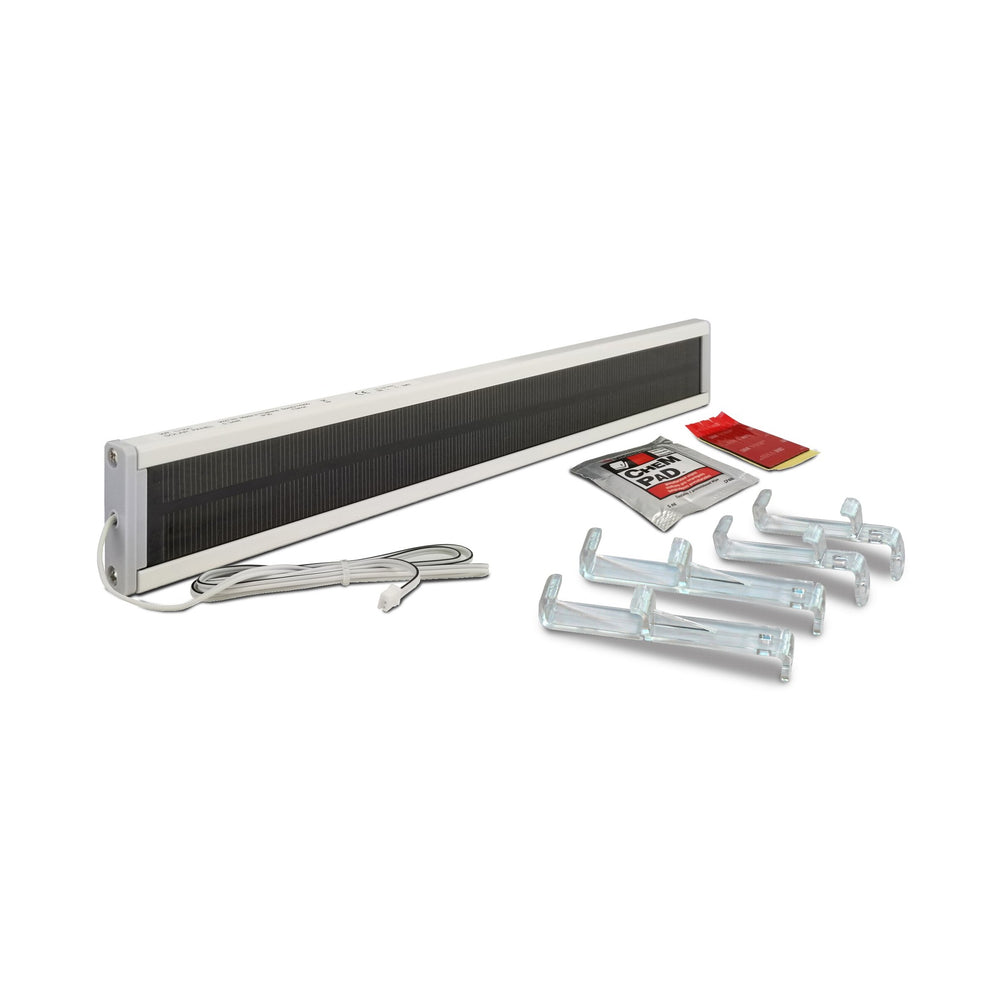
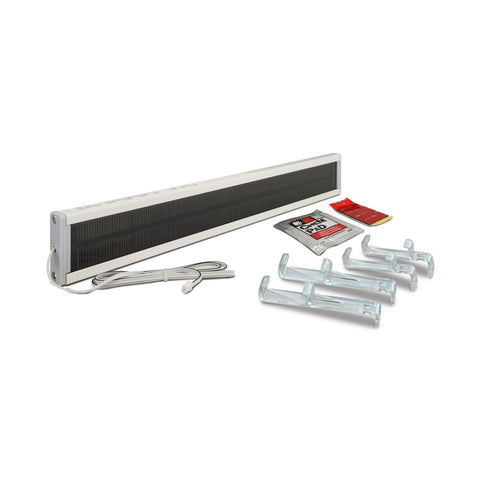
Somfy lists the Li-ion Charger with V2 head (9025166), an 8 in extension cable for cassettes (9021131), a magnetic adaptor (9028562) with rigid cable (9028560), and the Solar Panel Kit (9027294).

Watch forIn a cassette the charge port can sit out of reach. Order the 8 in extension cable with the motor.

Somfy 12V DC WireFree V2 Solar Pack (9027294)
WireFree Li-ion Solar Panel Kit (9027294)

Fit the tube and charge

Wake the motor

Briefly press the PROG button on the motor head, or plug in the charger. The shade jogs 3 times and the motor is awake.

Watch forWake and program one motor at a time on the bench, so a second shade does not pick up your steps.

WAKE A NEW MOTOR1Charge the battery2Brief press on motor head PROG, or plug in3Shade jogs 3 times: awake

Check yourself

You press UP and DOWN on a new remote and the boxed Roll Up 24 does nothing. What do you check first?

Finish every module, pass the quiz, unlock 10% off

Module 3 of 5

First programming and limits

Take the awake motor from factory mode to saved limits and a paired control. After this module you can commission a Roll Up 24 WireFree RTS in one pass.

4 lessons, then a scenario check.
First programming and limits

Enter programming mode

Hold UP and DOWN together on the RTS control until the shade jogs. The orange LED blinks while the motor is in programming mode. Somfy's guide says it leaves after 2 minutes idle.

On the jobRead the next step before you enter programming mode, so the 2 minute idle window does not run out.

PROGRAMMING MODEUPMYDOWNPROGHold UP + DOWNShade jogsOrange LED blinksExits after 2 min idle

First programming and limits

Check the direction

Hold DOWN. If the shade rises instead, hold MY for about 2 seconds until it jogs, and the direction reverses.

Watch forSettle the direction now. The limit steps that follow expect DOWN to lower the shade.

CHECK DIRECTIONUPMYDOWNPROGHold DOWNShade should lowerRises? Hold MY 2 sShade jogs: reversed

First programming and limits

Set the limits

At the top you want, hold MY and DOWN until the shade moves. Press MY at the bottom you want. Then hold MY and UP until it moves, and the shade stops at the top.

ExampleFine tune the bottom with UP or DOWN before you hold MY and UP.

SET THE LIMITS1At top: hold MY + DOWN until it moves2At bottom: press MY3Fine tune with UP or DOWN4Hold MY + UP: stops at top

First programming and limits

Save and pair

Hold MY until the shade jogs to save both limits. Then briefly press PROG on the back of the control. The shade jogs to confirm pairing and the motor is in user mode.

On the jobUse the remote the owner will keep by the window as this first control.

SAVE AND PAIRUPMYDOWNPROGHold MY: shade jogsLimits savedBrief PROG on backShade jogs: user mode

Step by step

Program a new Roll Up 24 WireFree RTS from factory mode

Charge the battery and keep one RTS control in hand. These steps follow Somfy's RTS Pocket Guide for WireFree Li-ion motors, which names the Roll Up 24 WireFree.

8 steps, one per screen.

PROCEDURE1Wake: motor head PROG or charger2Hold UP + DOWN: programming mode3Hold DOWN: check direction4Set top and bottom limits5Hold MY: save6Brief PROG on the control: pair

Step 1 of 8

Briefly press the motor head PROG button, or plug in the charger

The shade jogs 3 times. The motor is awake.

Step 2 of 8

Hold UP and DOWN together on the control

The shade jogs and the orange LED blinks. The motor is in programming mode.

Step 3 of 8

Hold DOWN

The shade lowers. If it rises, hold MY about 2 seconds until it jogs.

Step 4 of 8

Bring the shade to the top position you want, then hold MY and DOWN together

Release when the shade moves. It travels down.

Step 5 of 8

Press MY at the bottom position you want

The shade stops. Fine tune with UP or DOWN.

Step 6 of 8

Hold MY and UP together, and release when the shade moves

The shade travels up and stops at the top position.

Step 7 of 8

Hold MY

The shade jogs. Both limits are saved.

Step 8 of 8

Briefly press PROG on the back of the control

The shade jogs to confirm pairing. The motor is in user mode.

Check yourself

You saved both limits on a new Roll Up 24, but the shade still acts like it is in programming mode. Which step did you skip?

Finish every module, pass the quiz, unlock 10% off

Module 4 of 5

Everyday adjustments

Move one limit, save a My position, flip the direction and find the speed setting without starting over. After this module you can handle the common service calls on this motor.

4 lessons, then a scenario check.

Everyday adjustments

Adjust one limit

Run the shade to the limit you want to change. Hold UP and DOWN until it jogs, move it with UP or DOWN, then hold MY until it jogs to save.

Watch forSomfy's guide shows a steady green LED for the upper limit and a slow blinking green LED for the lower one.

ADJUST A LIMIT1Run the shade to that limit2Hold UP + DOWN until it jogs3Move it with UP or DOWN4Hold MY until it jogs

Everyday adjustments

Save a My position

Run the shade to the height you want and briefly press MY to stop it. Then hold MY until the shade jogs. To delete it, send the shade to My and hold MY again.

ExampleAn owner wants the shade at half height for afternoon glare. Save that height as My.

MY POSITIONUPMYDOWNPROGBrief MY: shade stopsHold MY: shade jogsMy position saved

Everyday adjustments

Flip the direction later

Move the shade away from its limits. Hold UP and DOWN until it jogs and the orange LED lights, then briefly press MY until it jogs. The rotation reverses.

Watch forStart mid travel. Somfy has you move the shade off its limits first.

REVERSE IN USER MODE1Move the shade off its limits2Hold UP + DOWN: orange LED3Brief MY until it jogs

Everyday adjustments

Change the speed

Move the shade off its limits. Hold UP, MY and DOWN until it jogs; it cycles every ten seconds. Hold UP to speed up or DOWN to slow down until it jogs, then hold MY to save.

On the jobAn owner finds the shade loud at night. Use the speed routine in Somfy's guide before you suggest a different motor.

SPEED ROUTINEUPMYDOWNPROGOff the limits firstHold UP + MY + DOWNCycles every 10 sUP faster, DOWN slowerHold MY: saved

Check yourself

On a service call the shade stops short of the sill and the owner wants every other setting kept. What do you do?

Finish every module, pass the quiz, unlock 10% off

Module 5 of 5

Controls, LEDs, sleep and reset

Add a second control, read the motor LED, park the radio for storage and clear the motor when its settings are unknown. After this module you can finish a handover and recover an inherited shade.

5 lessons, then a scenario check.

Controls, LEDs, sleep and reset

Add a control

Hold PROG on a control already paired until the shade jogs. Then briefly press PROG on the new control, and the shade jogs again.

On the jobPair a second remote for the other side of the bed before you leave, using your paired remote as the first control.

ADD A CONTROL1Hold PROG on the paired control2Shade jogs3Brief PROG on the new control4Shade jogs: added

Controls, LEDs, sleep and reset

Controls that pair

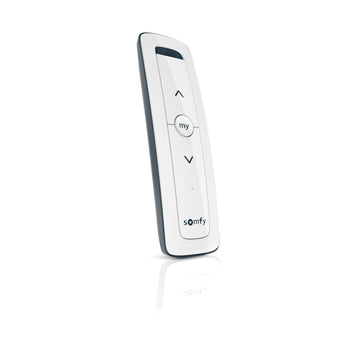
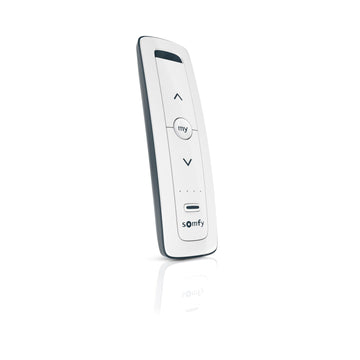
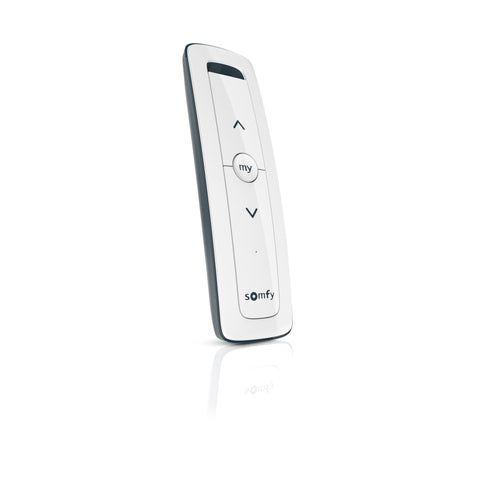
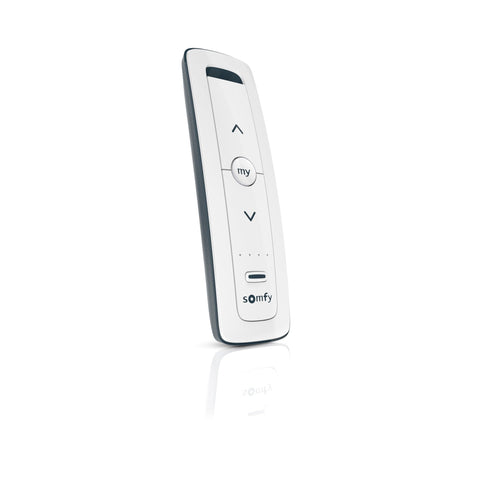
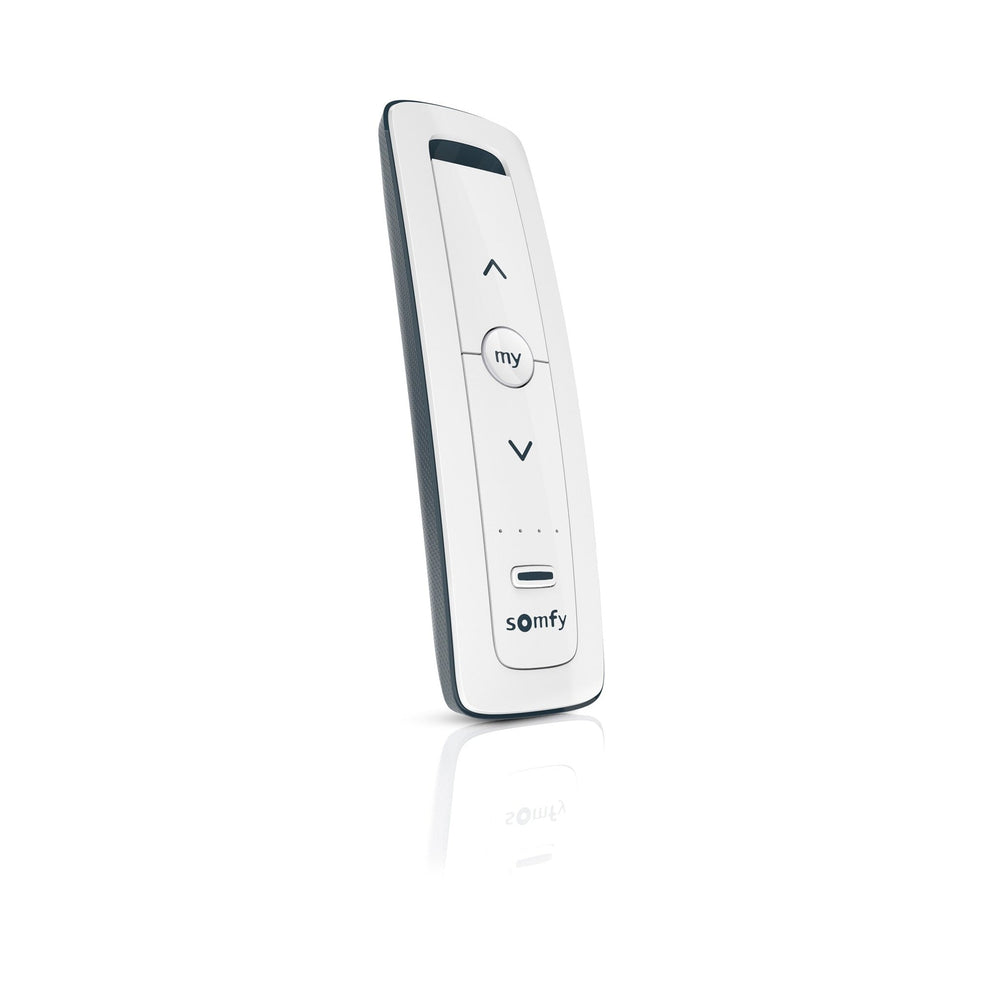
The motor listens to RTS at 433.42 MHz, so RTS remotes such as the Situo 1 (1870571) and Situo 5 (1870575) pair with it. Somfy also names the Situo Variation RTS for sheer and layered shades.

ExampleThe owner keeps a Situo 5 by the sofa and you mount a Situo 1 in the hall, both paired to the same motor.

Somfy Situo 5 Channel RTS Pure Remote (1870575)
Situo 5 RTS Pure (1870575)

Controls, LEDs, sleep and reset

Read the red LED

Five red blinks mean low battery, so plug in the charger. A slow red blink for 3 s around a run means 5% or less. Solid red means an obstacle. Nonstop red blinking means thermal protection.

Watch forA shade that stalls with a solid red LED has hit something. Clear the obstacle before you blame the battery.

RED LED KEY5 red blinksLow batterySlow blink, 3 s5% or lowerSolid redObstacleNonstop blinkingThermal protection

Controls, LEDs, sleep and reset

Sleep mode

On a programmed shade, hold the motor head PROG button until the shade jogs, then briefly press it. The shade jogs twice and ignores commands. A press on the motor head PROG button wakes it.

On the jobPut a shade to sleep while you finish the rest of the room, then wake it with one press on the motor head.

SLEEP MODE1Hold motor head PROG: shade jogs2Brief press: shade jogs twice3Sleep mode on4One press on PROG wakes it

Controls, LEDs, sleep and reset

Two reset depths

Hold the motor head PROG button until the shade jogs twice to delete every control and sensor. Hold until it jogs 3 times for a full reset that erases all settings, limits included.

Watch forCount the jogs. Let go at two if you want to keep the limits.

MOTOR HEAD PROG, HELDShade jogs twiceControls and sensors deletedShade jogs 3 timesAll settings erased

Check yourself

An owner lost the only remote, but the shade still stops at the right top and bottom. How do you clear the old remote and keep the limits?

Final quiz

10 questions. Score 80% to pass.

Each question is a real job scenario, one per screen. Stuck? Tap the hint. You see the right answer and why right after you choose. Pass and you get a printable certificate.

10% OFF

Score 80% to unlock 10% off your first ShadeMotorsDirect order.

Question 1 of 10

On the job: You are measuring a small inside mount roller shade for a client who wants the Roll Up 24 WireFree RTS.

The tube measures 0.75 in inside. What do you tell the client?

Question 2 of 10

On the job: A client wants a battery motor on a roll up screen for an open porch.

Does the Roll Up 24 WireFree RTS fit the job?

Question 3 of 10

On the job: You are building a shade on a 28 mm RollEase tube.

Which crown and drive does Somfy list for this motor on that tube?

Question 4 of 10

On the job: The shade sits in a closed headrail and the charger plug cannot reach the motor's charge port.

Which part does Somfy list for this?

Question 5 of 10

On the job: A new Roll Up 24 comes out of the box and you press UP and DOWN on a fresh remote. Nothing happens.

What do you do first?

Question 6 of 10

On the job: You entered programming mode and held DOWN, but the shade rises.

How do you fix the direction?

Question 7 of 10

On the job: You stepped away mid programming to grab a ladder, and now the motor ignores your limit steps.

What happened?

Question 8 of 10

On the job: An owner wants the shade to stop at half height for afternoon glare with one button.

How do you set that up?

Question 9 of 10

On the job: An owner says the motor LED blinks red 5 times when they press a button.

What does that tell you?

Question 10 of 10

On the job: You inherit a shade whose remotes are unknown, but the limits are right.

How do you clear the old controls and keep the limits?

Almost done

Where should we send your certificate?

Your score shows on the next screen. If you pass, your certificate and 10% code go to this email. They come from Shade Motors School (school@shademotorsdirect.com). Check Promotions, Updates or Spam if you don't see them.

Your name prints on the certificate. You'll also get new course alerts and Somfy tips from ShadeMotorsDirect. Unsubscribe any time.

Parts used in this course

Genuine Somfy parts, 5-year warranty