Finish every module, pass the quiz, unlock 10% off
Module 1 of 4
Know the remote
What the Telis 16 is and what powers it. After this module you can explain it to an owner.
3 lessons, then a scenario check.

Shade Motors School · Program It · 101
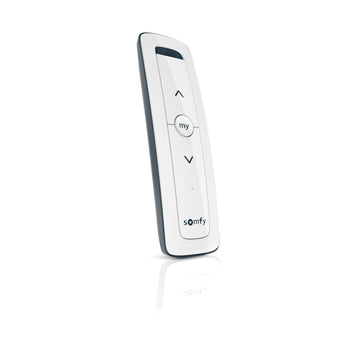
The Telis 16 RTS runs up to 16 channels from one handheld with a screen. Learn how to pick and name channels, how to add a shade from a remote that already runs it, how MY works and what to expect from the batteries and range.
Pass the quiz to unlock 10% off your first ShadeMotorsDirect order. Your code and certificate arrive by email from Shade Motors School.
You will be able to: Add shades to a Telis 16 RTS, name the channels and teach an owner to use it.
Inside this course
Finish every module, pass the quiz, unlock 10% off
Module 1 of 4
What the Telis 16 is and what powers it. After this module you can explain it to an owner.
3 lessons, then a scenario check.
Know the remote
Somfy lists the Telis 16 RTS (1811081) with 16 channels and an LCD screen. Each channel can run one shade or a group.
ExampleA whole house of RTS shades on one handheld.

Know the remote
Somfy lists 2 AAA batteries, about 164 ft range in open field and IP30.
Watch forIP30 means indoors.
Know the remote
Use the arrow keys to move through the channels. The screen shows which one is selected.
On the jobShow the owner the arrows first. It is the step they forget.
Check yourself
Hint: Read the spec.
Two AAA batteries.
Finish every module, pass the quiz, unlock 10% off
Module 2 of 4
Labels turn channel numbers into room names the owner can read at a glance. After this module you can name every channel on the Telis 16 and agree a naming plan with the owner before you start.
3 lessons, then a scenario check.
Name the channels
Hold the selection key until SET shows, enter up to 8 characters, then hold the selection key to exit.
ExampleKITCHN1 is easier than channel 7.
Name the channels
Write the channel list with the owner before you press a button. One room or group per channel keeps the remote easy to use.
On the jobLeave the plan with the owner so they know which channel runs what.
Name the channels
The name takes up to 7 letters and 1 number, using A to Z and 0 to 9.
On the jobAgree short names with the owner before you start.
Check yourself
Hint: Read the rule.
Up to 8: 7 letters and 1 number.
Finish every module, pass the quiz, unlock 10% off
Module 3 of 4
Copy a shade from a remote that already runs it. After this module you can add any RTS shade to a channel.
3 lessons, then a scenario check.
Add and delete a shade
On the remote that already runs the shade, hold PROG until it jogs. Programming mode lasts 2 minutes. Pick the channel on the Telis 16 and briefly press PROG. The shade jogs.
Watch forYou have 2 minutes after the first jog.
Add and delete a shade
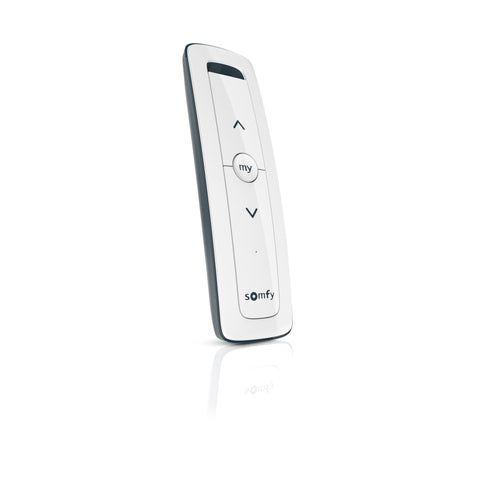
Any remote already paired to the shade, such as a Situo 1 RTS (1870571), opens programming mode.
On the jobKeep the old remote until every shade is on the Telis 16.

Add and delete a shade
Use the same steps to delete a shade from a channel.
ExampleA shade on the wrong channel: delete it, then add it to the right one.
Check yourself
Hint: Same steps both ways.
Run the add steps on the wrong channel to delete it, then add it to the right channel.
Finish every module, pass the quiz, unlock 10% off
Module 4 of 4
MY, sleep and what the remote can run. After this module you can teach an owner the remote in a minute.
3 lessons, then a scenario check.
Daily use
MY stops a moving shade. When the shade is still, MY sends it to the favorite position.
ExampleA half-down position for afternoon glare is one press away.
Daily use
The Telis 16 is RTS, so it runs RTS motors such as the Sonesse ULTRA 506A2 RTS (1002562).
Watch forIt will not run Zigbee or wired motors.

Daily use
The remote sleeps after 2 minutes. Wake it and check the channel before you press a button.
On the jobTell the owner to check the screen before pressing UP.
Check yourself
Hint: Still vs moving.
Sends it to its favorite position.
Final quiz
Each question is a real job scenario, one per screen. Stuck? Tap the hint. You see the right answer and why right after you choose. Pass and you get a printable certificate.
Score 80% to unlock 10% off your first ShadeMotorsDirect order.
Question 1 of 10
On the job: You count channels.
Hint: Name.
Somfy lists 16.
Question 2 of 10
On the job: You replace batteries.
Hint: Small.
Somfy lists 2 AAA.
Question 3 of 10
On the job: You pick a channel.
Hint: Scroll.
Arrows select channels.
Question 4 of 10
On the job: You start naming.
Hint: SET.
Hold selection until SET shows.
Question 5 of 10
On the job: You enter a name.
Hint: 8.
Somfy lists 7 letters plus 1 number.
Question 6 of 10
On the job: You add a shade.
Hint: Existing first.
Open programming from the existing remote.
Question 7 of 10
On the job: Programming mode is open.
Hint: Short window.
Somfy lists 2 minutes.
Question 8 of 10
On the job: You need to delete a shade.
Hint: Same.
The same steps delete.
Question 9 of 10
On the job: The shade is moving.
Hint: Moving.
MY stops a moving shade.
Question 10 of 10
On the job: The screen is blank.
Hint: Sleep.
Somfy lists sleep after 2 minutes.
Almost done
Your score shows on the next screen. If you pass, your certificate and 10% code go to this email. They come from Shade Motors School (school@shademotorsdirect.com). Check Promotions, Updates or Spam if you don't see them.
Parts used in this course
Parts used in this course
Your cart is currently empty.
Not sure where to start? Try these collections: