

Finish every module, pass the quiz, unlock 10% off
Module 1 of 5
Match the radio: Hz, BHz and RTS
You can tell whether a Simu motor takes an Hz transmitter and spot a BHz remote before it reaches the job.
4 lessons, then a scenario check.

Shade Motors School · Program It · 201
Match a Simu Hz handheld to the motors it must run, then size it by channels and order the right battery. Learn to add or delete a transmitter, save a favorite position and reset an Hz02 motor when every remote is lost.
Pass the quiz to unlock 10% off your first ShadeMotorsDirect order. Your code and certificate arrive by email from Shade Motors School.
You will be able to: Pick the right Simu Hz handheld and add it to a Simu Hz motor with the PROG sequence.
Inside this course
Finish every module, pass the quiz, unlock 10% off
Module 1 of 5
You can tell whether a Simu motor takes an Hz transmitter and spot a BHz remote before it reaches the job.
4 lessons, then a scenario check.
Match the radio: Hz, BHz and RTS
A Simu Hz motor is a radio motor that pairs directly with an Hz transmitter.
On the jobOn a T6Hz shutter job, you quote the motor and an Hz handheld together.

Match the radio: Hz, BHz and RTS
Simu says Hz motors can only be driven by Hz transmitters, and BHz motors only by BHz transmitters.
Watch forA spare Simu remote from another house may be BHz. Check it before you promise it will pair.
Match the radio: Hz, BHz and RTS
Simu tells Hz and BHz transmitters apart by the LED: red for Hz, green for BHz.
ExampleAn owner shows you a remote with a red LED. That marks an Hz transmitter, which suits a Simu Hz motor.
Match the radio: Hz, BHz and RTS
Simu's FAQ lists the T5 Hz02 as compatible with all Simu Hz and Somfy RTS control points.
On the jobWhen an owner already runs Somfy RTS shades, ask which motor the new remote must reach before you choose the family.
Check yourself
Hint: Recall what the LED color tells you about the radio.
A green LED marks a BHz transmitter. Simu says Hz motors only take Hz transmitters, so order an Hz remote.
Finish every module, pass the quiz, unlock 10% off
Module 2 of 5
You can choose between the 1, 5 and 16 channel Hz handhelds by counting the motors and groups the owner wants on one remote.
5 lessons, then a scenario check.
Pick by channel count
Simu's DMI Hz guide programs a transmitter as individual control for one motor, group control for several, or general control for the whole installation.
ExampleA patio with three shutters can have one channel per shutter and one more channel for all three.
Pick by channel count
The Hz Mobile Transmitter 1 channel (2008805) runs one control point. Somfy lists awning and rolling shutter applications.
On the jobA single patio awning on a Simu Hz motor needs only the 1 channel handheld.

Pick by channel count
The Hz Mobile Transmitter 5 channel (2008806) runs five control points from one handheld. Somfy lists awning and rolling shutter applications.
ExampleFour shutters each on their own channel leave the fifth channel free for an all-down group.

Pick by channel count
The Hz Transmitter 16 channel handheld (2007350) runs sixteen control points. Somfy describes it with an LCD and lists the rolling shutter application.
On the jobA small office with a row of Simu Hz shutters is a job for the 16 channel handheld.

Pick by channel count
Count the motors the owner wants to run alone, then add one channel for each group. Pick the smallest handheld that covers the total.
Watch forAn owner may want an all-down button later. Leave a spare channel when you quote.
Check yourself
Hint: Count the single shutters, then add the group.
The 5 channel 2008806: four channels for the single shutters and one for the group.
Finish every module, pass the quiz, unlock 10% off
Module 3 of 5
You can order the right battery for each handheld and set the owner's range expectations from Somfy's published figures.
4 lessons, then a scenario check.
Batteries, range and placement
Somfy lists one CR2032 battery for the 1 channel (2008805) and the 5 channel (2008806).
On the jobLeave a spare CR2032 with the owner at handover so a flat cell never stops the shutters.
Batteries, range and placement
Somfy lists two LR3 (AAA) batteries for the 16 channel handheld (2007350).
ExampleA facilities manager with a 16 channel handheld keeps a pack of AAA cells in the supply drawer.
Batteries, range and placement
Somfy lists 656.2 ft in open field for the 1 and 5 channel handhelds. The 16 channel page lists no range.
Watch forOpen field is a test condition. Test from the spot where the owner will stand.
Batteries, range and placement
Simu says to keep transmitters away from metal surfaces and at least 30 cm from an Hz motor.
On the jobMount the handheld on the drywall beside the shutter box, clear of its metal frame.
Check yourself
Hint: Think about what the frame is made of.
Mount it away from the metal. Simu says metal surfaces reduce transmitter range.
Finish every module, pass the quiz, unlock 10% off
Module 4 of 5
You can add a second Hz handheld to a running motor, or remove one, using a transmitter that already runs it.
5 lessons, then a scenario check.
Add or delete a transmitter
Simu adds a transmitter from one that already runs the motor as individual control. That remote opens the motor's memory.
Watch forBring the owner's working remote to the call. Without one, the add steps cannot start.
Add or delete a transmitter
Press PROG for about 3 s on the programmed transmitter until the motor jogs. Then press PROG for about 1 s on the new one until the motor jogs.
On the jobWatch the tube. The jog after each press confirms the step.
Add or delete a transmitter
For group or general control, Simu repeats both steps on each motor in the group or installation.
ExampleFor a three-shutter group channel, run the two presses at shutter one, two and three.
Add or delete a transmitter
To delete a transmitter, open the memory from a programmed individual transmitter, then press PROG on the one you want removed.
On the jobWhen a tenant moves out with a remote, delete it so it no longer runs the shutter.
Add or delete a transmitter
Each motor holds 12 transmitters at most. Simu's DMI guide adds up to 3 sensors on top.
Watch forWhen a new remote will not pair, the memory may be full. Delete a transmitter the owner no longer uses.
Step by step
These steps follow Simu's T3.5Hz02, T5Hz02 and T6Hz02 guide and Simu's DMI5 Hz and DMI6 Hz guide. Start with a transmitter that already runs the motor as individual control.
3 steps, one per screen.
Step 1 of 3
The motor jogs 0.5 s each way. Its memory is open.
Step 2 of 3
The motor jogs 0.5 s each way. The new transmitter now runs the motor.
Step 3 of 3
Each motor jogs at both steps.
Check yourself
Hint: Think about which transmitter can open the memory.
PROG for about 3 s on the working handheld, until the motor jogs. Then PROG for about 1 s on the new one.
Finish every module, pass the quiz, unlock 10% off
Module 5 of 5
You can save an intermediate position for the owner and reset an Hz02 motor when every transmitter is lost.
5 lessons, then a scenario check.
Favorite position and starting over
On Hz02 motors, save an intermediate position: run the product to the spot, then hold STOP for 5 s until the motor jogs.
ExampleSet a half-open position on a patio shutter so the owner gets shade and air with one press.
Favorite position and starting over
A short STOP press while the motor is stopped sends it to the saved position. To delete it, go there and hold STOP for 5 s.
On the jobShow the owner the short STOP press at handover so they can use the saved position.
Favorite position and starting over
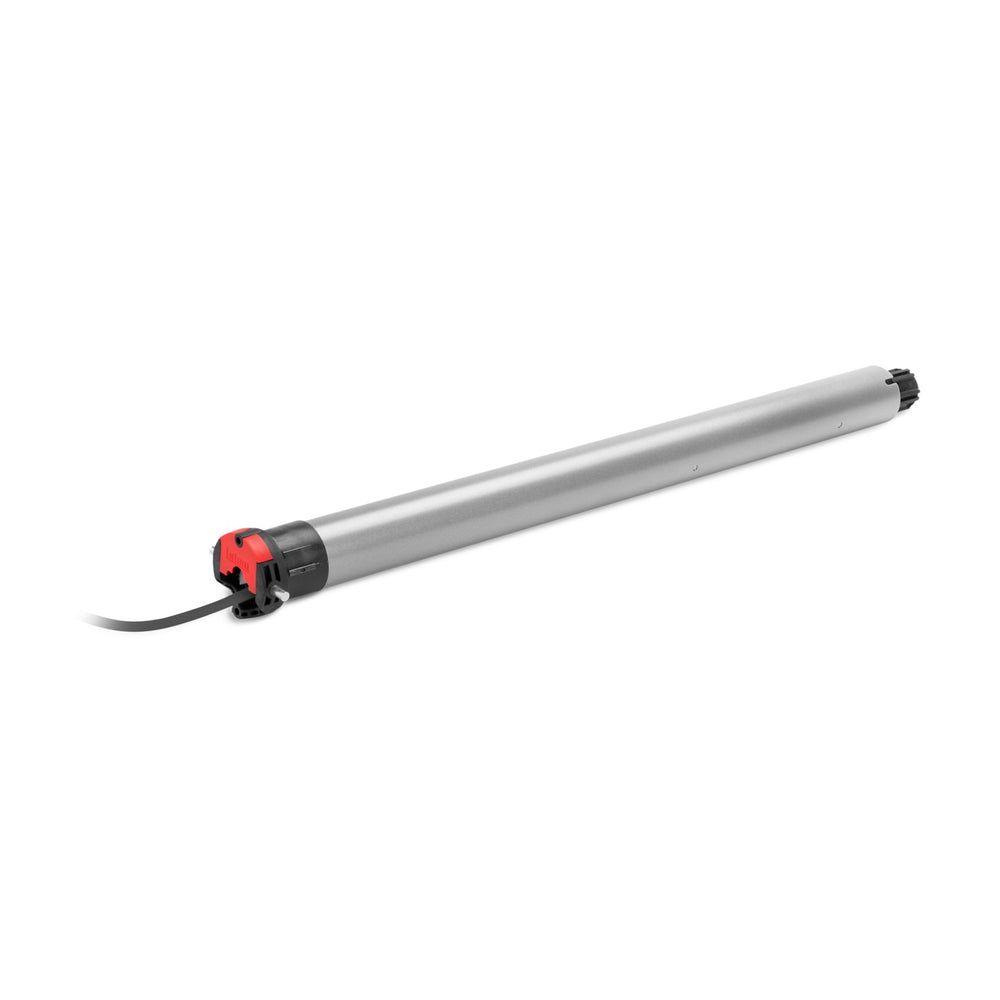
To reset an Hz02 motor, cut power for 2 s, restore it for 7 s, cut it for 2 s, then restore it. The motor enters cancelling mode.
Watch forCount the seconds out loud. A rushed cycle will not put the motor in cancelling mode.
Favorite position and starting over
In cancelling mode, hold PROG on a transmitter for more than 7 s until the motor jogs twice. The motor then keeps no transmitter and no settings.
On the jobPlan to set the limits again after a reset, since the motor clears them too.
Favorite position and starting over
Every motor that lost power enters cancelling mode. Send a command from each programmed transmitter of the motors you want to keep.
ExampleThree shutters share one breaker. Press UP on the remotes for the two you are not resetting.
Check yourself
Hint: Think about what happens to every motor on that breaker.
Send a command from each of the other motors' programmed transmitters, since every motor that lost power enters cancelling mode.
Final quiz
Each question is a real job scenario, one per screen. Stuck? Tap the hint. You see the right answer and why right after you choose. Pass and you get a printable certificate.
Score 80% to unlock 10% off your first ShadeMotorsDirect order.
Question 1 of 10
On the job: A client hands you a Simu remote with a green LED for a new T5Hz shutter.
Hint: Recall what the LED color says about the radio.
A green LED marks BHz, and Simu says Hz motors only take Hz transmitters.
Question 2 of 10
On the job: You quote a single patio awning on a Simu Hz motor.
Hint: Count the control points the owner needs.
One awning needs one control point, which the 1 channel 2008805 covers.
Question 3 of 10
On the job: An owner has four Hz shutters and wants each alone plus one button for all.
Hint: Add the single shutters and the group.
Four single channels plus one group channel make five, which the 2008806 covers.
Question 4 of 10
On the job: A facilities manager asks which cells to stock for the 16 channel handheld.
Hint: The 16 channel uses a different battery from the small handhelds.
Somfy lists two LR3 (AAA) batteries for the 2007350.
Question 5 of 10
On the job: An owner wants to mount the handheld on the steel frame of the shutter box.
Hint: Think about what the frame is made of and what that does to radio range.
Simu says to keep transmitters away from metal surfaces, which reduce range.
Question 6 of 10
On the job: You need to add a second handheld to a working T6Hz.
Hint: Think about which remote can open the memory.
Simu opens the memory with PROG for about 3 s on a programmed transmitter, then adds the new one with PROG for about 1 s.
Question 7 of 10
On the job: A new 5 channel handheld will not pair to a T5Hz that already has many remotes.
Hint: Think about what the motor stores.
Each motor holds 12 transmitters, and Simu says a failed pairing may mean the memory is full.
Question 8 of 10
On the job: You want one channel on a handheld to run three shutters at once.
Hint: Think about where a group channel is stored.
Simu repeats the add steps on each motor in the group.
Question 9 of 10
On the job: An owner wants the patio shutter to stop half open with one press.
Hint: Think about what the owner wants to store on the motor.
Simu saves an intermediate position when you hold STOP for 5 s at the spot you want.
Question 10 of 10
On the job: You reset a T5Hz on a breaker that also feeds two shutters the owner wants to keep.
Hint: Think about every motor that lost power.
Every motor that lost power enters cancelling mode, so Simu sends a command from the programmed transmitter of each motor you keep.
Almost done
Your score shows on the next screen. If you pass, your certificate and 10% code go to this email. They come from Shade Motors School (school@shademotorsdirect.com). Check Promotions, Updates or Spam if you don't see them.
Parts used in this course
 Somfy Simu Hz Mobile Transmitter, 5 channel, white (2008806)
 Somfy Simu Hz Mobile Transmitter, 1 channel, white (2008805)
 Somfy Simu Hz Transmitter, 16 channel handheld, white (2007350)
 Somfy Simu T6Hz 100Nm 14rpm 120V (2006062)
 Somfy Simu T5Hz 35Nm 18rpm 120V (2005135)
 Somfy DMI5Hz 50Nm 12rpm 120V (2004675)
Parts used in this course
Your cart is currently empty.
Not sure where to start? Try these collections:


